EasyManua.ls Logo

Elo Touch Solutions ESY22i5 - User Manual

Default Icon
45 pages
Print Icon
To Next Page IconTo Next Page
Loading...
User Manual: Windows I-Series AiO Interactive Signage
UM600086 Rev A, Page 1 of 45
USER MANUAL
Elo Touch Solutions
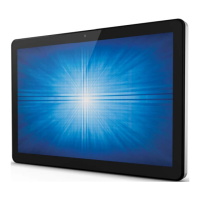
ESY15i2 15.6” Windows I-Series AiO Interactive Signage
ESY22i2 21.5” Windows I-Series AiO Interactive Signage
ESY15i5 15.6” Windows I-Series AiO Interactive Signage
ESY22i5 21.5” Windows I-Series AiO Interactive Signage
UM600086 Rev. A

Questions and Answers

Elo Touch Solutions ESY22i5 Specifications

General IconGeneral
BrandElo Touch Solutions
ModelESY22i5
CategoryTouch Panel
LanguageEnglish

Summary

Read this first

Important Safety and Handling Information

Crucial information to avoid personal injury, property damage, or accidental damage to the I-Series.

Getting Started

Unpacking the I-Series

Procedure for opening the box and checking contents of the I-Series system.

General Mounting Information

Details on supported mounting orientations like landscape, portrait, and table top.

Product Overview

Operation

Front OSD Control Buttons

Explanation of the functions of the front On-Screen Display control buttons.

Setting Up the Operating System

Instructions for the initial setup of the operating system on the touchcomputer.

Creating the Recovery Flash Drive

Procedure to create a recovery flash drive using the built-in Elo Restore Utility.

Recovering the Operating System

Steps to restore the touchcomputer's operating system to factory settings.

Options and Upgrades

Technical Support

Troubleshooting Common Problems

Guide to diagnose and resolve common issues with the I-Series unit.

Technical Assistance

Information on how to get further technical support from Elo.

Safety & Maintenance

Safety Precautions

Essential safety notices regarding electric shock, disassembly, and ventilation.

Care and Handling

Tips for maintaining optimal performance, cleaning procedures, and handling precautions.

General Warnings

Important warnings about keeping the unit dry and potential radio interference.

Related product manuals