
EasyManua.ls Logo

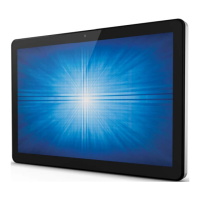
Elo Touch Solutions ESY15i2 - User Manual

Elo Touch Solutions ESY15i2
45 pages
Print Icon
To Next Page IconTo Next Page
Loading...
User Manual: Windows I-Series AiO Interactive Signage
UM600086 Rev A, Page 1 of 45
USER MANUAL
Elo Touch Solutions
ESY15i2 15.6” Windows I-Series AiO Interactive Signage
ESY22i2 21.5” Windows I-Series AiO Interactive Signage
ESY15i5 15.6” Windows I-Series AiO Interactive Signage
ESY22i5 21.5” Windows I-Series AiO Interactive Signage
UM600086 Rev. A

Questions and Answers

  • N
    Nathaniel LaneAug 1, 2025
    What to do if Elo Touch Solutions ESY15i2 Touch Panel display is black?
    • R
      Ray HowardAug 2, 2025
      If your Elo Touch Solutions Touch Panel display is black, and the Power Status LED shows orange or red, try pressing the power button to restore the display. Additionally, inspect the internal cables and electrical components for any signs of damage, such as cracks or burns.
  • E
    Erika MitchellAug 12, 2025
    How to fix Elo Touch Solutions Touch Panel when it has no power?
    • S
      steven33Aug 13, 2025
      If your Elo Touch Solutions Touch Panel isn't powering on, ensure the AC/DC power adapter is securely connected and the AC power source is working correctly. Also, verify that the power button itself is not damaged.
  • P
    pamelahancockAug 21, 2025
    What to do if Elo Touch Solutions ESY15i2 Touch Panel has abnormal/no touch function?
    • R
      Ryan WallaceAug 21, 2025
      If the touch function on your Elo Touch Solutions Touch Panel is not working correctly or not working at all, first check the Windows Device Manager to see if the touch device is recognized. Then, try turning the system off and on again. Finally, inspect the touch screen for any signs of physical damage.

Summary

Elo I-Series Product Overview

Safety Precautions and Handling

Essential warnings and tips for safe operation and handling of the I-Series.

Getting Started with Elo I-Series

Unpacking and System Setup

Instructions for unpacking the system and checking included components.

Elo I-Series Operation and Setup

Operating System Setup Guide

Guides through the initial setup of the Windows Operating System.

Injecting a New System Language

Process for changing the system's language preference in Windows 7.

Elo I-Series Technical Support

Troubleshooting Common Issues

Provides solutions for frequent issues encountered with the I-Series.

Technical Assistance and Support

Information on how to obtain further technical support and resources.

Elo I-Series Safety and Maintenance

General Safety and Handling

Essential safety guidelines for using the Elo I-Series to prevent injury.

Elo I-Series Regulatory Compliance

Elo Touch Solutions ESY15i2 Specifications

General IconGeneral
Screen Size15-inch
Resolution1024 x 768
Aspect Ratio4:3
Input Video FormatAnalog VGA
Power Consumption15W (typical)
Storage Temperature-20°C to 60°C
Display Size15 inches
InterfaceUSB
Operating System CompatibilityWindows, Linux
Viewing Angle160° horizontal, 140° vertical
Input ConnectorsVGA
Active Area304.1mm x 228.0mm
Operating Temperature0°C to 40°C
Humidity20% to 80% (non-condensing)
MountingVESA 75mm

Related product manuals