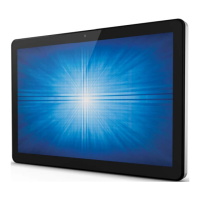
User Manual: X-Series Rev A AiO Touchcomputer
SW602213 Rev A, Page 5 of 51
Do not delete or change the name of files or directories that were not created by you; as this
may prevent the X-Series software from operating properly.
Be aware that accessing network resources can render your X-Series vulnerable to computer
viruses, hackers, spyware, and other malicious activities that might damage your X-Series,
software, or data. It is your responsibility to ensure that your X-Series have adequate
protection in the form of firewalls, antivirus software, and anti-spyware software and keep
them up to date.
Keep electrical appliances such as an electric fan, radio, high-powered speakers, air
conditioner, and microwave oven away from your X-Series because the strong magnetic fields
generated by these appliances can damage the screen and the data on the X-Series.
Take precautions with plastic bags:
The X-Series comes with plastic packaging material.
DANGER: Plastic bags can be dangerous. Keep plastic bags away from babies and
children to avoid danger of suffocation.


 To Next Page
 Loading...