Installing the Touch Technology Software Drivers
Some software installation is required for your touchmonitor to work with your computer.
The drivers for the Windows 7, XP, Vista, WePOS, and 32-bit Server 2003 operating systems
are provided with your touchmonitor on a CD.
Visit the Elo TouchSystems website www.elotouch.com for:
The most up-to-date touch driver versions
Additional touch driver information
Detailed touch driver installation guides
Touch drivers for other operating systems
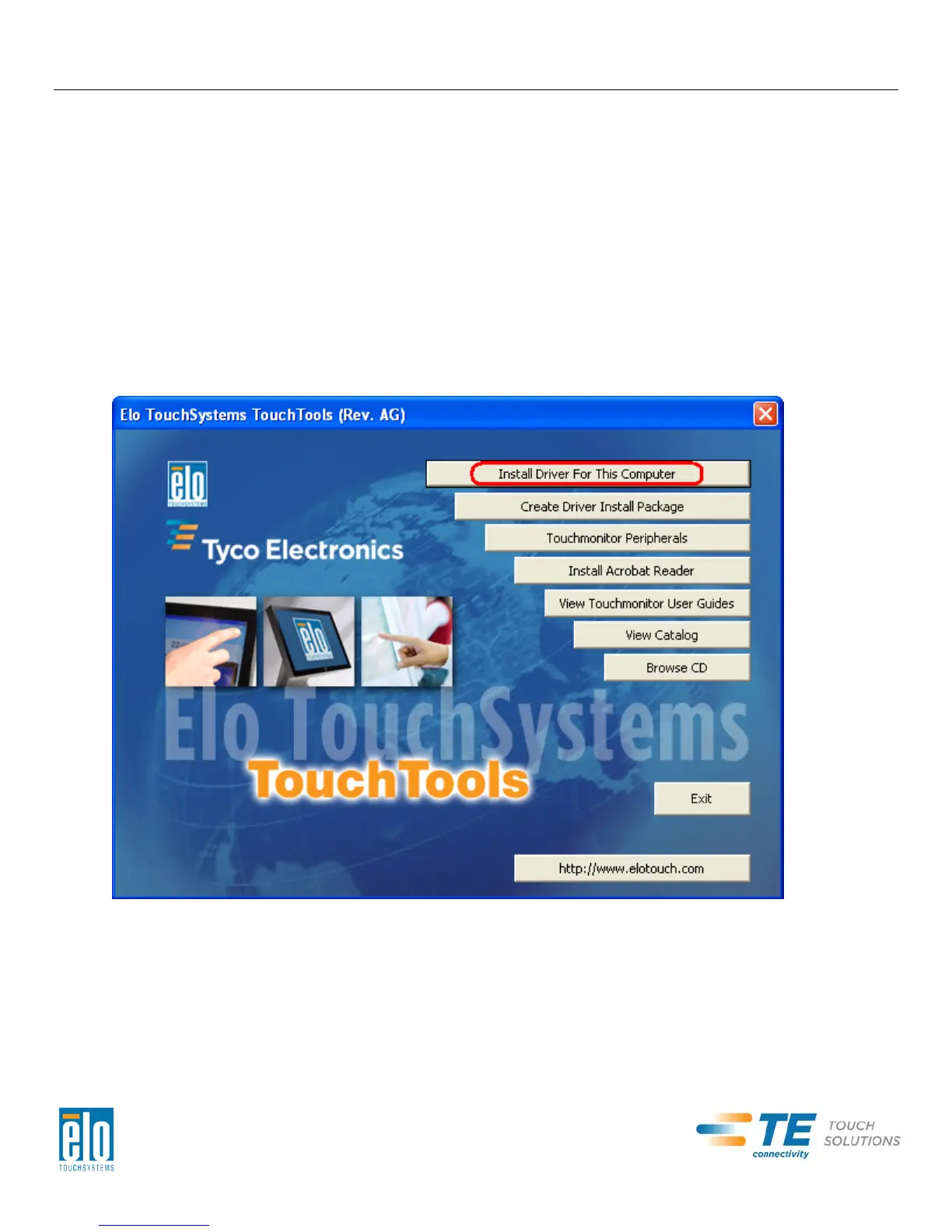
Insert the Elo TouchTools CD into your computer’s CD-ROM drive. The CD should
automatically run the Elo TouchTools application. Select “Install Driver for This computer”:
User Manual – 2201L
SW601363 Rev B - Page 7 of 22


 To Next Page