EasyManua.ls Logo

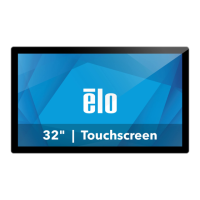
Elo TouchSystems IDS ET3203L - User Manual

Elo TouchSystems IDS ET3203L
33 pages
Print Icon
To Next Page IconTo Next Page
Loading...
User Manual IDS ET3203L/ET4303L/5053
UM600265 Rev. C, page 1 of 33
USER MANUAL
Elo Touch Solutions
IDS ET3203L/ET4303L/ET5053 Display
Question and Answer IconNeed help?

Do you have a question about the Elo TouchSystems IDS ET3203L and is the answer not in the manual?

Overview

The Elo Touch Solutions IDS ET3203L/ET4303L/ET5053 Display is an Interactive Digital Signage (IDS) display designed for a natural flow of information between user and display. These IDS displays incorporate active matrix thin-film-transistor and digital signage LCD panels, providing superior display performance. The ET3203L and ET4303L models offer FHD resolution (1920x1080), while the 5053L model provides 4K resolution (3840x2160), making them suitable for displaying high-quality graphics and images.

Key Technical Specifications:

  • Display Resolution:
    • ET3203L and ET4303L: FHD (1920x1080)
    • ET5053L: 4K (3840x2160)
  • Color Depth:
    • ET3203L and ET4303L: 8-bit color
    • ET5053L: 8-bit+FRC
  • Operating Voltage Range: 100 - 240Vac
  • Operating Frequency Range: 50/60 Hz
  • Operating Temperature:
    • Portrait/Landscape/Tilt: 0°C - 40°C / 32°F to 104°F
    • Tabletop: 0°C - 35°C / 32°F to 95°F
  • Operating Humidity: 20% to 80% (non-condensing)
  • Storage Temperature: -20°C - 60°C / -4°F to 140°F
  • Storage Humidity: 10% to 95% (38.7°C max wet bulb temperature)
  • VESA Mounting: FDMI-compliant mounting is coded, VESA MOUNT PER MIS-F, 400 x 400mm. Elo recommends M6x15mm screws.
  • USB-C Port: Supports USB2.0 and video input. Power delivery and USB3.0 are not available.
  • Micro USB Peripheral Ports: Pinout: Pin1: 5V Power, Pin2: USB D-, Pin3: USB D+, Pin4: NC, Pin5: Ground.

Usage Features:

  • Plug & Play Compatibility: Simplifies setup and integration with other systems.
  • Built-in Speakers and Headphone Output: Provides audio capabilities for multimedia content.
  • Touch On-Screen Display (OSD) Controls: Allows for intuitive adjustment of display settings directly on the screen.
  • Elo Computer Modules (ECM): These modules can be installed into a docking bay on the back of the IDS Display, converting it into an IDS All-in-One touchcomputer. The ECM can be plugged in while the monitor is powered.
  • Mounting Orientations: Supports landscape, portrait, tabletop, and tilt (up to 15 degrees max) orientations. For landscape, the ECM docking bay should be on the right side when viewed from the front. For portrait, the ECM docking bay should be on the bottom side, with IO ports located at the bottom.
  • Video Information: The monitor scales video input to fit the panel's native resolution. For smaller input video resolutions, it "stretches" the image. For larger input video resolutions, it "compresses" the image.
  • On-Screen Display (OSD) Menu:
    • Accessible via touch or remote control (E483757).
    • Video Port Discovery: Automatically switches to a new video port if connected.
    • Brightness: Adjusts display brightness.
    • Brightness Sensor: Can be toggled on or off. When enabled, brightness adjusts automatically.
    • Contrast: Adjusts display contrast.
    • Black Level: Adjusts the saturation level of colors.
    • Sharpness: Adjusts sharpness of displayed images.
    • Aspect Ratio: Adjusts the display's aspect ratio. Supports Fill Screen (scales X- and Y-dimensions) and Fill Aspect Ratio (assumes landscape orientation and adjusts X-dimension to maintain aspect ratio).
    • Color Temperature: Adjusts color temperature (9300K, 7500K, 6500K, 5500K, 3200K, User Defined).
    • Color Sensor: Adjusts display color based on ambient color temperature.
    • User Preset: Allows users to change color temperature by adjusting individual R, G, and B gains.
    • Picture Modes: Standard, Movie, Gaming, Photo, Line mode, Color Enhance.
    • HDMI Full Color Range: Displays full color range (0-255) or legacy color range (16-255).
    • Audio Selections: Selects audio source (Internal-PC, video source, or monitor).
    • Mute: Enables or disables audio.
    • Volume: Adjusts audio volume.
    • Power Loss Behavior: Defines monitor behavior after power loss (Always On, Always Off, Last State).
    • Power Lock: Locks power to the monitor.
    • Energy Savings Mode: Enables Energy Star regulations.
    • Power Status Light: Enables or disables the power status light.
    • Auto Display Wake Up: Enables the light sensor to wake the monitor from sleep mode.
    • Time Set: Sets the current time.
    • On/Off Schedule: Sets specific times for the monitor to turn on and off (e.g., Monday, Wednesday, Friday from 9:00 AM to 5:00 PM).
    • Recall Defaults: Restores all factory default settings.
    • OSD Timer: Adjusts how long the OSD remains active after inactivity.
    • OSD Language: Selects OSD language (English, French, Italian, German, Spanish, Russian, Simplified Chinese, Traditional Chinese, Japanese, Korean).
    • OSD Lock: Locks the OSD menu.
    • OSD Portrait Rotation: Adjusts OSD orientation for portrait and landscape modes.
    • Touch Switch: Selects normal touch or touch through mode.
    • Monitor Information: Displays IDS Display model and touchscreen serial number.
    • System Temperature: Displays real-time temperature of the Video Board (if supported by computer module).
    • Help & Support: Provides Elo Touch Solutions contact information.
  • Audio Output: Audio can be output from IDS Display speakers, IO ports, or the computer module's Line Out port.
  • Controlling the IDS Display Remotely: Supports remote access from a host application using VESA Display Data Channel Command Interface (DDC/CI) or Multiple Display Control command sets.
  • CEC Functionality (Consumer Electronic Control): Allows the monitor to be turned on by only turning the host device on (when connected via HDMI).
  • Real Time Clock (RTC) Functionality: Includes a real-time clock for scheduling operations.
  • Wake-On-Touch: Supports waking the display from sleep mode via touch, provided BIOS settings enable USB support during S4 sleep cycle.
  • Intelligent Brightness Control and Color Sensor Functionality: Adjusts screen brightness and color to match ambient light and color levels. The light sensor can also wake the monitor from sleep mode (change from <50 lux to >200 lux).
  • Energy Saving Mode: Meets Energy Star 8.0 requirements. When enabled, four side peripheral ports, MDC command, CEC functionality, and Auto Display Wake Up are limited.
  • Stylus (Active and Passive):
    • Elo active stylus pens (E216215) for projected capacitance versions. Minimum distance between two monitors is 72cm (28.35in) ±10%.
    • Elo passive stylus pens (E727566) for infrared versions.
  • Glove Support: Supports glove thickness from 0.1mm to 1.4mm. Switch to "touch through mode" when using thicker gloves.
  • Elo Edge Connect Micro-USB Peripheral Ports: Available on all four sides of the monitor for optional peripherals.
  • Huddle Kit (Optional): P/N E380925, includes Elo's Conference Camera and i5 Windows 10 Computer Module, with an intuitive dashboard interface for easy navigation, pre-installed whiteboarding, and wireless BYOD content-sharing software.
  • Conference Camera (Optional): P/N E277819, a built-in microphone and supports 1080P Full HD video output.
  • Whiteboard Software (Optional): Qwizdom Octopus, for collaborative applications and presentations.

Maintenance Features:

  • Safety Precautions: Follow all warnings, precautions, and maintenance recommendations to maximize unit life and prevent risks.
  • Handling: At least two people are recommended for handling, lifting, or moving the IDS Display. Avoid leaving the display face down for long periods to prevent permanent damage to the LCD panel.
  • Power Cord: The IDS Display is equipped with a 3-wire, grounding power cord. Plug into a grounded outlet. Do not modify the plug or use a damaged power cord.
  • Environmental Conditions: Ensure the system is maintained and runs within specified environmental conditions.
  • Firmware and Drivers: Updates to monitor firmware and detailed driver installation guides are available on the Elo Touch Solutions website. TouchPro and Infrared units are HID compatible and do not require an Elo touch driver.
  • Battery Replacement: CAUTION: Risk of Explosion if Battery is replaced by an Incorrect Type. Dispose of Used Batteries According to the Instructions.
  • Waste Electrical & Electronic Equipment Directive (WEEE): This product should not be disposed of with household waste. It should be deposited at a facility that enables recovery and recycling. Elo has put in place recycling arrangements in certain parts of the world.
  • China RoHS: The product complies with China RoHS regulations regarding hazardous substances. The Environment-Friendly Use Period for this product is 10 years.
  • Product Packaging: It is encouraged and recommended that product packaging be recycled and reused according to local laws.

Elo TouchSystems IDS ET3203L Specifications

General IconGeneral
BrandElo TouchSystems
ModelIDS ET3203L
CategoryMonitor
LanguageEnglish

Related product manuals