After installing the drivers
|
|
ELSA GLADIAC
|
16
EN
Windows 2000
The settings for the graphics driver are included in the Control Panel under
Windows 2000. Use the command sequence
Start 왘 Settings 왘 Control Panel
to call the dialog window where you should find the icon for Display. Double
click on this symbol to open the window with its various tabs.
햲 Click on the 'Settings' tab.
햳 Click Advanced... in the 'Settings' dialog.
햴 Select the 'Graphics Board' tab in the dialog that opens.
햵 A button labeled Display Mode... is located in the lower part of the
window. Click it to view a list of all configurable combinations of
resolution, color depth and refresh rate. The values in the list depend on
the capabilities of the monitor and graphics board. Select the desired
combination and confirm by pressing OK.
햶 When finished, click Apply... to check the new settings. You are then
given the option of selecting or canceling the chosen settings. If you are
satisfied with the new combination, confirm your selection by pressing
OK.
If using Windows 2000, you will not have to reboot your system.
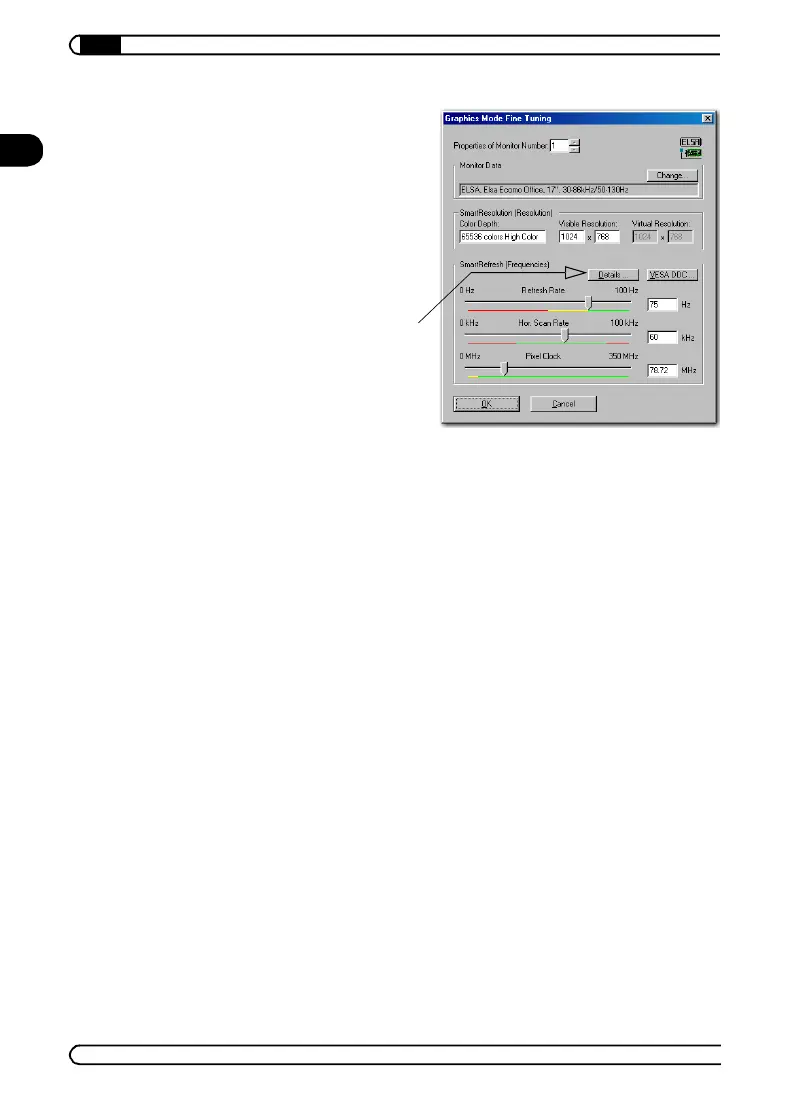
Note: The settings for the monitor
timings should only be changed by
specialists.
SmartResolution: Allows you to
adjust the resolution in steps of 32
pixels.
SmartRefresh: Allows you to
accurately adjust the refresh rate.
21663_DE_0300.book Seite 16 Montag, 10. April 2000 12:22 12



 To Next Page