11
4. Within 10 seconds place the monitor with it’s black end window (the end with the
RH and temperature sensor) facing directly at the computer's infrared port, within
30-60cm (1-2 feet). When contact is made with the logger the computer requests
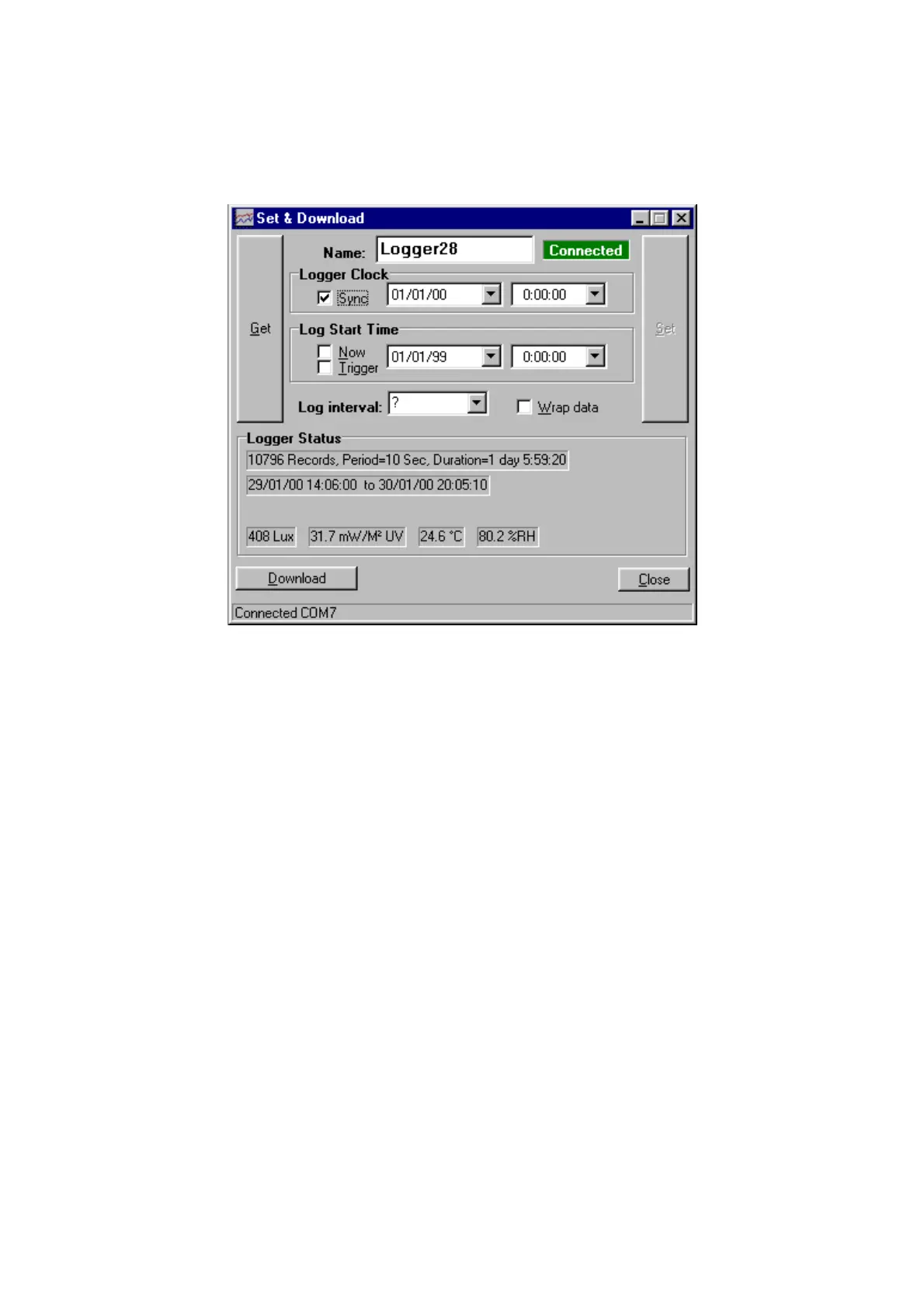
the logger status and something similar to the following is shown:
If "Auto Download" was checked then any new data is downloaded automatically.
Otherwise, if required, click on the Download button to start transmission. The
infrared link is closed after all data has been sent.
Information on any logged data and the current readings (updated every 5 seconds) are
shown under "Logger Status".
The Get button can be clicked to check the current logger settings (Clock, log start
time etc).
If "Wrap data" is checked logging will continue when the memory is full overwriting
the oldest data.
If Sync is checked then the logger clock will be set from the PC when the Set button is
clicked. Otherwise it can be set using the 764 Clock controls.
If "Now" is checked the logger will start as soon as possible after "Set" is clicked,
otherwise any start time and date can be set.
"Trigger" is not used by the 764.
The logger name can be changed. This effects where the downloaded data is stored.
The Set button sends the settings on the PC (Logger Clock, start time, interval, name
etc) to the logger. This also terminates the connection. The Set button is enabled when
a valid log interval is chosen.
The infrared link can be closed by pressing the 'X' key on the 764 or closing the "Set
& Download" window on the PC. If the 764 is just taken away without the link being
officially terminated the computer will complain that it has lost communication, this
does not matter.


 To Next Page