EasyManua.ls Logo

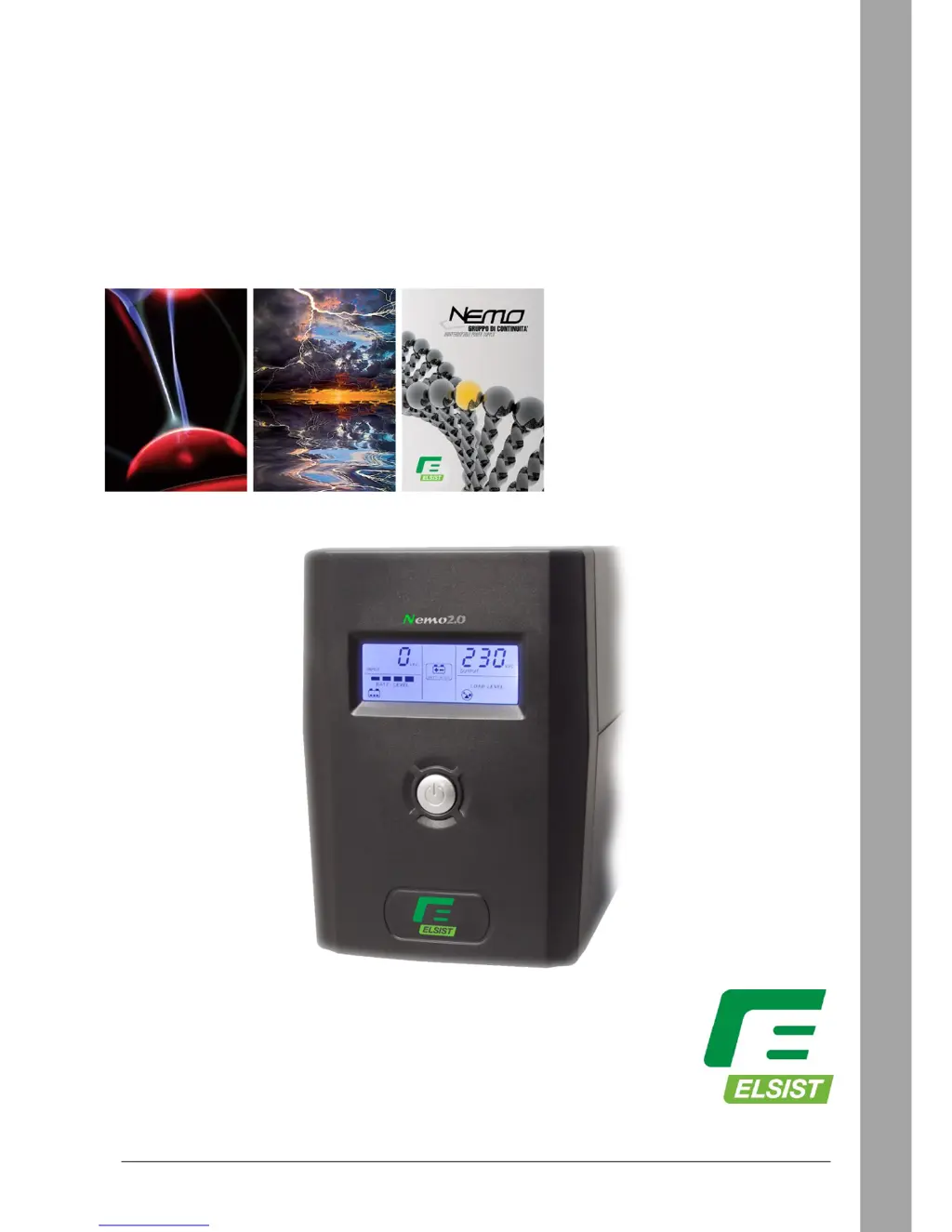
Elsist NEMO 2.0 65 - User Manual

Elsist NEMO 2.0 65
11 pages
Print Icon
To Next Page IconTo Next Page
Loading...
NEMO2.0 65 • 80 • 120 • 160 • 200 • 300 • 400
LINE INTERACTIVE
Rev. 02 27 Gennaio 2017 1
Nemo2.0
65
80
120
160
200
300
400
Single-phase Line Interactive series
Uninterruptible Power Supplies
USER MANUAL

Questions and Answers

  • C
    Charles TapiaAug 3, 2025
    Why does my Elsist UPS beep continuously when Mains is present?
    • K
      Kristina CarterAug 3, 2025
      The continuous beep from your Elsist UPS when Mains is present indicates an overload. Verify that the load connected to the UPS does not exceed its rated capacity.
  • A
    Amber OlsenAug 11, 2025
    What to do if the battery autonomy time in back-up mode is short in Elsist NEMO 2.0 65?
    • C
      Catherine CurryAug 11, 2025
      If your Elsist UPS provides a short battery autonomy time in back-up mode, there are several potential causes: * The UPS may be overloaded. Try removing some of the load. * The battery voltage may be very low. Recharge the battery for at least 8 hours. * The battery may have failed due to high ambient temperatures or improper operation. Consider replacing the battery with the same type.
  • K
    Kristin GrahamAug 17, 2025
    What to do if the battery mode icon is on but Mains is present in Elsist NEMO 2.0 65 UPS?
    • L
      Laura ClarkeAug 18, 2025
      If the battery mode icon is illuminated on your Elsist UPS even when Mains power is present: * First, check that the power cord is correctly plugged in. * If the cord is properly connected, examine the input fuse located in its housing on the rear of the UPS. If the fuse is blown, replace it.
  • M
    Mary GonzalezAug 26, 2025
    How to fix Elsist NEMO 2.0 65 LCD display if it is off?
    • C
      chendanielAug 27, 2025
      If the LCD display on your Elsist UPS is off, consider the following: 1. The battery might be discharged. Recharge it for at least 8 hours. 2. The battery may have failed. Replace it with the same type of product. 3. The On/Off button might not be switched on. Push the ON/OFF button on the front panel.

Summary

1 - SAFETY INSTRUCTIONS

2 - PRODUCT INTRODUCTION

Full power protection

Provides electrical noise suppression, voltage/overvoltage peak suppression, and wide voltage range capability to protect equipment and extend battery life.

Cold start function (DC Start)

Allows the UPS to be activated and operate from battery power even when the main power supply is unplugged.

Power Management software

Includes UPSilon software for PC communication, enabling UPS monitoring and control via USB.

3 - INSTALLATION AND OPERATION INSTRUCTIONS

4 - UPS TEST

5 - LAYOUT AND DESCRIPTION

6 - LCD DISPLAY

7 - VISIBLE;AUDIBLE SIGNALS

2. Mains ON - UPS ON

Shows normal operation with mains power, UPS on, load protected, and batteries recharging.

3. Mains OFF - UPS ON (Network failure; Battery Test)

Signifies a power outage or test mode, with batteries supplying power and discharging.

8 - TROUBLESHOOTING

4. Mains OFF - UPS ON (DC Start)

UPS is on and running from battery power after a cold start activation.

5. Main ON - UPS ON (Overload)

Indicates an overload condition where load exceeds UPS capacity, leading to protection mode.

6. UPS error

Signals a fault condition, such as short circuit or high overload, causing the UPS to switch off.

9 - ACCESSORIES

10 - TECHNICAL CHARACTERISTICS

11 - WARRANTY

Elsist NEMO 2.0 65 Specifications

General IconGeneral
ModelNEMO 2.0 65
CategoryUPS
Frequency50/60 Hz
Communication InterfaceUSB, RS232
Operating Temperature0°C to 40°C
Output Power650 VA
Input Voltage230 VAC
Output Voltage230 VAC
TopologyLine Interactive
Battery TypeSealed lead-acid (SLA)

Related product manuals