www.emachines.com
35
Closing the case
Replacing the front bezel
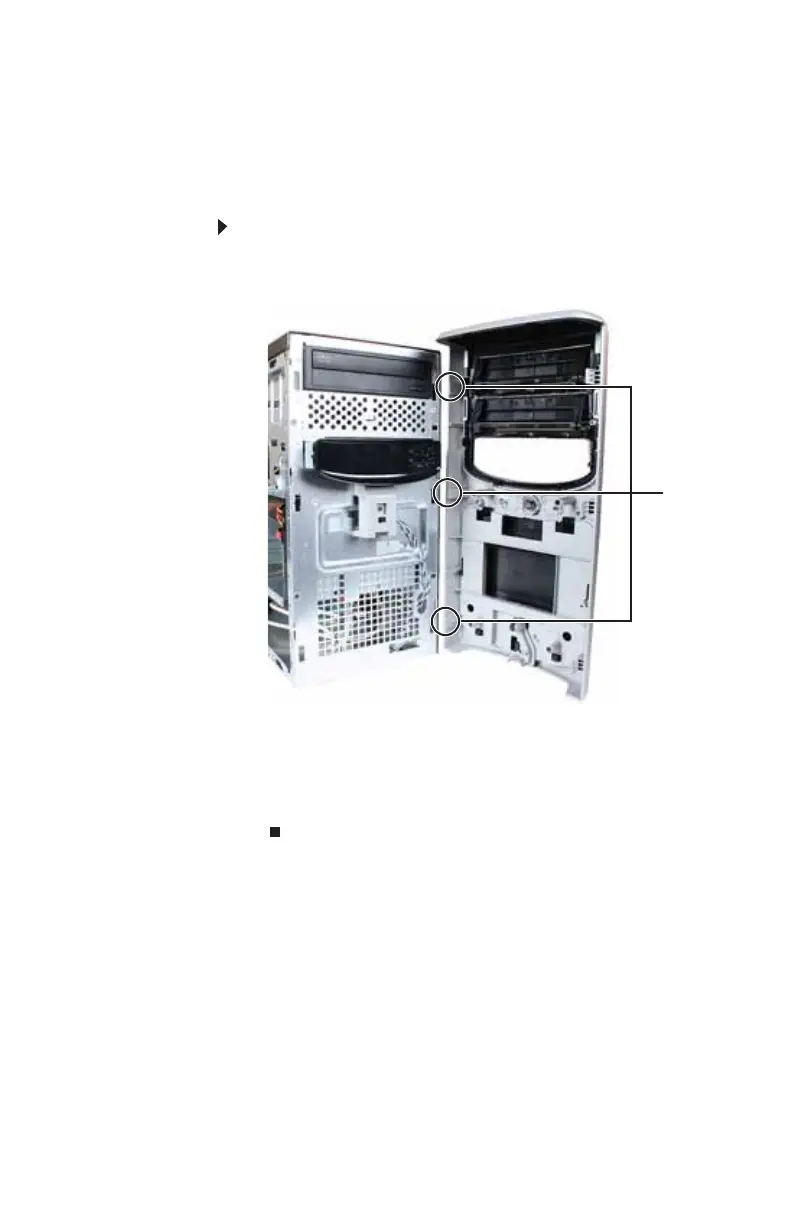
To replace the front bezel:
1 Slide the tabs on the right side of the bezel into the slots
on the right side of the computer.
2 Swing the left side of the bezel in to insert the release
tabs on the left side of the bezel into the slots on the left
side of the computer.
3 Press the left side of the bezel firmly until the release
tabs snap into place.
Ta bs
8513152.book Page 35 Wednesday, May 14, 2008 4:57 PM















 To Next Page