11
Swipe down from the top right of your Home Screen to
view your Quick Settings.
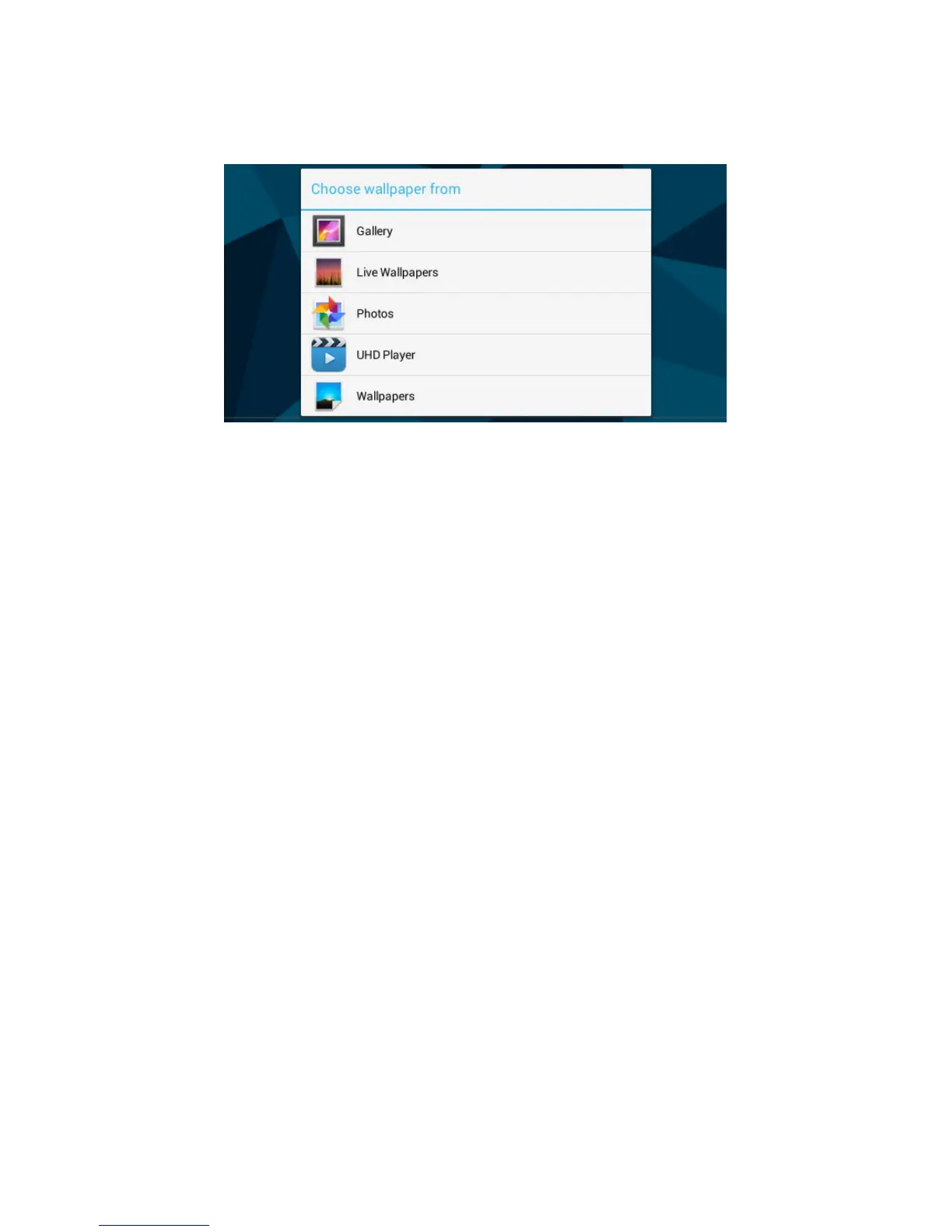
Tapandholdyourngeronanyopenspaceonyour
home screen. A list of options appears.
Gallery: Choose a wallpaper from your personal gallery
Live Wallpapers: Choose from a scrolling list of
animated wallpapers
Photos: Choose a wallpaper from your personal photos.
UHD Player: Choose a wallpaper from your personal
gallery.
Wallpapers: Choose from thumbnails of default images
Change the Wallpaper



 To Next Page