12
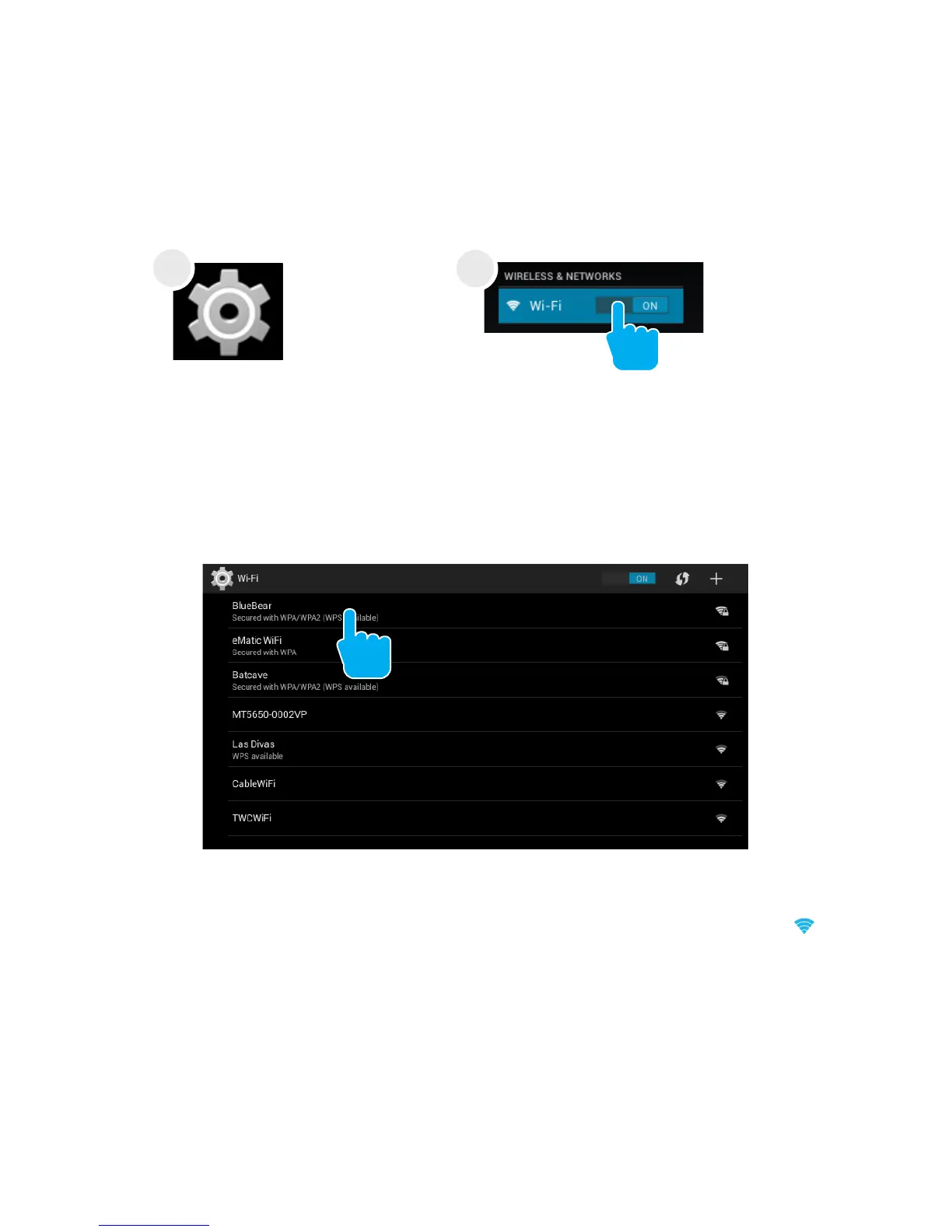
Within the All Apps
menu, tap Settings.
Under Wireless & Networks,
tap the Wi-Fi switch to turn it
on and scan for networks.
Yourtabletwilllistthenetworksitndswithin
range. Tap a network to connect.
When connected, the wireless indicator appears in the
status bar. The blue lines indicate connection strength.
Tap the Wi-Fi ON switch under Wireless & Networks.
Turn off Wi-Fi when you’re not using it to extend the
life of your battery between charges.
Wi-Fi can only be used when it connects with a Wi-Fi
Access Point (AP) or a free unsecured Wi-Fi hotspot.
Turn on Wi-Fi
Turn off Wi-Fi
4.
Network Connection
2
1



 To Next Page