19
7.
Exploring Apps
Open up some Apps to better familiarize yourself with
your new tablet.
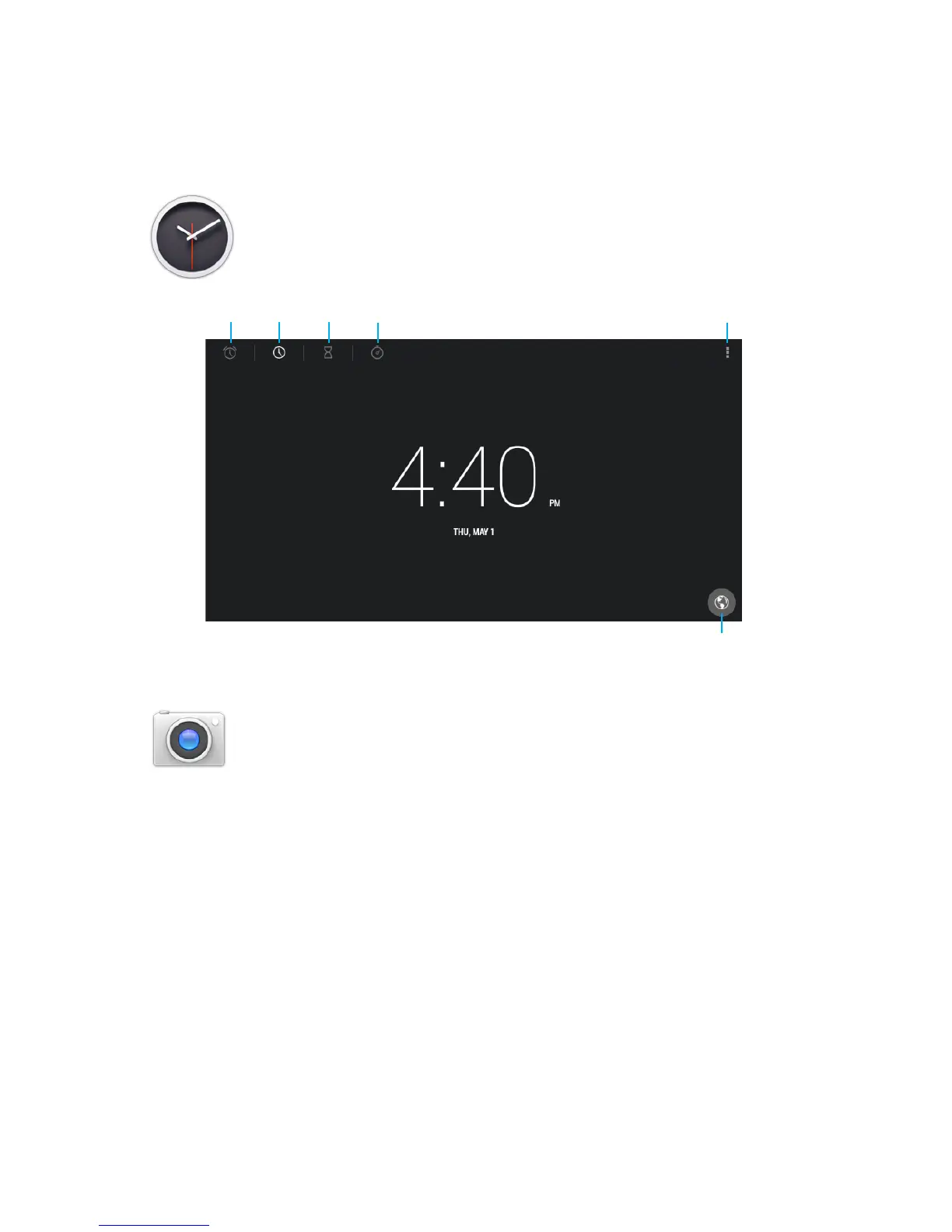
Tap the Clock app to access your alarm clock,
timer, or stopwatch.
Tap the camera app to take pictures and videos
to share with your friends and family.
Alarms
Tap to add Time Zone
TimerClock Stopwatch Night mode/Settings
Taking Photos:
•Makesurethesmallcameraiconisselected
•Tapthebluelensicontotakeaphoto
•Tozoompinchtwongerstogetheronthescreen.
•TapthesmallwhitecircleforCameraSettings.
Recording Video:
•Makesurethesmallcamcordericonisselected
•Tapthereddottostartrecording
•Tozoompinchtwongerstogetheronthescreen.
•Taptheredcircleagaintostoprecording
•Whilerecordingyoucantapanywhereonthescreen
to take take a picture.
•TapthesmallwhitecircletoaccessVideoSettings.



 To Next Page