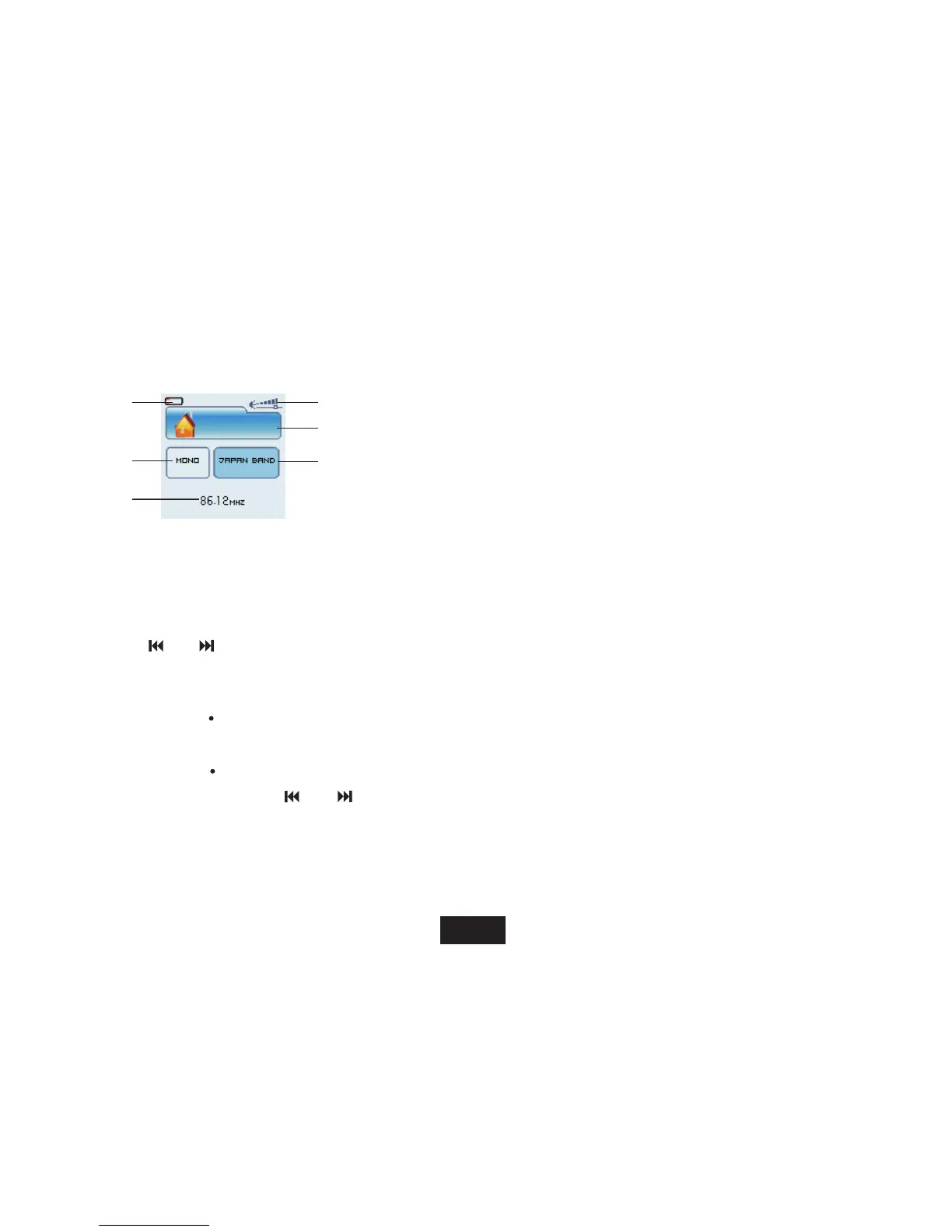
Display
1. Current frequency
2. Mono and Stereo
3. Frequency number
4. FM band
5. Volume level
6. Battery status
Using FM radio function menu
While listening to FM radio, press [ ] button to enter FM radio function menu.
1. Press [V+] or [V-] button to select among Save, , , , , Auto Search Japan band Record Delete Delete all
2. Press [ M ] button to enter and return to listening FM radio mode.
Save
To save a manual searched station, press [ M ] button.
6
2
5
4
1
[ M ]
Record
Use[ ] or [ ] button to select “Record” and press [ M
]button to start FM recording.
To pause recording, press [A-B/REC ]. To resume recording, press [A-B/REC]
again.
Press [A-B/REC] button to save the recording and return to FM radio mode.
17
CH 0 1
3
and Normal band.



 To Next Page