27
(1) In the music library, tap on the Directory Browsing icon in the menu.
(2) Choose the memory device to be sorted.
(3) Tap on the Sort icon (by file size) / (by file type) / (by leading
letter)/ (by creation time) to sort the tracks/folders stored in the selected
memory device.
Set EQ Mode Manually
When you are listening to the music, tap on the Menu icon which allows you
to customize your equalizer setting. Your Internet Tablet features a 7-band
equalizer.
(1) Select a band, then drag your finger up/ down on the band to change the gain
level for these frequency ranges.
(2) Tap on “Save Effect” to confirm or tap on to return.
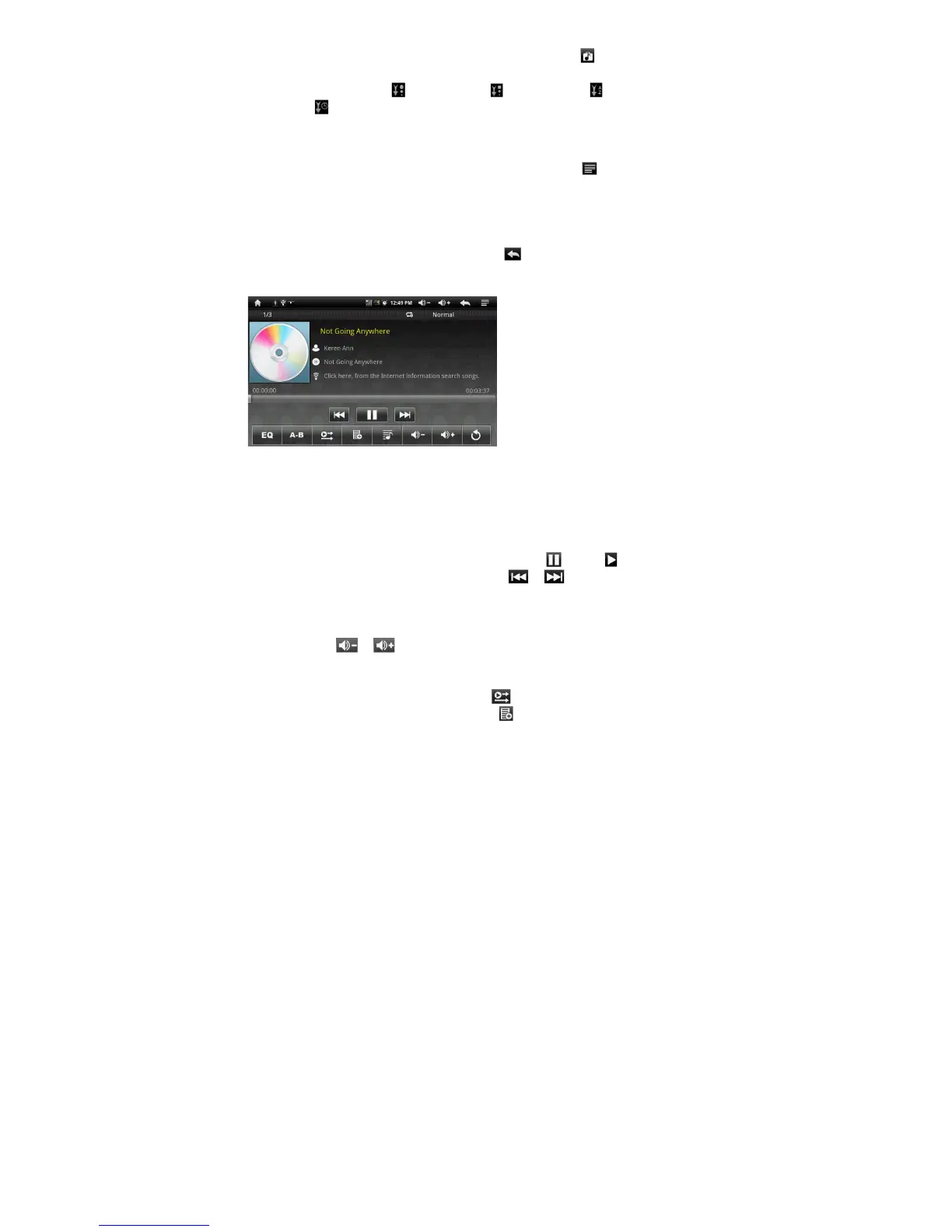
Playback Screen
Slide your finger vertically on the screen or roll the SCROLL button to
browse through the music list.
Tap on the track or press the SCROLL button to play it.
To pause/resume the song, tap on the Pause / Play icon.
To play the previous/next song, tap on / .
You can tap on the progression bar to go directly to a different location in
the song. You can also drag the cursor in the progression bar to another
location in the song.
Tap on / to adjust the volume.
To change the EQ mode, tap on “EQ”.
To play the specified section from A to B, tap on “A-B”.
To change the repeat mode, tap on .
To add current track to playlist, tap on .













 To Next Page