Testing Your Blood Glucose
You will need:
√ Your Embrace No Code Meter
√ A new Embrace No Code Blood Glucose Test Strip
√ Lancing device with a clean, unused lancet (or safety lancets)
√ Clear cap for Alternate Site Testing (AST) on palm and forearm
Before you begin, make sure:
• Set up your meter properly and run a control test. See Setting Up
Your New System on page 4, and Control Solution Testing on page
23 for details.
• Wash your hands and testing site thoroughly with soap plus warm
water, and dry well.
• You are testing in an area between the temperature ranges of
50˚F~104˚F. Your meter will not test outside of this range and will
display with verbal indication if the voice feature is turned on.
Move the meter into an area that is between 50˚F~104˚F, and let it sit
for 10 to 15 minutes before testing again.
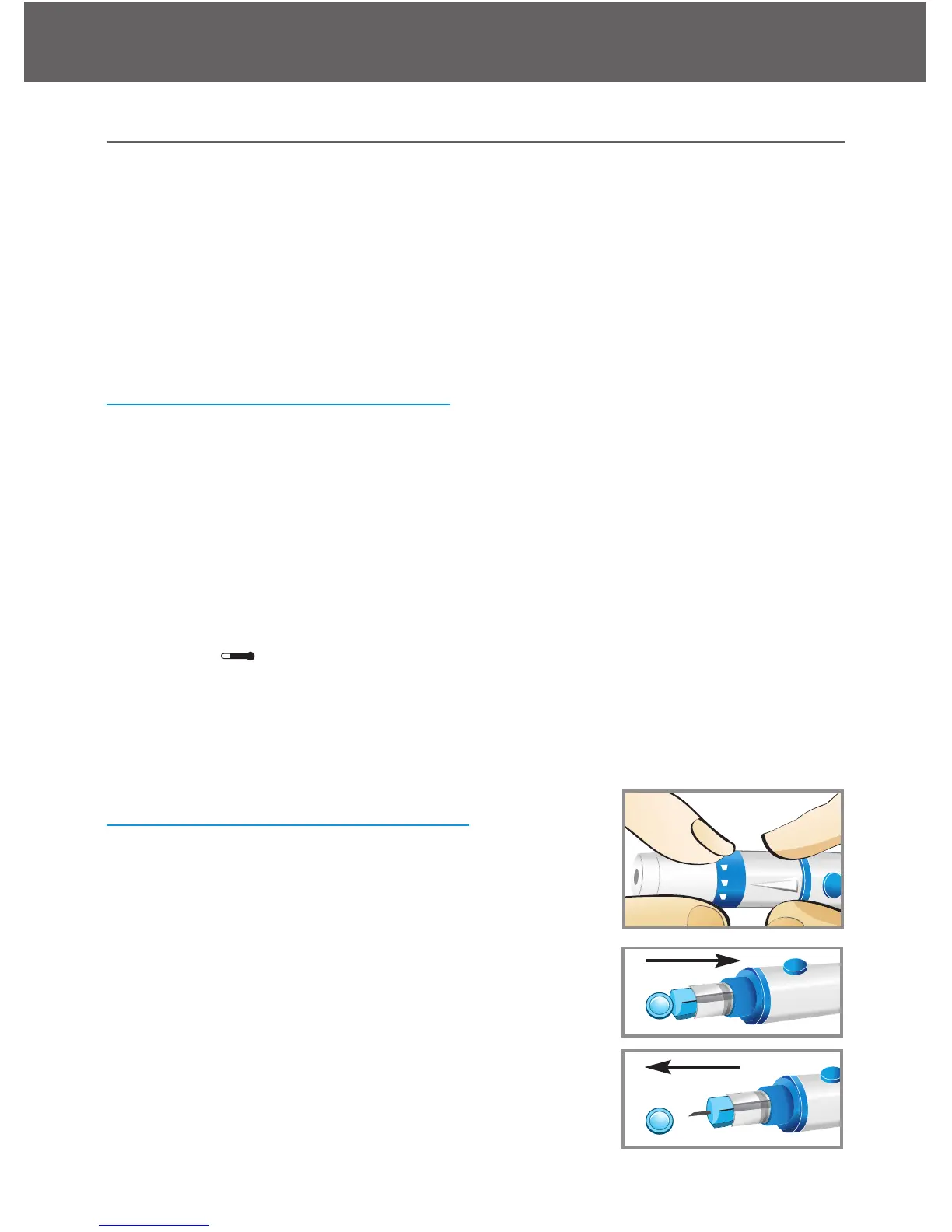
Preparing Your Lancing Device
Step 1:
Unscrew the adjustable cap of the lancing de-
vice and insert the lancet by push down firmly
until it is fully seated
Step 2:
Twist the protective cover off from the lancet.
Twist clockwise the adjustable cover back onto
the lancing device
Embrace N0 Code
Testing Your Blood Glucose
28



 To Next Page