24 VNX5700 Hardware Information Guide
System component description
Control Station switch and LEDs
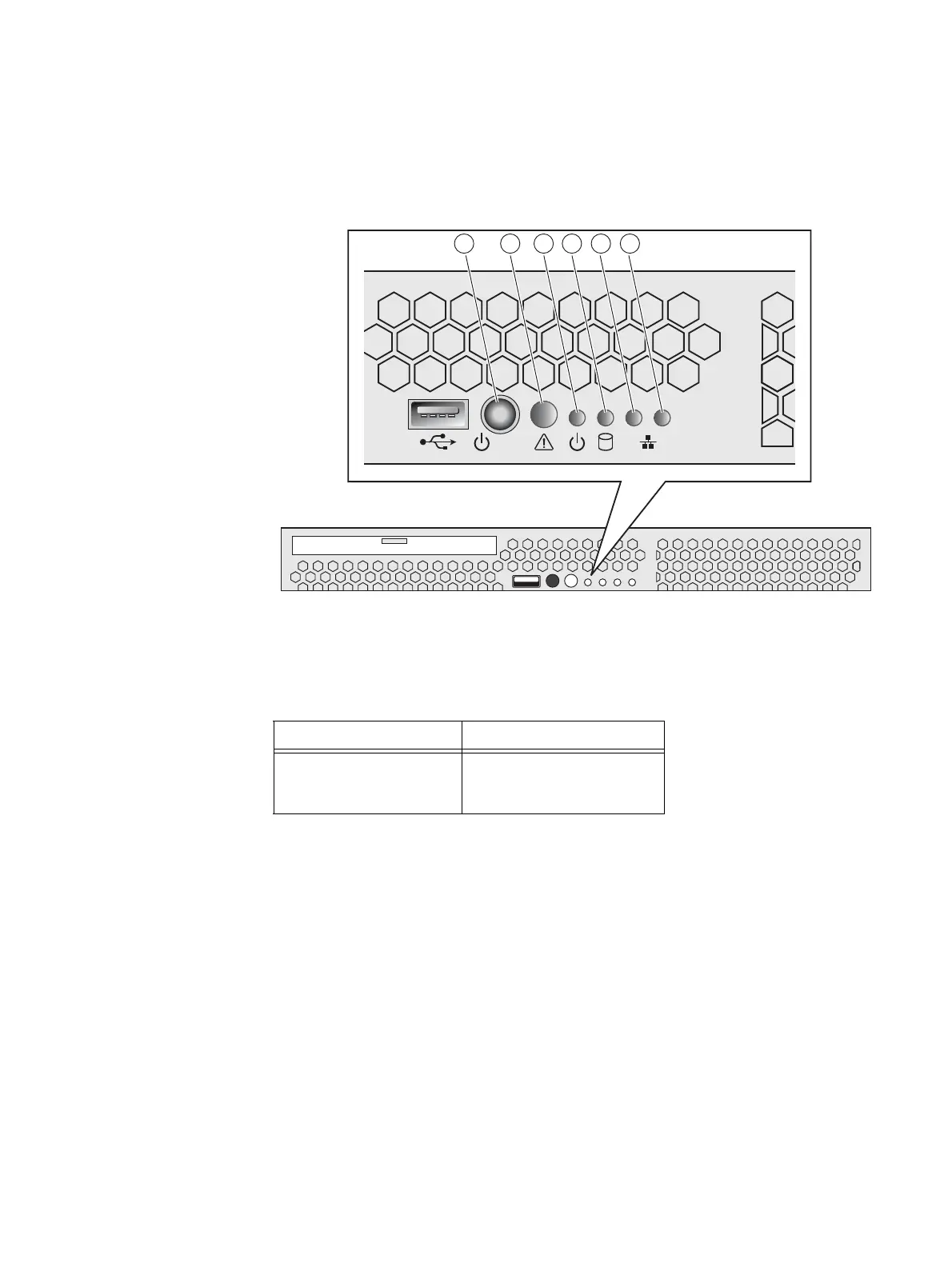
Figure 13 shows the location of the Block and File (Unified) VNX5700 platform Control
Station switch and LEDs on the front panel. Table 9 describes the switch located on the
front panel. Table 10 on page 25 describes the front panel LEDs.
Figure 13 VNX5700 platform Control Station switch and LEDs
12
21 3 4 5 6
CNS-001744
Table 9 Control Station switch
Switch Description
Power push-button
(location 1)
Toggles the Control Station
power (push in and hold for
about 10 seconds)


 To Next Page