27
“Graphics”.
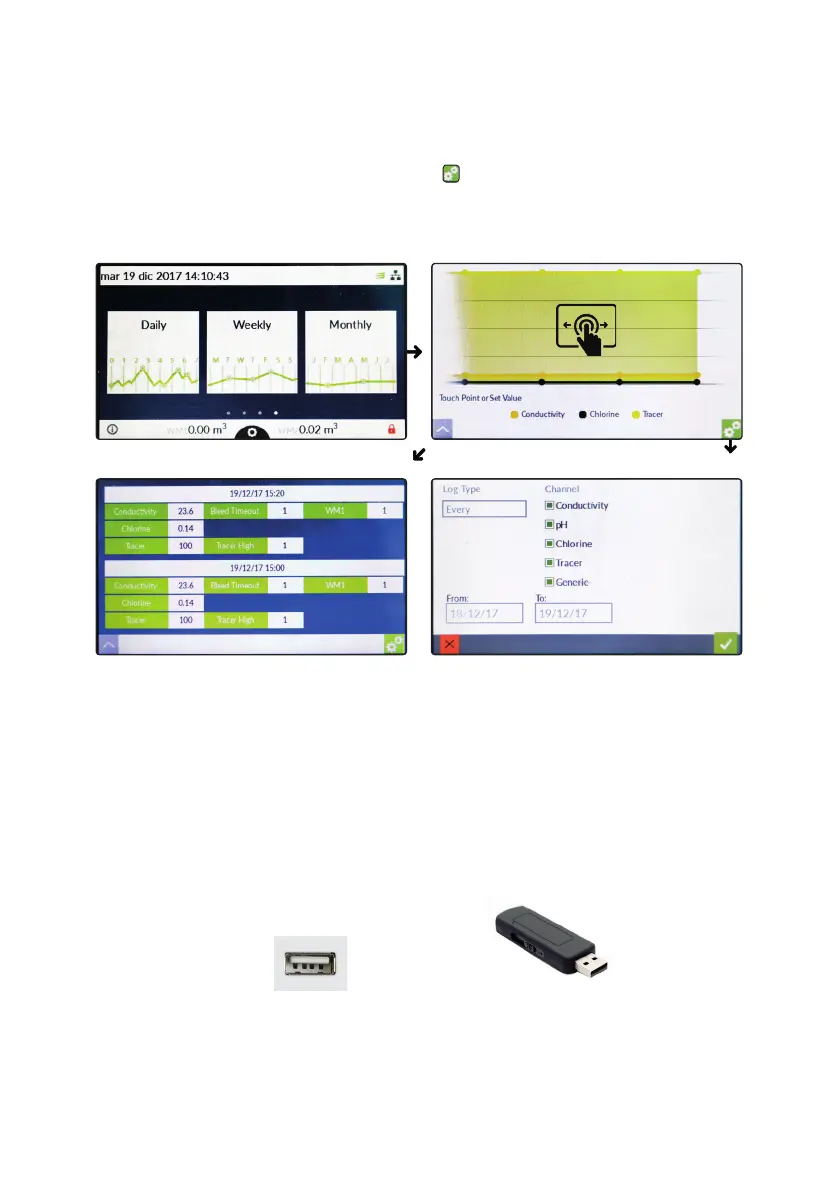
“Centurio PRO” controller can graph readings value for every channel. Within main screen swipe to the left until option
graphic screen is shown (see screenshot below). Tap on required graphic period (daily, weekly or monthly) and wait until
all data are collected. Once the graphic has been shown tap on to edit parameters (channel, date, time, etc...).
Note: based on amount of collected data / period, plotting time may be longer.
“USB Pendrive”.
“Centurio PRO” controller can import / export data such as setpoint conguration (backup & restore), log activity and
rmware update through USB port (located to the right side of the controller). Insert a FAT32 previously formatted
pendrive and wait until the controller discover it. Then choose between available options to perform requested operation.
USB port is located at the side of controller’s box Pendrive required mininum size: 1GB.
Choose Plot
Change
To alternate graphic / text view, swipe over graph



 To Next Page