29
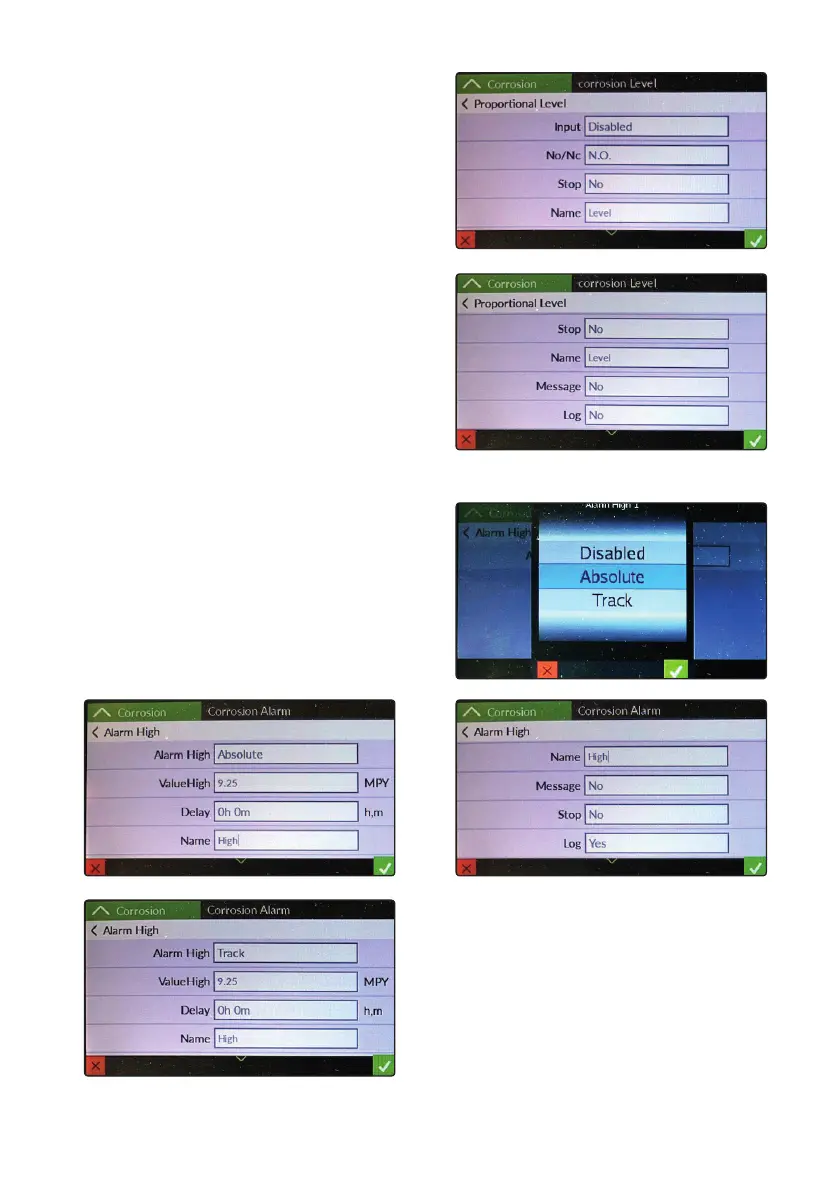
CORROSION LEVEL
Input: enable / disable / select level probe input
NO / NC: sets the type of contact for the level probe input
(normally open or normally closed)
Stop: Enable or disable cotroller’s stop when contact changes state
Name: Name of the label
Message: Enable or disable alarm messages
Log: Enable or disable logging of the event log
CORROSION ALARM
Absolute: “absolute” alarm algorithm
Track: “track” alarm algorithm
Indifferently select one of the two modes to enable the alarm
Alarm High: Enable or disable the alarm
ValueHIgh: Corrosion limit value (MPY units)
Delay: Activation delay time
Stop: Enable or disable activity block if active
Message: Enable or disable alarm messages
Log: Enable or disable logging of the event log
Label: Name of the label



 To Next Page