3
Introduction
“Centurio PRO” is a multi-measure digital controller capable of simultaneously controlling up to 10 programmable channels
for pH * - Redox (ORP) - Chlorine - Turbidity - Temperature - Combined Chlorine (see Chlorine conguration) features
- Chlorine Total (see Chlorine function for the conguration) - Tracers - Conductivity - Dissolved oxygen - Potentiostatic.
The controller has 6 setpoints outputs, 6 proportional outputs, 6 mA outputs, 1 probe cleaning output and 5 product tank
level inputs. The controller can be connected to a PC, even remotely, for remote control of the system via USB, RS485,
MODEM GSM or GPRS, ETHERNET. The working scales of the controller are:
pH: from 0 to 14 pH
Redox (ORP): from 0 to 1000 mv
Chlorine (combined / total): from 0 to 10 mg/l
Tracers: from 0 to 999.9 PPM
mA Input 0/4-20 mA
Turbidity: from 0 to 9999 NTU
Potentiostatic: 5 PPM
Temperature: from 0 to 200 ° C
Conductivity: from 0 to 300.0 mS
Conductivity Ind.: from 0 to 30.000 uS
Dissolved Oxygen: 0 to 20 mg/l
Conductivity and optional modules: pH, Tracer, Chlorine Meter with Proportional and Digital outputs, Generic mA channel
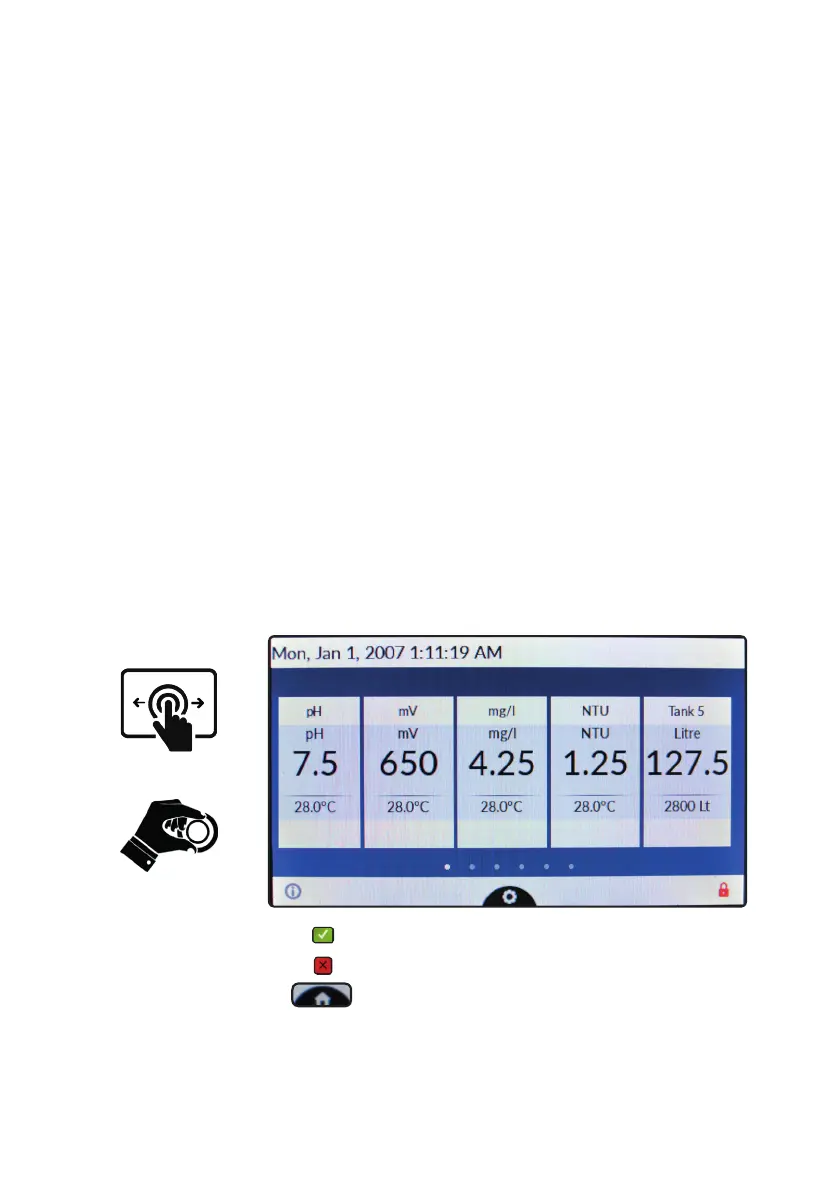
The wheel and the touch screen
The controller can be operated using both the wheel and the touch screen controls. The wheel is located below the
screen and can be both rotated and pressed to conrm operations.
Tap to conrm changes (right corner screen)
Tap to discard changes and return to previous menu (left corner screen)
Tap to return to main screen
A RED COLOR BAR WITHIN A CHANNEL REQUIRES USER ATTENTION - TAP ON IT FOR FURTHER INFORMATION
The capacitive touch screen could not work while wearing gloves. If you need to wear them for safety reason please use a
capacitive stylus to operate controller’s screen. Some functions can be performed using the touch screen only.
Swipe or Tap
Rotate and Press



 To Next Page