43
Appendix - Adding / Removing communication modules
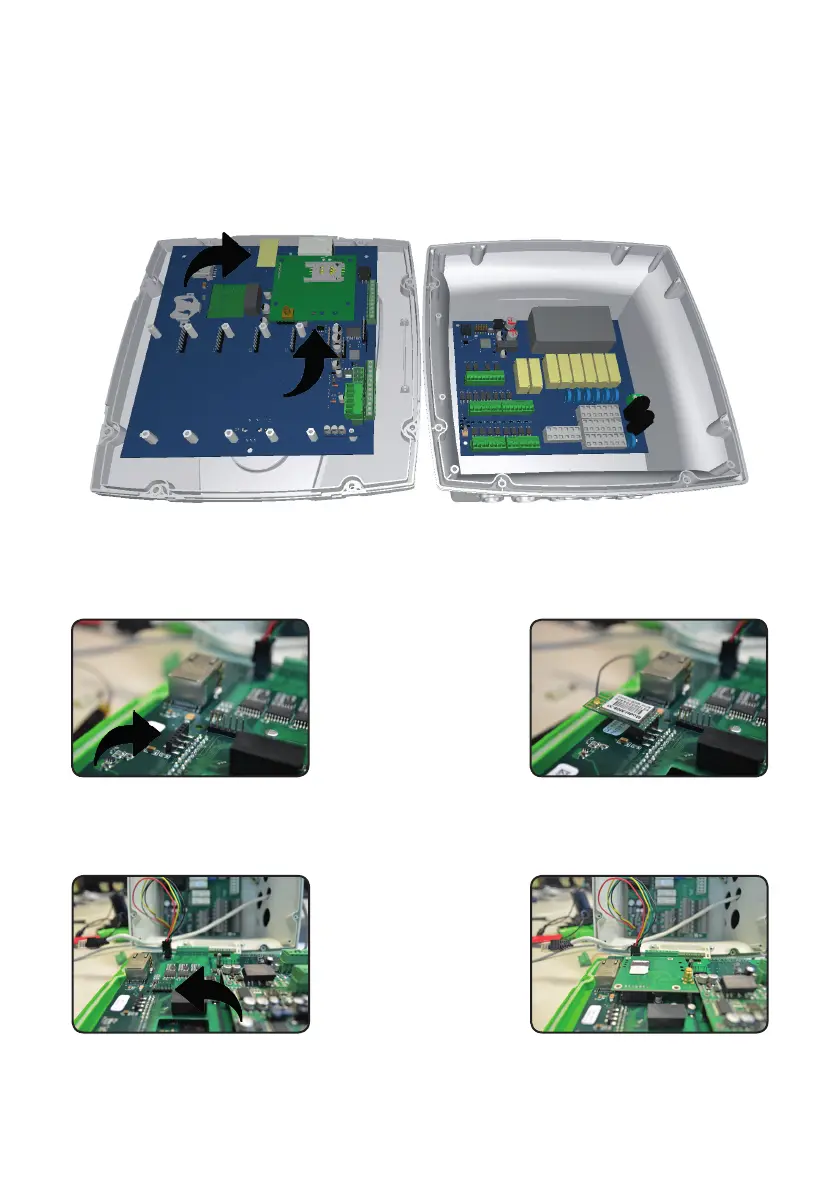
To remove or add a communication module, rst disconnect the controller from main power supply then remove the
white front cover by pulling it. Unscrew the 8 screws and open main panel as shown in gure to gain access to modules
connectors.
A
B
A. WiFi Module Installation
Insert the module on the connector
highlighted in the gure. Make
sure that the antenna is properly
connected.
B. MODEM (SIM) installation
Insert the module on the connector
highlighted in the gure. Make sure
that SIM is correctly inserted and
active. Secure the module with the
supplied screws.
A
B



 To Next Page