7
“Centurio PRO” basic settings.
Basic settings are: PASSWORDs, Time & Date, Language and International Units.
Standard settings are: Probes calibration and working modes (bleed - inhibitor - biocide).
Advanced settings are: Flow meter, Alarm and Communication (WiFi, Mobile, ERMES) menu.
All these three settings must be set in order to properly operate the CONTROLLER.
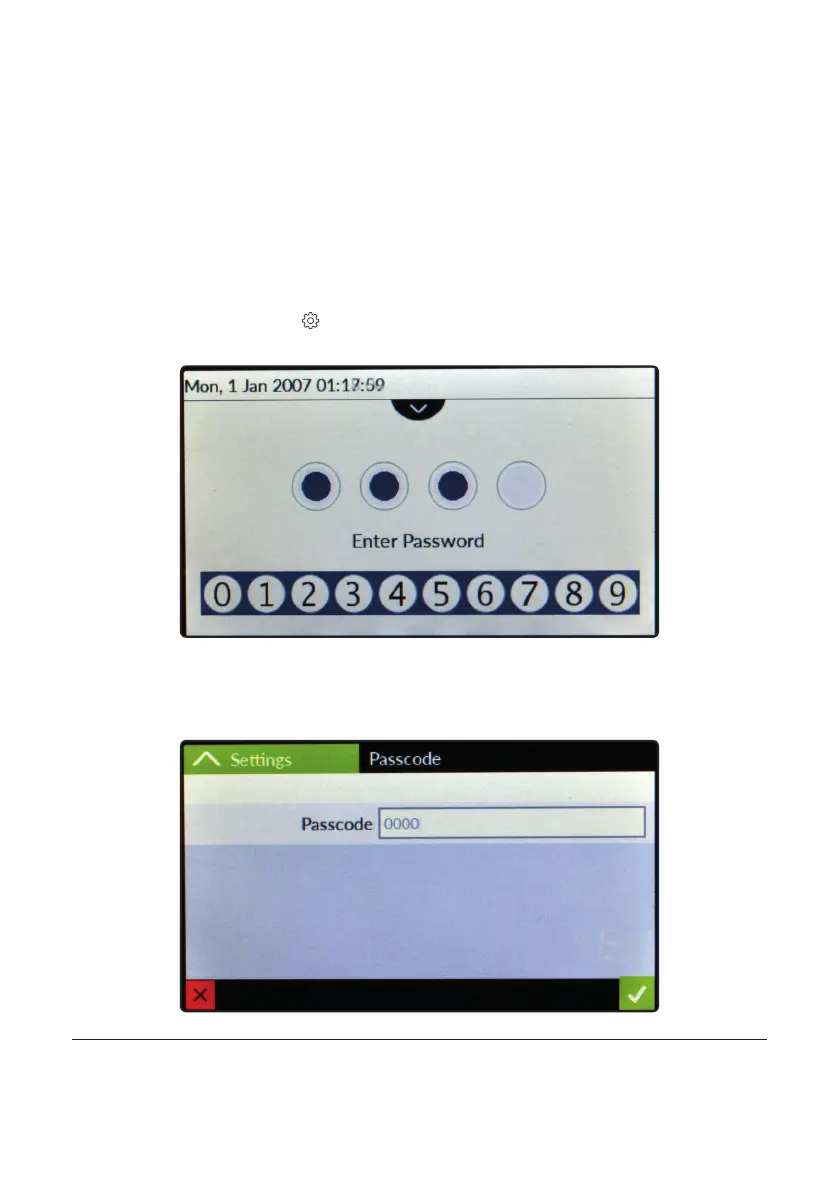
PASSWORD for main menu (settings) access.
To grant access into main menu tap on from main screen and enter the PASSWORD using the keypad on the right
side of the screen. Default PASSWORD is 0000 (factory preset).
To set a new PASSWORD choose “PASSWORD ” from “Settings” menu and enter a four numbers code. Conrm
changes to activate the new PASSWORD.
Lost PASSWORD ?
Please dont’ forget the PASSWORD (if changed). In the unfortunate event, please call your local distributor for unlocking procedure.
There is no way for you to recover a lost PASSWORD.



 To Next Page