EasyManua.ls Logo

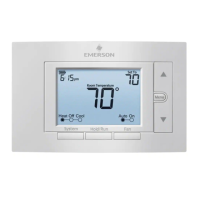
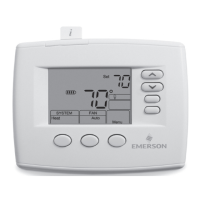
Emerson 1F85U-22PR - User Manual

Emerson 1F85U-22PR
4 pages
Print Icon
To Next Page IconTo Next Page
Loading...
PART NO. 37-7555B-EN
1535
1F85U-22PR (Programmable)
Installation and Operating Instructions
80 Series
TM
Universal Thermostat
Battery Powered or Hardwired with Common
white-rodgers.com
emersonclimate.com
Thermostat Applications
Maximum
Stages
Heat/ Cool
Conventional Gas, Oil, Electric
(mV and 24V), Heat only, Cool only or
Heat/Cool Systems
2/2
Heat Pump (Air Source or Geothermal)
with Aux. Heat
2/1
Thermostat Installation
2-4
Wiring
2
Installer Menu
3-4
Test Equipment
4
Using the Thermostat
5-7
Thermostat Overview
5
User Menu
6
Thermostat Operation
6
Thermostat Schedule
7
Troubleshooting
7-8
Homeowner Help Line
8
INDEX
MERCURY NOTICE: This product does not contain
mercury. However, this product may replace a product
that contains mercury. Mercury and products containing
mercury must not be discarded in household trash.
Refer to www.thermostat-recycle.org for information
on disposing of products containing mercury.
Electrical Rating:
Battery Power ..................................... mV to 30 VAC, NEC Class II, 50/60 Hz
Input-Hardwire .................................... 20 to 30 VAC, NEC Class II, 50/60 Hz
Terminal Load .......................................... 1.5 A per terminal, 2.5A maximum all terminals combined
Setpoint Range ........................................ 45° to 99° F (to 37° C)
Rated Dierentials (@ 6°F/ Hr): Fast Med Slow
Heat (Conventional Gas / Oil / Elect) ..... 0.5°F 0.75°F 1.9°F
Cool (Central Air) ................................. 0.9°F 1.2°F 1.7°F
Heat Pump (Heat and Cool) ................ 0.9°F 1.2°F 1.7°F
Heat Pump Aux. .................................. 0.5°F 0.75°F 1.9°F
Operating Ambient .................................. 32°F to +105°F (0° to +41°C)
Display Temperature Range ....................... 32°F to +99°F (0 to 37°C)
Operating Humidity ................................. 90% non-condensing maximum
Shipping Temperature Range ................... -20°F to + 150°F (-29° to +65°C)
Thermostat Dimensions ........................... 3-3/4” H x 6” W x 1-1/8” D
SPECIFICATIONS
Optional Accessory: Wall Cover-Up Plate F61-2663, 6-3/4” W x 4-1/2” H
Terminal Designations Terminal Function
RC
Power (24V) - Cooling
RH
Power (24V) - Heating
O/B
6 (not shown) - 3 wire zone valve
Reversing Valve or output for 3 wire zone valves
Congurable as “O” or “B” Reversing Valve or 3 wire
zone heat (power close)
Y
1st Stage Compressor (conventional or heat pump)
G Fan Relay
W/E
1st Stage Heat (conventional);
1st Stage Auxiliary Heat (heat pump)
Can operate as Emergency Heat only
(See Installer Menu #15)
C
Common wire for 24V (optional with batteries)
L
Heat Pump Malfunction / Diagnostic terminal
(input signal requires common)
Y2 2nd Stage compressor (conventional only)
W2
2nd Stage Heat (Conventional)
Can operate as 1st Stage Auxiliary Heat
(See Installer Menu #15)
WIRING
Refer to equipment manufacturer’s instructions for specic system wiring information. After wiring, see
INSTALLER MENU for proper thermostat conguration. Wiring table shown are for typical systems and
describe the thermostat terminal functions. Wiring will change when dedicated emergency heat is on
(See Installer Menu #15).
THERMOSTAT INSTALLATION
Precautions
Do not exceed the specication ratings.
All wiring must conform to local and national electrical codes and ordinances.
This control is a precision instrument, and should be handled carefully. Rough handling or
distorting components could cause the control to malfunction.

WARNING
!
Do not use on circuits exceeding specied voltage.
Higher voltage will damage control and could
cause shock or re hazard.
Do not short out terminals on gas valve or primary
control to test. Short or incorrect wiring will burn
out thermostat and could cause personal injury
and/or property damage.
CAUTION
!
To prevent electrical shock and/or equipment
damage, disconnect electrical power to system,
at main fuse or circuit breaker box,until
installation is complete.
Leveling Thermostat
Leveling is for appearance only and
will not aect thermostat operation.
CAUTION
!
To prevent compressor and/or property damage, if the outdoor temperature is below 50°F,
DO NOT operate the cooling system.
Do not allow the compressor to run unless the compressor oil heaters have been operational
for 6 hours and the system has not been operational for at least 5 minutes.
2

Questions and Answers

Summary

Thermostat Installation and Wiring

Thermostat Installation Guide

Provides a guide to installing the thermostat, covering sections like Installer Menu and Test Equipment.

Thermostat Applications

Details thermostat applications for conventional and heat pump systems, including stages of heating/cooling.

Wiring Terminal Functions

Explains the function of each terminal designation for thermostat wiring, including power, fan, and stage controls.

Installation Precautions

Highlights important safety precautions and warnings for thermostat installation, including voltage and handling advice.

Installer Menu Configuration

Installer Menu Access

Guide on accessing the Installer Menu by holding the Menu button for 8 seconds to configure settings.

RC;RH Jumper Wire

Information regarding the RC/RH jumper wire and its function in electrically connecting terminals.

Battery Location and Backup

Details on battery location and their role as a backup power source when a C-wire is not available.

System and Fan Operation Setup

Configuration settings for fan operation, heating, and cooling systems, including equipment selection.

Using the Thermostat

Thermostat Overview and Controls

Familiarization with the thermostat's features, display, and the location/operation of buttons and switches.

User Menu Customization

Instructions for customizing thermostat settings through the User Menu, affecting schedules and display.

Thermostat Operation Modes

Guidance on setting current time/day, holding temperature, and temporary program overrides.

Thermostat Schedule and Troubleshooting

Energy Saving Schedule

Details the factory-set energy saving schedules for heating and cooling for different times of the day.

Modifying Heating and Cooling Schedules

Step-by-step instructions on how to modify the programmed heating and cooling schedules.

Troubleshooting Common Issues

Addresses common problems like no heat/cool, constant operation, display discrepancies, and cycling issues.

Resetting Thermostat Settings

Instructions for resetting the thermostat or its settings to factory defaults or a specific state.

Overview

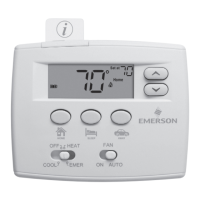
The 1F85U-22PR is a programmable universal thermostat designed for residential heating and cooling systems. It offers flexibility in power options, operating either on battery power or hardwired with a common (C) wire, making it suitable for a wide range of installations. The thermostat is compatible with various systems, including conventional gas, oil, electric (mV and 24V), heat-only, cool-only, heat/cool systems, and heat pumps (air source or geothermal) with auxiliary heat.

Function Description

The primary function of this thermostat is to regulate indoor temperature by controlling heating and cooling equipment based on user-defined settings and schedules. It features a clear digital display that shows the current room temperature, set temperature, time, and system status (e.g., Heat On, Cool On, Aux). The thermostat supports both 7-day, 5-1-1 day, and non-programmable scheduling options, allowing users to customize temperature settings for different times of the day and week to optimize comfort and energy savings.

Key operational modes include Heat, Cool, Auto (for automatic changeover between heating and cooling), and Off. The fan can be set to Auto (runs only when heating or cooling is active) or On (runs continuously). The thermostat also incorporates an "Early Start" feature, which allows it to begin heating or cooling early to ensure the programmed temperature is reached by the scheduled time.

For heat pump systems, it can manage first-stage compressor operation and auxiliary heat. A dedicated emergency heat mode is also available, which can be configured to use the auxiliary heat as the primary heat source. The thermostat includes a compressor lockout feature to protect the equipment from short cycling, typically imposing a 5-minute delay before the compressor restarts.

Usage Features

The thermostat is designed for user-friendly interaction through a combination of buttons and a digital display. The main screen provides an at-a-glance view of essential information.

  • Navigation and Settings: Users can access and adjust settings through the "Menu" button. The "Next" and "Back" buttons facilitate navigation through menu items, while the up (▲) and down (▼) buttons are used to change values.
  • Temperature Control: The up (▲) and down (▼) buttons allow for manual adjustment of the set temperature. A "Hold/Run" button enables users to temporarily or permanently override the programmed schedule. A temporary hold will maintain the new temperature until the next programmed period, while a permanent hold will keep the temperature indefinitely until canceled.
  • Scheduling: The scheduling feature allows users to define "Wake," "Leave," "Return," and "Sleep" periods with specific temperature setpoints for each. This helps in creating an energy-efficient schedule tailored to daily routines.
  • System Mode Selection: A "System" button cycles through the available operating modes (Heat, Cool, Auto, Off), allowing users to select the desired function.
  • Fan Mode Selection: A "Fan" button toggles between "Auto" and "On" fan operation.
  • Backlight: A backlight button (located on the top of the thermostat) illuminates the display for easier viewing in low-light conditions.
  • Keypad Lockout: For added security and to prevent unwanted changes, the thermostat features a keypad lockout function, which can disable the buttons.
  • Temperature Display Adjustment: Users can calibrate the displayed room temperature if it does not match another reliable thermometer.
  • Fahrenheit/Celsius Selection: The temperature display can be toggled between Fahrenheit and Celsius.
  • Continuous Display Light: If hardwired with a C-wire, the backlight can be set to remain continuously on.

Maintenance Features

The thermostat incorporates several features to assist with maintenance and troubleshooting:

  • Battery Status Indicator: An icon on the display indicates the battery status, alerting users when batteries are low.
  • Replace Battery Indicator: When batteries are critically low, a "Replace" message will appear, prompting immediate battery replacement.
  • Change Air Filter Reminder: Users can set up a monthly reminder for changing the air filter, promoting better indoor air quality and system efficiency.
  • Troubleshooting Guide: The manual provides a comprehensive troubleshooting section that helps users diagnose common issues such as "No Heat," "No Cool," constant running, display discrepancies, and system cycling problems. It offers possible causes and corrective actions for each symptom.
  • "Call for Service" Indicator: In case of certain system malfunctions, such as an inability to reach the setpoint or issues with the outdoor unit (for heat pumps), a "Call for Service" icon may appear, indicating a need for professional assistance.
  • Thermostat Reset: Instructions are provided for resetting the thermostat. A soft reset (removing batteries for 2 minutes) will clear temporary issues without affecting settings or programs. A hard reset (pressing Menu and Backlight buttons simultaneously until the display goes blank) will restore factory defaults for schedules and user settings.
  • Mercury Notice: The product is designed to be mercury-free and provides information on how to properly dispose of older mercury-containing thermostats, aligning with environmental responsibility.

Emerson 1F85U-22PR Specifications

General IconGeneral
TypeProgrammable Thermostat
Display TypeDigital
Wi-Fi ConnectivityNo
ProgrammableYes
Voltage24 VAC
BacklightYes
Battery2 AA batteries
CompatibilitySingle Stage
Temperature Range45°F to 90°F (7°C to 32°C)
Power SourceBattery
Stages1

Related product manuals