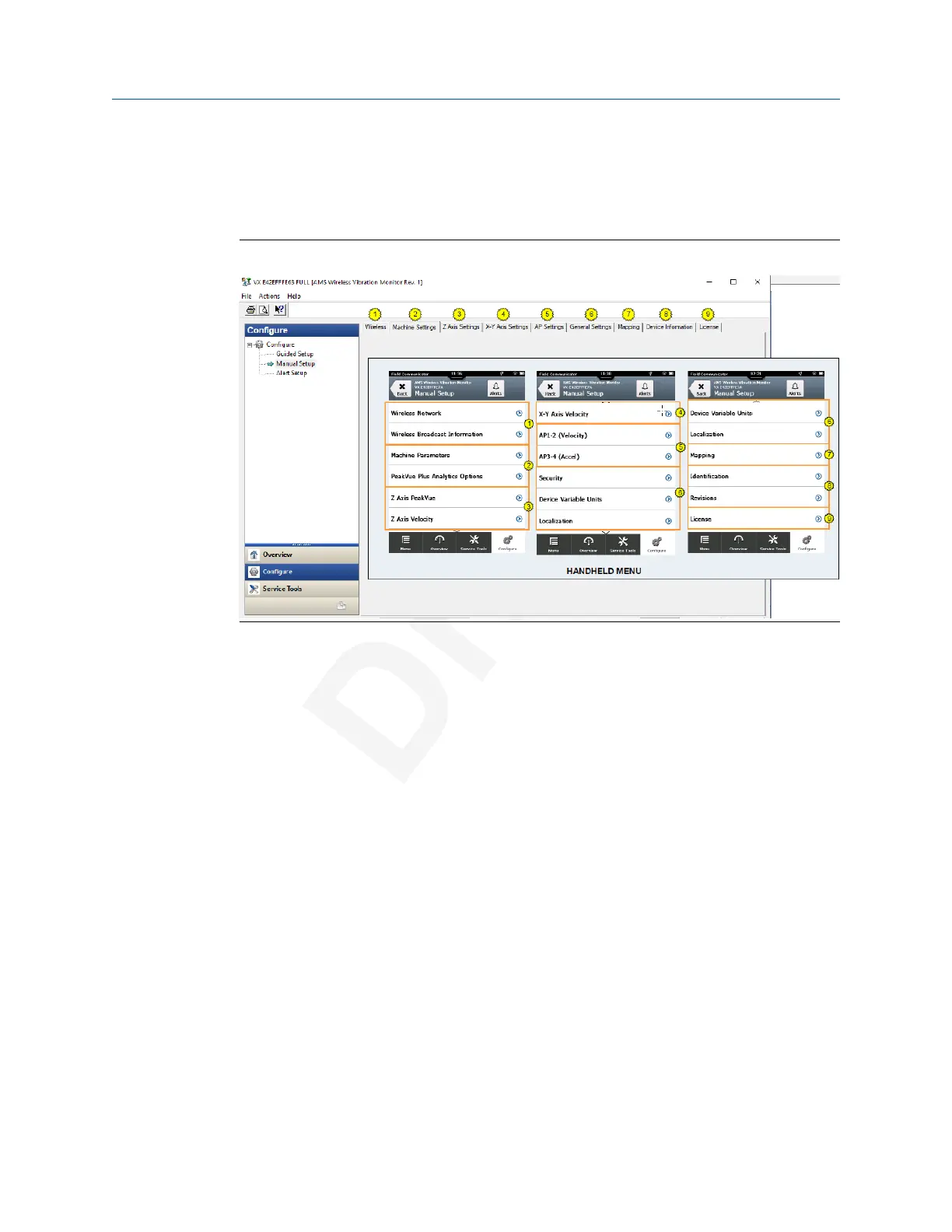
Manual Setup
Manual Setup lets you configure device settings manually.
Click the Wireless tab to display wireless network information for the transmitter.
Figure 2-2: Wireless tab
Click Join Device to Network to enter network identifiers and join keys that will enable the
transmitter to join a wireless network.
Click Configure Update Rate to set how often the device acquires and reports new
measurements (update rate) and to specify the number of times the transmitter skips data
acquisitions between updates to the gateway (PowerSave Skip Multiplier).
Click Apply Default Burst Configuration to reset the burst configuration to default values.
User Guide Configuration
MHM-97927-PBF July 2020
MHM-97927-PBF, DRAFT 29














 To Next Page