EasyManua.ls Logo

Emerson CF712AB02 - User Manual

Emerson CF712AB02
28 pages
Print Icon
To Next Page IconTo Next Page
Loading...
Questions, problems, missing parts: Before returning to the store call
Emerson Electric Customer Service - 8 a.m. - 6 p.m., Eastern, Monday-Friday
Part No. F40BP73000007 Form No. BP7300-7
Revision: 150226 U.L. Model No.: 52-ANT
www.emersonfans.com
CF712AB02
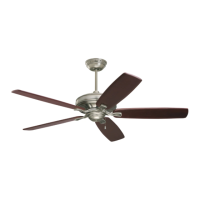
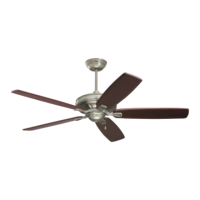
Antique Brass
CF712AW02
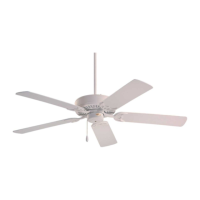
Summer White
CF712BS02
Brushed Steel
Net Weight: 19.0 Lbs.
READ AND SAVE THESE INSTRUCTIONS
1-800-654-3545
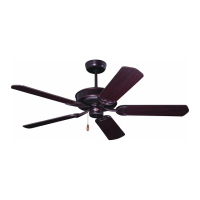
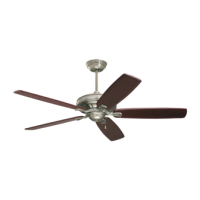
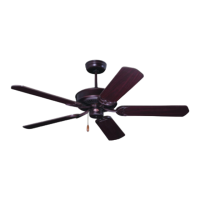
PRO SERIES™
50” Ceiling Fan Owner's Manual
CF712ORB02
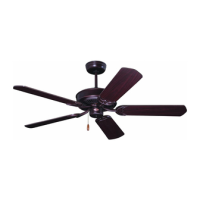
Oil Rubbed Bronze
with Amber Scavo Glass
CF712WORB02
Oil Rubbed Bronze with Opal
Matte Glass
CF712WW02
Appliance White
Model Numbers
• Español - página 29
• Français - page 57

Questions and Answers

  • C
    cwintersAug 7, 2025
    Why is my Emerson Fan not starting?
    • R
      Rebecca SmithAug 7, 2025
      Your Emerson Fan might not be starting due to a blown fuse or circuit breaker. Check both the main and branch circuit fuses or circuit breakers, ensuring the main power is turned off first. Alternatively, there may be loose power line connections to the fan or loose switch wire connections in the switch housing; inspect these connections. Finally, ensure the reversing switch is fully engaged to one side, as a neutral position can prevent the fan from starting.
  • T
    Travis HayesAug 11, 2025
    What to do if my Emerson CF712AB02 Fan wobbles excessively?
    • R
      ruizheatherAug 11, 2025
      If your Emerson Fan wobbles excessively, start by checking and tightening the setscrews in the motor coupling and the hanger ball/downrod assembly. Make sure the screws securing the fan blade flanges to the motor are tight and that the fan blade flanges seat firmly and uniformly to the surface of the motor. Also, ensure the hanger bracket and/or ceiling outlet box is securely fastened. If the issue persists, interchanging an adjacent blade pair might redistribute the weight and smooth the operation.
  • E
    Edward AndrewsAug 15, 2025
    How to fix a noisy Emerson CF712AB02 Fan?
    • E
      Emily AlvarezAug 15, 2025
      If your Emerson Fan sounds noisy, first ensure that the blades are properly attached. Check that the screws securing the fan blade flanges to the motor hub and the screws holding the blades to the flanges are tight. Also, confirm that wire connectors inside the switch housing aren't rattling against each other or the housing's interior. If you're using a solid-state variable speed control, it may be causing motor noise; consider an alternative control method.
  • D
    Daniel JarvisAug 20, 2025
    What to do if my Emerson CF712AB02 will not start?
    • T
      Tony RichardsonAug 20, 2025
      If your Emerson Fan won't start, there are several potential causes. First, check the main and branch circuit fuses or circuit breakers, ensuring the main power is turned OFF. Another possible reason is loose power line connections to the fan or loose switch wire connections in the switch housing; inspect these connections. Lastly, verify that the reversing switch is fully engaged to one side and not in a neutral position.
  • R
    Russell WardAug 25, 2025
    Why is my Emerson CF712AB02 so noisy?
    • T
      troysimpsonAug 25, 2025
      There are several reasons why your Emerson Fan might be excessively noisy. Start by ensuring the blades are properly attached to the fan. Then, check if the screws securing the fan blade flanges to the motor hub are tight. Also, inspect the wire connectors inside the switch housing to ensure they are not rattling against each other or the housing's interior. If you are using a solid-state variable speed control, it may be causing motor noise; consider an alternative control method. Finally, make sure the screws holding the blades to the flanges are securely tightened.
  • J
    Jared MartinezAug 29, 2025
    How to fix an Emerson CF712AB02 Fan that wobbles?
    • S
      Stephanie BakerAug 29, 2025
      If your Emerson Fan wobbles excessively, several factors could be the cause. Begin by tightening both setscrews securely in the motor coupling. Next, tighten the setscrew in the hanger ball/downrod assembly. Check that the screws securing the fan blade flanges to the motor are tight and that the fan blade flanges seat firmly and uniformly to the surface of the motor. Ensure the hanger bracket and/or ceiling outlet box is securely fastened. Lastly, try interchanging an adjacent blade pair to redistribute the weight for smoother operation.
  • R
    Richard PerezSep 1, 2025
    What to do if the lamps on my Emerson CF712AB02 Fan won't turn on?
    • A
      Austin AguilarSep 1, 2025
      If the lamps on your Emerson Fan are not illuminating, start by shutting off the branch circuit electricity and checking the receiver electrical connectors for proper installation. If that's not the issue, the lamp may be burnt out; turn off the electricity and replace it with a new 60W maximum lamp. If the lamp turns on and then off, the built-in circuit breaker is likely tripping, so ensure each lamp is 60W maximum.

Emerson CF712AB02 Specifications

General IconGeneral
TypeCeiling Fan
FinishOil Rubbed Bronze
Blade Span52 inches
MotorAC Motor
Number of Blades5
Light KitIncluded
Control TypePull Chain

Related product manuals