1. Before power up
Ensure:
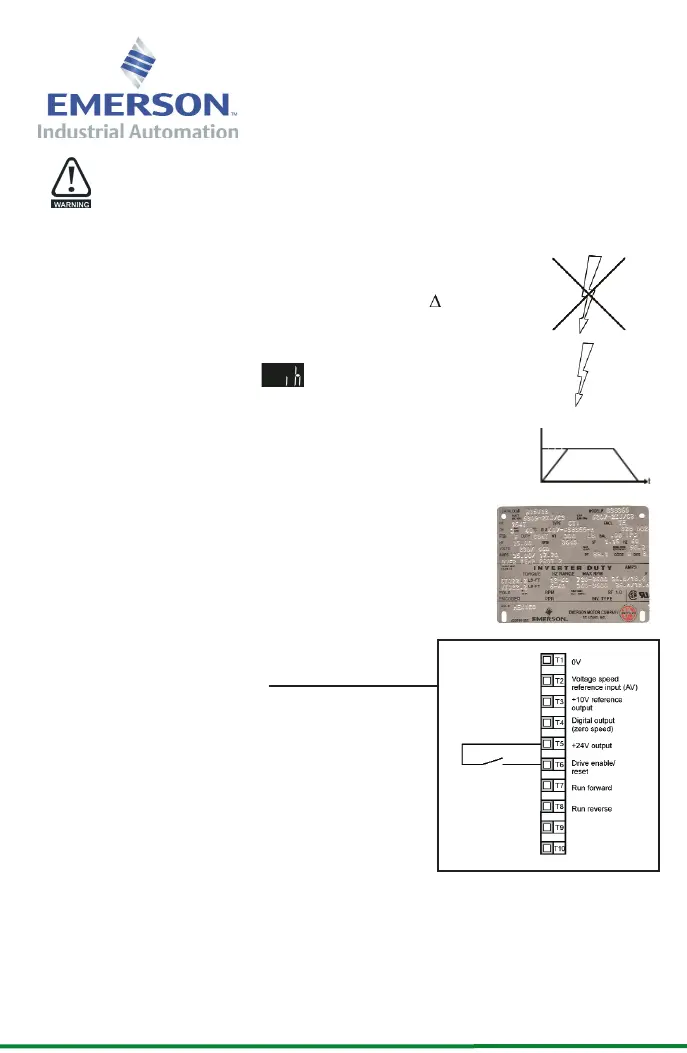
• The drive enable signal is not given, terminal T6 is open
• The motor is connected to the drive
• The motor connection is correct for the drive or Y
• The correct supply voltage is connected to the drive
2. Power up the drive
Ensure:
• The drive displays:
3. Enter minimum and maximum speeds
Enter:
• Minimum speed Pr 01 (Hz)
• Maximum speed Pr 02 (Hz)
4. Enter motor nameplate details
Enter:
• Motor rated current in Pr 06 (A)
• Motor rated speed in Pr 07 (rpm)
• Motor rated voltage in Pr 08 (V)
• Motor rated power factor in Pr 09
• If the motor is not a standard
50/60Hz motor, set Pr 39 accordingly
Ready to run
5. Enable and run the drive
• Close the enable signal (e.g. wire)
• Press the START key
6. Increasing and decreasing speed
• Press the UP key to increase the speed
• Press the DOWN key to decrease the
speed
7. Stopping
• Press the STOP/RESET key to stop the
motor
This procedure is written from default parameter
settings as the drive would be delivered from the factory.
The acceleration and deceleration rates can be adjusted afterwards using Pr 03 and Pr 04
(s/100Hz) respectively.
Commander SL
Quick Start Commissioning
EF
www.controltechniques.com
0472-0091-02
Pr 02
Pr 01
SAFETY WARNING: Before commencing commisioning, ensure the drive has been installed in
accordance with the instructions in the Getting Started Guide
SL TECH FLYER 120x210 version 2.qxd 07/09/2006 10:50 Page 2




 To Previous Page