CI-ControlWave EFM Installation & Operation / 2-29
6. Using a PC equipped with ‘ControlWave Designer’ and ‘OpenBSI’ software, con-
figure the ControlWave EFM to accept the new I/O Module (and any other modules
that have been added or removed) and then download the application load into the
ControlWave EFM CPU’s System FLASH and/or SDRAM (see Section 2.4.1). For
new installations, this step can be skipped until the unit has been wired and power
applied.
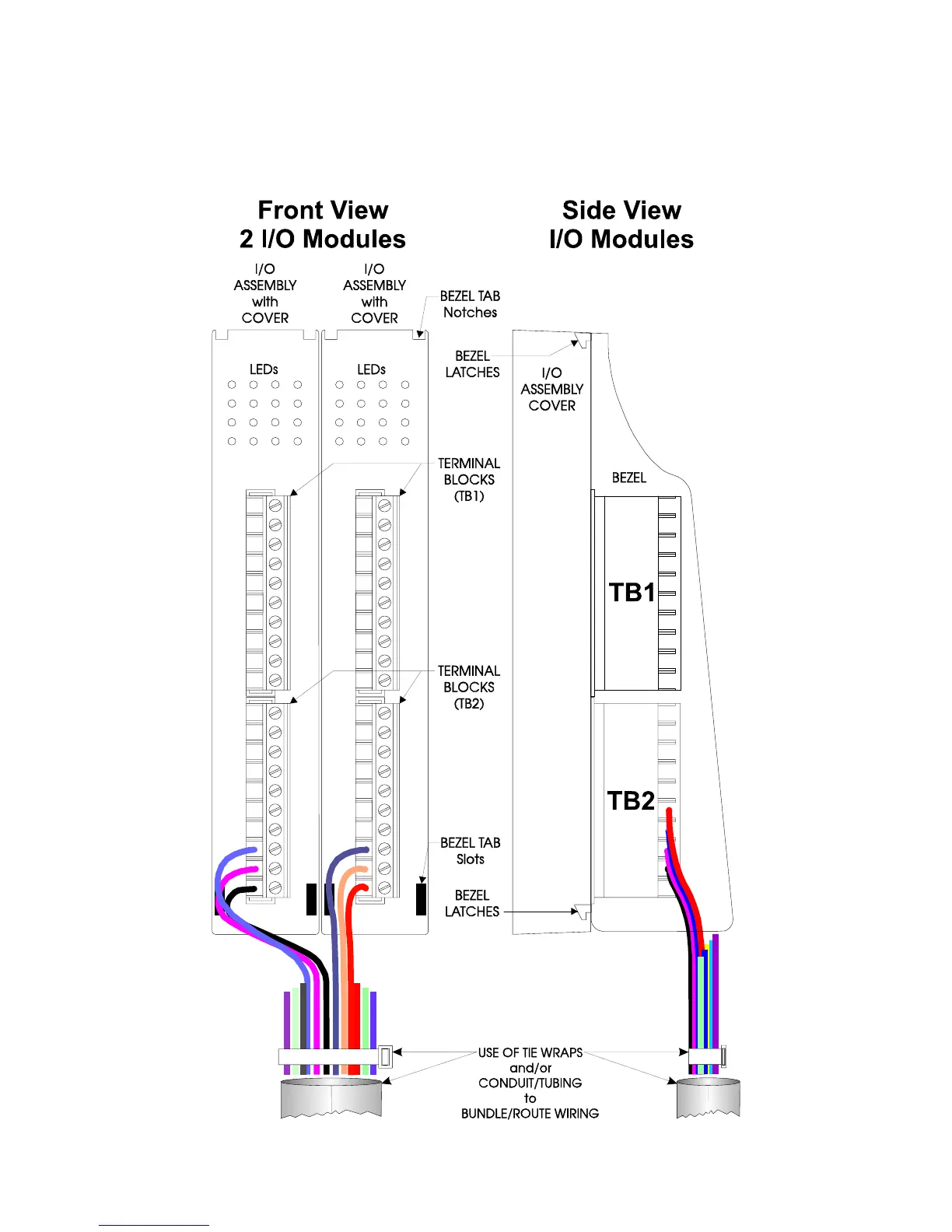
Figure 2-18 - I/O Module (Local Termination) Wire Routing














 To Next Page