EasyManua.ls Logo

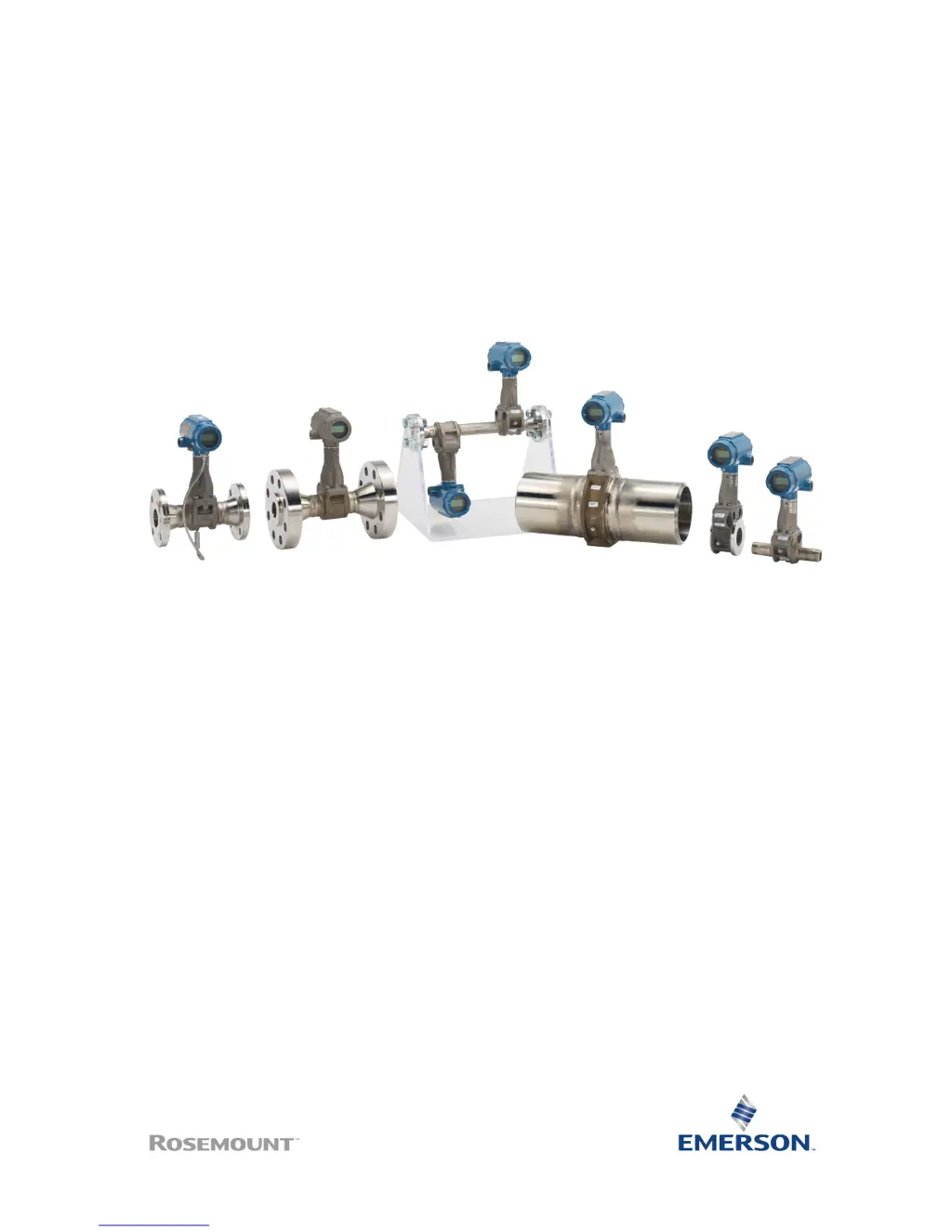
Emerson Rosemount 8800D Series - User Manual

Emerson Rosemount 8800D Series
56 pages
Print Icon
To Next Page IconTo Next Page
Loading...
Quick Start Guide
00825-0100-4004, Rev FE
October 2018
Rosemount
8800D Series Vortex
Flowmeter

Other manuals for Emerson Rosemount 8800D Series

Questions and Answers

  • L
    lisabakerJul 27, 2025
    What to do if block alarms will not work on Emerson Rosemount 8800D Measuring Instruments?
    • D
      Daniel DawsonJul 27, 2025
      If the block alarms on your Emerson Measuring Instruments aren't working, it could be due to several reasons: 1. **Alerts Not Enabled:** The FEATURES_SEL setting might not have Alerts enabled. You'll need to enable the Alerts bit. 2. **Notification Level:** The LIM_NOTIFY setting may not be high enough. Ensure it is set equal to MAX_NOTIFY. 3. **Fault Propagation:** The STATUS_OPTS might have the Propagate Fault Forward bit set. Clear this bit to allow alarms to occur.
  • D
    Donald NolanAug 5, 2025
    Why mode will not leave OOS on Emerson Measuring Instruments?
    • J
      John RaymondAug 6, 2025
      If the mode on your Emerson Measuring Instruments won't leave OOS (Out of Service), there are a couple of potential causes: * **Target Mode Not Set:** Ensure that the target mode is set to something other than OOS. * **Memory Failure:** If there's a memory failure, BLOCK_ERR will show the lost NV Data or Lost Static Data bit set. Try restarting the device by setting RESTART to processor. If the block error persists, it is recommended to call the factory.
  • G
    gfreemanAug 16, 2025
    How to fix communication problems with Emerson Measuring Instruments using HART?
    • J
      Jacob WilliamsAug 16, 2025
      To troubleshoot communication problems with your Emerson Measuring Instruments when using a HART-based communicator: * Ensure a minimum of 10.8 Vdc is present at the transmitter terminals. * Inspect the communications loop. * Verify the presence of a loop resistor (250 to 1000 ohms) and measure its value (R) along with the loop power supply voltage (V). Confirm that [V - (R x 0.024)] > 10.8 Vdc. * Check if the transmitter is in multidrop or burst mode. * If you have a three-wire pulse installation, remove the pulse connection. * If the issue persists, consider replacing the electronics.

Summary

Installation

Mount the flowmeter

Guidelines for installing the Rosemount 8800D Vortex Flowmeter body in process piping.

Install remote electronics

Set jumpers

Connect wiring and power up

Power supply (HART)

Requirements for DC power supply for HART communication.

Power supply (Foundation fieldbus)

Requirements for DC power supply for Foundation Fieldbus.

Wire the flowmeter

Wiring diagrams and instructions for 4-20 mA and Foundation Fieldbus.

Verify configuration

Safety instrumented systems installation

Hazardous location certifications

US and Canadian Certifications

Details on US and Canadian hazardous location certifications.

Combined North America certifications

List of North American certifications and special conditions for safe use.

European certifications (ATEX)

Details on European ATEX hazardous location certifications.

Combined ATEX certifications

List of ATEX certifications and special conditions for safe use.

International certifications (IECEx)

Details on International IECEx hazardous location certifications.

Combined IECEx certifications

List of IECEx certifications and special conditions for safe use.

Emerson Rosemount 8800D Series Specifications

General IconGeneral
BrandEmerson
ModelRosemount 8800D Series
CategoryMeasuring Instruments
LanguageEnglish

Related product manuals