EasyManua.ls Logo

Emerson Rosemount 8750W - User Manual

Emerson Rosemount 8750W
52 pages
Print Icon
To Next Page IconTo Next Page
Loading...
Quick Start Guide
00825-0300-4750, Rev CA
March 2016
Rosemount
8750W
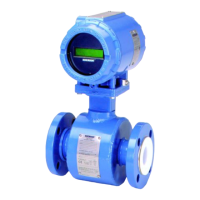
Magnetic Flowmeter System
for Utility, Water, and Wastewater Applications

Other manuals for Emerson Rosemount 8750W

Questions and Answers

  • K
    kristen43Aug 1, 2025
    What to do if my Emerson Transmitter shows reverse flow?
    • T
      tadamsAug 1, 2025
      If your Emerson Transmitter indicates reverse flow, there are several potential causes. First, verify the wiring between the sensor and transmitter to ensure the electrode or coil wires are not reversed. Second, check if the actual flow is reversed; if so, turn ON the Reverse Flow Enable feature to read the flow. Finally, confirm that the sensor is installed correctly; if not, reinstall it properly or switch either the electrode wires (18 and 19) or the coil wires (1 and 2).
  • R
    Robert BarberAug 6, 2025
    Why is my Emerson Transmitter auto-trim failing?
    • K
      Kristin MurphyAug 6, 2025
      An auto-trim failure on your Emerson Transmitter can occur for several reasons. Here are a few things to check: 1. Ensure there is a known flow rate in the pipe while performing Universal Auto Trim. 2. Verify that the wiring matches the appropriate wiring diagrams. 3. Confirm that the flow rate is constant during the Universal Auto-Trim routine. 4. Make sure the flow rate through the sensor matches the value entered during the routine. 5. Check that the correct calibration number (1000005010000000) is entered for the Universal Auto-Trim routine.
  • A
    andrew00Aug 11, 2025
    How to fix an 'Empty Pipe' error on an Emerson Transmitter?
    • I
      iberryAug 11, 2025
      An 'Empty Pipe' error on your Emerson Transmitter can be triggered by several factors. The message will clear automatically when the pipe is full. If the pipe is full, check the wiring to ensure it matches the correct wiring diagrams. Perform sensor tests to rule out electrode errors. Also, make sure the conductivity is greater than or equal to 5 microSiemens per cm. If the diagnostic is intermittent, adjust the tuning of the empty pipe parameters.
  • K
    Katie ChenAug 16, 2025
    What causes auto zero failure in Emerson Transmitter and how to fix it?
    • J
      joseph87Aug 16, 2025
      Auto zero failure in your Emerson Transmitter can stem from a few key issues. First, ensure the flow is set to zero before performing an auto zero trim. If that doesn't resolve the issue, check if an unshielded cable is in use and replace it with a shielded cable. Moisture problems may also be a factor.
  • D
    Danielle AlvarezAug 21, 2025
    What to do if Emerson Transmitter displays 'Coil Open Circuit'?
    • X
      xgayAug 21, 2025
      If your Emerson Transmitter displays a 'Coil Open Circuit' error, it might be due to improper wiring. Check the coil drive wiring and sensor coils. Also, perform sensor tests.
  • B
    Brenda TerrellAug 27, 2025
    Why does my Emerson Transmitter show 'Electronics Temp Fail'?
    • D
      Denise TurnerAug 27, 2025
      The 'Electronics Temp Fail' error on your Emerson Transmitter indicates that the ambient temperature has exceeded the electronics' temperature limits. To resolve this, move the transmitter to a location where the ambient temperature is within the range of -40 to 140 °F (-40 to 60 °C).

Summary

Transmitter Installation

Identify Options and Configurations

Identify applicable configurations and options for transmitter installation.

Hardware Switches

Configure user-selectable hardware switches for alarm mode, power, and security.

Mechanical Considerations

Integral Mount Transmitter Housing Rotation

Rotate transmitter housing in 90° increments for proper orientation and access.

Electrical Considerations

Environmental Considerations

Handling and Lifting

Safety Recommendations for Mechanical Handling

Follow safety guidelines for lifting and handling to prevent damage and injury.

Mounting

Upstream;Downstream Piping

Install sensor with sufficient straight pipe diameters upstream and downstream for accuracy.

Flow Direction

Mount sensor with the arrow pointing in the direction of flow.

Sensor Location

Install sensor in a location ensuring it remains full during operation.

Electrode Orientation

Orient electrodes correctly in the 3 and 9 o'clock positions for optimal performance.

Sensor Installation

Gaskets

Ensure gasket material compatibility and correct placement for leak-free process connections.

Flange Bolts

Follow specific torquing sequences and values for proper flange bolt tightening.

Process Reference Connection

Process Reference Installation Options

Determine the correct grounding straps, rings, or electrode for process reference.

Wiring the Transmitter

Conduit Entries and Connections

Ensure proper conduit connections adhering to national and local electrical codes.

Conduit Requirements

Follow best practices for running cables in conduits to prevent interference.

Connecting Sensor to Transmitter

Connect sensor and transmitter using provided cables and correct wiring practices.

Transmitter Terminal Block Connections

Connect wires to the correct terminals on the transmitter for field and wall mount models.

Analog Output

Field Mount Transmitter Analog Output

Configure 4-20mA output for internal or external power sources.

Wall Mount Transmitter Analog Output

Configure 4-20mA output for wall mount units with internal or external power.

Powering the Transmitter

Electrical and Wiring Requirements

Supply Wire Requirements

Use appropriate gauge and temperature-rated wire for reliable power connections.

Disconnects

Connect device via external disconnect or circuit breaker per national and local electrical code.

Installation Category

Note the installation category for the Rosemount 8750W as OVERVOLTAGE CAT II.

Overcurrent Protection (Fuses)

Install correct fuse ratings for overcurrent protection based on input voltage.

Basic Configuration

Basic Setup Parameters

Configure essential parameters like Tag, Flow Units, and Line Size.

Range Value Configuration (URV;LRV)

Set Upper and Lower Range Values for the analog output signal.

Calibration Number

Local Operator Interface (LOI)

Field Mount Transmitter LOI Navigation

Navigate the LOI menu using arrow keys for configuration and settings.

Wall Mount Transmitter LOI Navigation

Navigate the LOI menu for wall mount transmitters using specific key combinations.

Product Certifications

European Directive Information

Review compliance with European directives like EMC, LVD, and PED.

Agency Certifications (FM, CSA)

Review FM and CSA certifications for ordinary location approvals.

IEC EX & ATEX Certifications

Understand ATEX and IECEx equipment markings and required documentation for hazardous areas.

Installation and Wiring Drawings

Emerson Rosemount 8750W Specifications

General IconGeneral
Operating Temperature-40 to 70 °C (-40 to 158 °F)
Product TypeMagnetic Flow Meter
Measurement PrincipleElectromagnetic
Communication ProtocolHART
MountingInline
Output4-20 mA, digital communication
DisplayLCD with backlight
Power Supply24 VDC
Hazardous Area CertificationsATEX, IECEx
EnclosureIP67, NEMA 4X
Flow Tube MaterialStainless Steel
Liner MaterialPTFE, Polyurethane, Neoprene
Process Pressure RangeUp to 40 bar
Enclosure RatingIP67, NEMA 4X
Process ConnectionFlanged
Accuracy±0.5% of rate
Process Temperature Range-40 to 180°C (-40 to 356°F)

Related product manuals