EasyManua.ls Logo

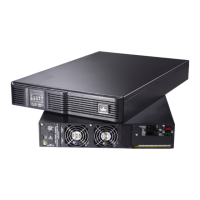
Emerson Liebert ITA 5kVA - User Manual

Emerson Liebert ITA 5kVA
68 pages
Print Icon
To Next Page IconTo Next Page
Loading...
Liebert
®
ITA
User Manual 5-6kVA UPS

Table of Contents

Questions and Answers

  • H
    hartmichaelAug 18, 2025
    What to do if my Emerson Liebert ITA 5kVA UPS beeps and shows OVERLOAD?
    • R
      Robert McknightAug 18, 2025
      If the buzzer beeps every 0.5 seconds and the LED shows OVERLOAD on your Emerson UPS, it indicates an overload condition. To resolve this, remove some non-priority loads from the UPS.
  • L
    lesliewyattAug 20, 2025
    Why won't my Emerson Liebert ITA 5kVA turn on after pressing the power button?
    • M
      Miranda FryeAug 20, 2025
      If your Emerson UPS doesn't start after pressing the ON/SILENCE key, it could be due to a couple of reasons. First, ensure you press and hold the ON/SILENCE key for more than one second until you hear the buzzer beep. Second, the UPS may be overloaded. Try removing all loads and then restart the UPS.
  • S
    spencerduffyAug 23, 2025
    What to do if my Emerson Liebert ITA 5kVA UPS shows BATTERY FAIL?
    • R
      Rebecca ReeseAug 23, 2025
      If the FAULT indicator is on and the LED displays BATTERY FAIL on your Emerson UPS, there could be several reasons: * The external battery switch might be open: Close the external battery switch. * The external battery cables might be improperly connected: Check that the external battery cables are properly connected. * The external battery might be reversely connected: Ensure the external battery cables are not connected reversely.
  • W
    william79Aug 26, 2025
    Why is my Emerson UPS battery life so short?
    • B
      brittany35Aug 26, 2025
      If the battery discharge time of your Emerson UPS is significantly shorter than expected, it could be due to the battery not being fully charged. When the mains power is normal, charge the battery for more than eight hours, and then test the battery discharge time.
  • S
    simonmichaelAug 27, 2025
    What does TEMP OVER mean on my Emerson Liebert ITA 5kVA UPS?
    • M
      matthewwhiteAug 28, 2025
      If the buzzer is beeping, the FAULT indicator is on, and the LED displays TEMP OVER on your Emerson UPS, it indicates an internal overtemperature. Here's what you should do: 1. Check that airflow blows out from the ventilation holes on the rear panel. 2. Ensure that there are clearances greater than 200mm on both sides and at the back of the UPS. 3. Verify that the ventilation holes on the front panel, side panels, base plate, and rear panel are unobstructed. 4. Wait for ten minutes and then restart the UPS.
  • U
    uortegaAug 30, 2025
    Why is the MAINS indicator blinking on my Emerson Liebert ITA 5kVA UPS?
    • K
      Kelly WolfAug 30, 2025
      If the MAINS indicator is blinking on your Emerson UPS, it means the mains voltage or frequency is beyond the UPS input range. If the UPS is operating in Battery mode, make a note of the battery back-up time.
  • T
    Timothy DanielSep 1, 2025
    What to do if my Emerson UPS is running out of battery?
    • C
      Christopher GreeneSep 1, 2025
      If your Emerson UPS is about to turn off because of low battery, take these steps immediately: 1. Save the load data and turn off the priority load to avoid losing or damaging data. 2. Connect the UPS input terminal to standby AC power.
  • M
    Mr. Nathan Wright DDSSep 4, 2025
    Why is my Emerson Liebert ITA 5kVA UPS on battery even with mains power?
    • L
      Laura OneillSep 4, 2025
      If the mains power is normal, but the MAINS indicator is off and the Emerson UPS is in Battery mode, it could be due to: * An open UPS mains MCB: Close the UPS mains MCB. * Improperly connected input cables: Connect the UPS input cables properly.
  • C
    Christian WilliamsonSep 6, 2025
    Why is the FAULT light on and buzzer beeping on my Emerson UPS?
    • D
      David CookSep 6, 2025
      If the FAULT indicator is on and the buzzer beeps for a long time on your Emerson UPS, the parallel address might be incorrect. To fix this: 1. Open the UPS mains switch. 2. Reset the parallel address.
  • S
    Scott FrancoSep 9, 2025
    What does RECTIFIER FAIL, ABNOR BUS VOLT mean on my Emerson Liebert ITA 5kVA UPS?
    • R
      robertlopezSep 9, 2025
      If the FAULT indicator is on, the buzzer beeps for a long time, and the LED displays RECTIFIER FAIL, ABNOR BUS VOLT on your Emerson UPS, it could be due to: * Overload: Remove some loads and restart the UPS in approximately five minutes.

Summary

Chapter 1 Product Introduction

1.1 Features

Lists the key capabilities and functionalities of the UPS system.

1.4 Operating Principle

Explains the functional operation of the UPS system, including power flow.

1.6 Specifications

Provides detailed technical specifications for the UPS models.

Chapter 2 Single UPS Installation And Commissioning

2.1 Unpacking Inspection

Guides users through the process of unpacking and inspecting the UPS upon arrival.

2.2 Installation Preparation

Covers essential steps for preparing the installation site and environment for the UPS.

2.4 Mechanical Installation

Explains the procedures for installing the UPS in tower or rack configurations.

2.5 Connecting Power Cables

Provides instructions for connecting the I/O, battery, and charger cables to the UPS.

2.6 Single UPS Commissioning

Outlines the steps for checking and commissioning a single UPS unit before operation.

Chapter 3 Parallel UPS Installation And Commissioning

3.3 Mechanical Installation

Describes the mechanical installation procedures for parallel UPS systems.

3.5 Setting Parallel Address

Explains how to set the parallel address for each UPS in a parallel system.

3.6 Commissioning Parallel System

Details the procedures for checking and commissioning a parallel UPS system.

Chapter 4 Display Panel

4.1 LED Display Panel

Describes the LED indicators and control keys on the UPS front panel.

4.2 LCD Display Panel

Details the LCD display panel, its interfaces, and control keys.

Chapter 5 UPS Operation Instructions

5.1 Check Before Power-On

Lists checks to perform before powering on the UPS unit.

5.2 UPS Power-on

Explains the UPS power-on sequence and self-test procedure.

5.3 Turning On UPS

Guides on how to turn on the UPS and its indicators.

5.7 Transferring UPS Operation Modes

Explains how to manually transfer the UPS between different operation modes.

Chapter 7 Maintenance And Troubleshooting

7.2 Battery Maintenance

Details the maintenance procedures for the UPS battery to ensure longevity and performance.

7.6 Troubleshooting

Offers solutions for common UPS faults and abnormal conditions.

Chapter 8 Options

8.2 Battery Module

Details the battery module options, including their types and specifications.

8.3 POD

Explains the Parallel Output Distribution (POD) options for UPS systems.

8.6 Communication Options And Monitoring Options

Covers communication cards and monitoring software options for the UPS.

Appendix 1 Glossary

Emerson Liebert ITA 5kVA Specifications

General IconGeneral
BrandEmerson
ModelLiebert ITA 5kVA
CategoryUPS
LanguageEnglish

Related product manuals