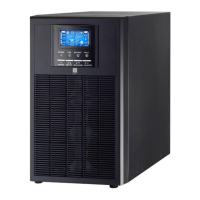
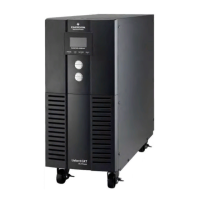
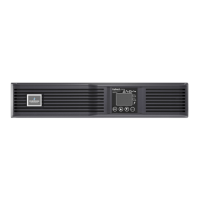
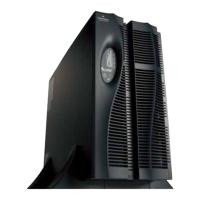
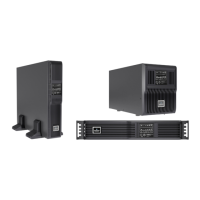
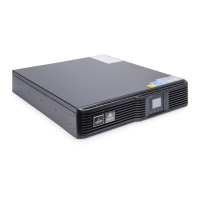
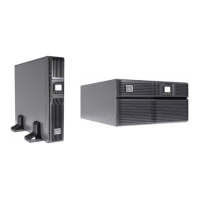
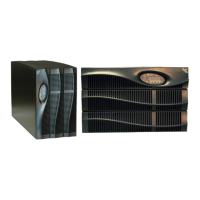
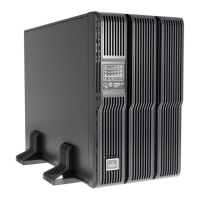
The Liebert GXT-MT On-Line Series is an uninterruptible power supply (UPS) designed to provide continuous and reliable power protection for business-critical applications, specifically for Novell, Windows NT, and UNIX servers. It employs double-conversion technology, which means it continuously processes incoming AC power, converting it to DC to charge batteries and power an inverter, which then generates a clean, sinusoidal AC output for connected loads. This design ensures that computers and peripherals are always supplied with power from the inverter, whether from the mains or, in the event of a power failure, from the maintenance-free batteries.
Function Description
The core function of the Liebert GXT-MT is to protect connected equipment from various power disturbances by providing a stable and continuous power supply. It operates on a double-conversion principle, where all incoming mains power is rectified to DC, which then feeds an inverter to produce a clean AC output. This isolates the load from fluctuations in the utility power.
In Utility Power Mode, the UPS draws power from the mains. The utility power LED and the inverter LED are illuminated, and the load level LEDs indicate the current load capacity. If the utility power's voltage or frequency falls outside the normal range, the UPS automatically switches to battery mode. If an overload occurs, the load level LEDs will illuminate, and an alarm will sound, prompting the user to reduce the connected load to below 90% of the UPS's nominal power capacity. When connecting a generator, it's crucial to activate the generator and wait for stable operation before supplying power to the UPS, ensuring the generator's capacity matches the UPS's performance characteristics.
In Battery Mode, the UPS operates on its internal batteries when mains power fails. The battery LED and inverter LED are lit, and the battery level LEDs indicate the remaining battery capacity. The UPS emits a beep every 4 seconds in this mode. This audible alarm can be silenced by pressing the "ON" button for more than 1 second, though the alarm will reactivate when the battery level becomes critically low to prompt a graceful shutdown of connected loads. As battery capacity decreases, the number of illuminated battery level LEDs reduces. If the battery voltage drops to an alarm level, the buzzer will beep once every second, signaling insufficient battery capacity and an impending automatic shutdown. Users are advised to promptly save data and eliminate non-essential loads.
In Bypass Mode, the UPS supplies power directly from the utility mains through an internal filter, bypassing the inverter. The utility power LED and the bypass LED are lit, and the load LEDs indicate the connected load capacity. The UPS will beep once every 2 minutes in bypass mode. If the utility power LED flashes, it indicates that the utility power's voltage or frequency has exceeded the normal range. It's important to note that in bypass mode, the UPS does not provide backup functionality.
In Abnormality Mode, if the fault LED is illuminated, it indicates that the UPS is operating in an abnormal condition, requiring attention.
The UPS also features a Test Function, which can be initiated by pressing the On-Switch "I" or by disconnecting the input of the UPS from the power supply.
For Long Backup Time Models, external battery packs can be connected. These models require specific battery voltages (36Vdc for GXT1000L-MT, 96Vdc for GXT2000L-MT/GXT3000L-MT) and a precise connection procedure to ensure proper operation and safety.
Usage Features
The Liebert GXT-MT is designed for ease of use with a clear display panel and straightforward controls.
Display Panel: The display panel provides visual feedback on the UPS's operational status through various LEDs:
- LINE LED: Green, indicates mains voltage is applied. Blinks if phase and neutral conductors are reversed.
- BATTERY LED: Orange, lights up when mains power is out of tolerance (along with LINE LED) or when the inverter is powered by batteries (mains failure).
- BYPASS LED: Orange, lights up when the UPS is supplying voltage via the bypass.
- INVERTER LED: Green, lights up when the UPS is supplying voltage via the inverter.
- FAULT LED: Red, lights up continuously with an acoustic warning signal when the UPS is in a fault condition. The warning tone can be turned off by pressing the Standby switch.
- LOAD & BATTERY CAPACITY LEDs: These LEDs indicate the load of the UPS in normal operation and the battery capacity in battery operation.
Controls:
- ON-Switch ("I"): Turns on the UPS system and deactivates acoustic alarms. Pressing for more than 1 second initiates the self-test and turns on the UPS. In battery mode, pressing it for more than 1 second will silence the alarm.
- OFF-Switch (""): Switches the UPS to Standby mode, then to Bypass, turning off the inverter. The output sockets may still be supplied via bypass if mains power is available. Pressing for more than 1 second in inverter mode initiates self-test and then switches to bypass mode. In battery mode, pressing for more than 1 second initiates self-test and then turns off the UPS completely.
Communication Port: The UPS includes an RS232 interface for communication, with specific pin assignments for TXD, RXD, and GND. An optional AS400 card is available for AS400 communication protocol, providing outputs for UPS Fail, Summary Alarm, Battery Low, UPS ON, Bypass, and Line Loss, and inputs for GND and Remote Shutdown.
Software: The Liebert GXT-MT comes with WinPower, a UPS monitoring software. This user-friendly interface allows users to monitor and control the UPS, providing safe auto-shutdown for multi-computer systems during power failures. It also enables monitoring and control of multiple UPS units on the same LAN. Installation involves inserting the CD, connecting the software cable, and following on-screen instructions. Once installed, a green plug icon appears in the system tray.
Installation Notes:
- The UPS must be installed in a well-ventilated area, away from water, flammable gas, and corrosive agents.
- Ensure ventilation openings are not blocked, allowing at least 0.25m of space on each side.
- Allow at least two hours for acclimatization if the UPS is moved from a cold to a warm environment to prevent condensation.
- Do not connect appliances that could overload the UPS (e.g., laser printers) to the output sockets.
- Use only VDE-tested, CE-marked mains and power cables.
- Connect the UPS only to an earthed shockproof socket outlet, which should be easily accessible.
- Installation and wiring must be performed by professional personnel in accordance with local electric codes.
- Before installation, cut off the mains power switch and, for long backup time models, the battery breaker.
- Recommended wire sizes are 1.5mm² for 1kVA UPS and 2.5mm² for 2/3kVA models.
- The protective earth ground wire should be at least the same diameter as the input/output wires, using green or green with yellow ribbon wire.
- After installation, ensure all wiring is correct and tight.
- An optional leak current protective breaker can be installed at the output power distribution panel.
- When connecting loads, turn off all loads first, connect them, and then turn them on one by one.
- The UPS output may have electricity even when not connected to utility power. To ensure no output, power off the UPS and disconnect the utility power supply.
- It is suggested to charge the batteries for 8 hours before initial use, though the UPS can be used immediately with potentially reduced backup time.
- For inductive loads (e.g., monitors, laser printers), consider their start-up power consumption when calculating UPS capacity.
- For 2/3kVA UPS models, avoid using wall receptacles as the input power source if their rated current is less than the UPS's maximum input current, as this could cause damage.
Maintenance Features
The Liebert GXT-MT series UPS requires minimal maintenance, primarily focused on battery care to maximize its lifespan and ensure reliable operation.
Battery Maintenance:
- The standard models use value-regulated sealed lead-acid maintenance-free batteries.
- Regular charging is the main requirement to maximize battery life. The UPS charges batteries automatically when connected to utility power, whether turned on or off, and includes protective functions against overcharging and over-discharging.
- If the UPS has not been used for a long time, it should be charged once every 4 to 6 months.
- In hot climates, batteries should be charged and discharged every 2 months, with a standard charging time of at least 12 hours.
- Battery replacement must be performed by qualified personnel.
- Always replace batteries with the same number and type.
- Do not replace individual batteries; all batteries in a pack should be replaced simultaneously, following the battery supplier's instructions.
- Normally, batteries should be charged and discharged once every 4 to 6 months. Charging should begin after the UPS automatically shuts down during discharge, with a standard charging time of at least 12 hours.
Safety Instructions for Battery Disposal and Replacement:
- Before disposing of batteries, remove any conductive jewelry (necklaces, wristwatches, rings).
- If connection cables need replacement, purchase original materials from authorized distributors or service centers to prevent overheating or sparks.
- Do not dispose of batteries or battery packs in a fire, as they may explode.
- Do not open or mutilate batteries; released electrolyte is highly poisonous and harmful to skin and eyes.
- Avoid shorting the positive and negative battery electrodes to prevent electric shock or fire.
- Ensure there is no voltage before touching batteries, as hazardous voltage may exist between battery terminals and ground.
- Even with the input breaker disconnected, internal components may still have hazardous voltage due to battery connection. Before any maintenance or repairs, switch off the battery pack breaker or disconnect the jumper wire connecting the batteries.
- Battery maintenance, including replacement, must only be carried out by qualified personnel knowledgeable about batteries.
General Safety Instructions:
- Only an Emerson technician or an Emerson-authorized technician is permitted to open the UPS due to dangerous voltages inside. Failure to comply voids the warranty and poses an electric shock risk.
- Transport the UPS only in its original packaging to protect against shock and impact.
- Do not install the UPS near water, in damp environments, or where it would be exposed to direct sunlight or heat sources.
- Do not block ventilation openings.
- Do not disconnect the mains cable or building wiring socket outlet during operation, as this cancels the protective earthing.
- The UPS output sockets or terminals may be electrically live even if the UPS is not connected to the building wiring socket outlet, as it has internal batteries.
- To fully disconnect the UPS, first press the Standby switch, then disconnect the mains lead.
- Ensure no fluids or foreign objects enter the UPS.
- The Liebert GXT-MT is designed for commercial/industrial use only and is not recommended for life support applications.
- During installation, ensure the sum of the leakage current of the UPS and connected consumers does not exceed 3.5mA.


 To Next Page
 General