Document Part # 026-4176 Rev 1 Page 1 of 16
©2022 Emerson Digital Cold Chain, Inc. This document may be photocopied for personal use.
Visit our website at www.climate.emerson.com for the latest technical documentation and updates.
The keypad and display gives information about the
operating status of the drive and trip codes. It provides
the ability to change parameters, stopping and starting
the drive, and the ability to perform a drive reset.
Keypad Number Keypad Description
1 (Enter)
The Enter button is used to enter
parameter view or edit mode, or to
accept a parameter edit.
2 (Navigation)
The Navigation keys can be used to
select individual parameters or to edit
parameter values. In keypad mode, the
“Up” and “Down” keys are alsoused to
increase or decrease the motor speed.
3 (Start)
The Start key is used to start the drive in
keypad mode.
4 (Stop/Reset)
The Stop / Reset key is used to stop and
reset the drive in keypad mode. It can
also be used to reset the drive in
terminal mode.
5 (Escape)
The Escape key is used to exit from the
parameter edit / view mode or
disregard a parameter edit.
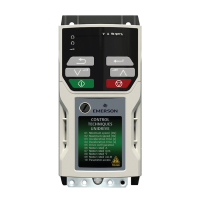
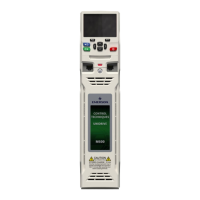
Figure 1 - Unidrive M400
Figure 2 - Unidrive M400 Keypad Details
Supervisory Controller Setup with
M400 VFD Drive
Quick Start Guide
This document will guide you through setting up and
commissioning the M400 VFD Drive in Supervisory
Controllers (E3 and Site Supervisor).
Complete All Programming Before you set up the M400
Drive.
Note that the M400 Drive requires Supervisory Controller
firmware version 2.14F01 and above.

 Need help?
 General




 To Next Page