EasyManua.ls Logo

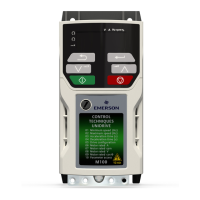
Emerson Unidrive M700 - User Manual

Emerson Unidrive M700
198 pages
Print Icon
To Next Page IconTo Next Page
Loading...
User Guide
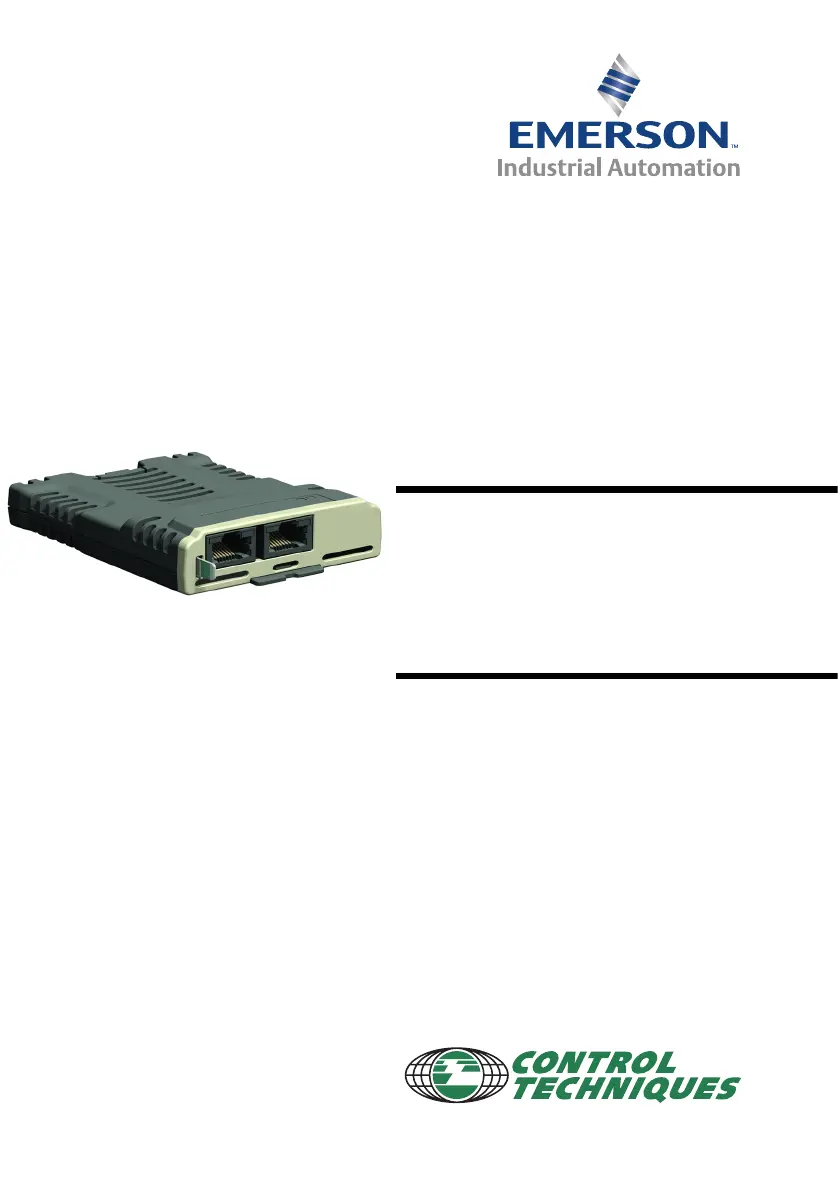
SI-Ethernet and
Unidrive M -
Onboard Ethernet
Part Number: 0478-0137-01
Issue: 1
www.controltechniques.com

Table of Contents

Other manuals for Emerson Unidrive M700

Questions and Answers

  • S
    Suzanne SanchezAug 17, 2025
    What to do if Emerson Unidrive M700 shows an under voltage state?
    • J
      jonessummerAug 17, 2025
      If your Emerson Controller is in an under voltage state, the issue could stem from an AC supply loss, a low voltage DC supply loss, or a UPS supply loss. You should check the power supply connections and drive configuration to resolve this.
  • W
    wallacejenniferAug 20, 2025
    What causes I/O overload at Emerson Unidrive M700 Controller power up or during operation?
    • D
      dwillisAug 20, 2025
      An I/O overload in your Emerson Controller can occur at power up or during operation if the drive's internal 24 Vdc supply is being overloaded. Check for faults on the control circuit supplied by the drive's internal 24 Vdc supply. Also, ensure the low voltage DC circuit and any auxiliary loads are not causing the overload trip. If the overload persists with only control terminal 22 (24 Vdc 100 mA) being used, connect the external user 24 Vdc supply.
  • R
    Regina GalvanAug 22, 2025
    Why is my Emerson Unidrive M700 Controller waiting for power systems on power up for Low voltage DC operation?
    • B
      Brittany SteinAug 23, 2025
      If your Emerson Controller is waiting for power systems on power up during low voltage DC operation, this could be due to an external user 24 Vdc supply loss to the power stage. To resolve this, connect the external user 24 Vdc supply to the power stage of the drive, using connections 51 / 52.
  • M
    melissareynoldsAug 26, 2025
    What causes a phase loss trip in Emerson Controller?
    • J
      jasonpatelAug 26, 2025
      A phase loss trip in your Emerson Controller can be caused by an AC supply loss. Check the AC supply voltage balance and level at full load. You may also need to check the DC Bus ripple level with an isolated oscilloscope, verify the connection of L2 ? L3 for UPS supply with drive frame sizes 7 and larger, check the output current stability, reduce the motor load, or disable the input phase loss detection.
  • A
    Alex BridgesAug 28, 2025
    What to do if Emerson Unidrive M700 Controller parameters are not saved after power down?
    • Z
      zbaileyAug 28, 2025
      If your Emerson Controller parameters are not being saved after power down, and the drive is operating in Low voltage DC mode or with an external user 24 Vdc supply connected to the Control PCB, you need to set parameter mm.xxx = 1001 to save the parameters.
  • J
    Jeffrey CallahanAug 31, 2025
    What to do if Emerson Controller Elevator drive seam-less Low voltage DC operation is not working?
    • M
      Melissa CrawfordAug 31, 2025
      If the seam-less Low voltage DC operation from your Emerson Controller Elevator drive is not operating, it could be due to external contactor control or feedback issues. Ensure the external contactor is connected and sequenced correctly. Also, verify the feedback from the external supply contactor is properly connected to the drive and sequenced correctly. Refer to parameter Pr 06.070 Under Voltage System Contactor Closed and Pr 06.065 - Standard Under Voltage Threshold and Section 6.5 System configurations.
  • T
    tolsonSep 2, 2025
    Why does Emerson Controller show OI ac on removal of 24 Vdc for Low voltage DC operation?
    • A
      April PattersonSep 2, 2025
      The Emerson Controller might display 'OI ac' when removing 24 Vdc for low voltage DC operation because the external user 24 Vdc supply is not being removed simultaneously from both the Power Stage (51 / 52) and the Control PCB (1 / 2). Ensure simultaneous removal, especially in drive frame sizes 6 and larger.
  • W
    walkermichaelSep 5, 2025
    How to troubleshoot PSU 24 trip on power up for Low voltage DC operation on Emerson Unidrive M700?
    • R
      Robert EsparzaSep 6, 2025
      If your Emerson Controller experiences a PSU 24 trip on power up for Low voltage DC operation, it could be due to an external user 24 Vdc supply loss to the Control PCB. Connect the external user 24 Vdc supply to Control PCB connections 1 / 2. Additionally, connect the external user 24 Vdc supply to supplement the internal 24 Vdc supply.
  • J
    John HowardSep 8, 2025
    Why does Emerson Unidrive M700 show OHT power during Low voltage DC operation?
    • M
      matthew78Sep 8, 2025
      If your Emerson Controller shows OHT power during Low voltage DC operation, the issue might be related to the heatsink cooling fans. For drive frame sizes 9 and larger, ensure the external user 24 Vdc supply is connected to the Power Stage 61 / 62 for the heatsink cooling fans. Also, ensure the external user 24 Vdc supply is sufficiently rated for the heatsink cooling fans.
  • D
    Dorothy FisherSep 12, 2025
    What causes incorrect direction, speed or distance errors in Emerson Unidrive M700?
    • A
      Allison GomezSep 12, 2025
      If your Emerson Controller is showing incorrect direction, speed, or distance errors, and you suspect the elevator is operating incorrectly, ensure that the Low voltage DC supply or UPS are not being overloaded due to the car loading. Also, ensure the motor is fully magnetised.

Summary

General Information

Environmental Statement

Discusses the company's commitment to minimizing environmental impacts.

Firmware Statement

Provides information about the product's firmware version and verification.

REACH Legislation

Explains compliance with EC Regulation 1907/2006 regarding chemicals.

Safety Information

Electrical Safety - General Warning

Provides general warnings about electrical hazards associated with the drive.

System Design and Safety of Personnel

Covers system design considerations and safety for personnel involved with the drive.

General Safety Considerations for Remote Operation

Discusses safety procedures for remote operation via the Ethernet interface.

Introduction

Products Covered by this User Guide

Lists the SI-Ethernet option module and onboard Ethernet interface covered by the guide.

Features

Provides an overview of the SI-Ethernet module's functionality and capabilities.

Option Module Identification

Explains how to identify the SI-Ethernet option module using labels and color coding.

Mechanical Installation

M200-M400 Module Installation

Details the process for installing the SI option module on specific Unidrive M models.

M600-M810 Module Installation

Details the process for installing the SI option module on M600 to M810 models.

Electrical Installation

SI-Ethernet Module Information

Provides details on the SI-Ethernet module's RJ45 connections and diagnostic LEDs.

Cabling Considerations

Offers recommendations for reliable cabling, including testing and routing practices.

Module Grounding

Highlights the importance of proper grounding for module noise immunity and connection methods.

Network Topology

Covers supported network topologies like Star, Line (daisy chain), and Tree for robust network design.

Getting Started

Network Design Considerations

Emphasizes considering network topology and data traffic to avoid potential problems in industrial networks.

IP Addressing Basics

Explains the use of IP addresses and subnet masks for device location and network segmentation.

Generating Complete IP Address

Describes how IP addresses and subnet masks are combined to determine network and host addresses.

Setup Flow Chart

Provides a visual flowchart to guide users through the Ethernet interface setup process.

Parameters

Ethernet Internal Menus

Lists the available Ethernet internal menus, their descriptions, and their association with drive menus.

Key Features and Protocols

Modbus TCP;IP Protocol

Introduces Modbus TCP/IP as a widely supported industrial Ethernet protocol with flexibility.

RTMoE (Real Time Motion over Ethernet)

Introduces RTMoE, a protocol for synchronized motion control over Ethernet using PTP.

Non-Cyclic Data Access

Introduces non-cyclic data access by user programs for reading/writing parameters locally or remotely.

EtherNet;IP Protocol

Introduces EtherNet/IP protocol support, conformance to CIP, and slave device operation.

Motor Data Object

Describes the Motor data object, including instances for motor 1 and 2 and related attributes like MotorType and RatedCurrent.

Control Supervisor Object

Details the Control Supervisor object for accessing attributes that control or monitor drive running state.

AC;DC Drive Object

Describes the AC/DC Drive object, providing information on drive running state and attributes like AtReference and SpeedActual.

PC Tools Applications

Unidrive M Connect

Introduces Unidrive M Connect, a tool for commissioning, optimizing, and monitoring drives.

Machine Control Studio

Presents Machine Control Studio, a CoDeSys-based environment for developing programs for Unidrive M.

CTScope

Introduces CTScope, a software application for monitoring drive parameters using oscilloscope features.

SyPTPro

Details SyPTPro as a development suite for distributed drive applications, supporting DPL and ladder logic.

Security

General Site Security Issues

Covers general site security issues related to connecting computers to networks and virus considerations.

Diagnostics

LED Diagnostics

Details the function of LEDs on the Ethernet interface for connection status and communication.

Drive Trip Display Codes

Explains how drive trips are displayed and indicated by Ethernet interface errors.

Ethernet Sub Trip Codes

Lists possible Ethernet sub trip codes displayed in Pr 0.10.070 and their corresponding text strings.

Ethernet Hardware Fault Trip Codes

Details Ethernet hardware fault trip codes and their reasons, such as module category identification issues.

Diagnostic Flow Chart

Provides a flowchart to help diagnose common problems encountered with the Ethernet interface setup.

Glossary of Terms

Emerson Unidrive M700 Specifications

General IconGeneral
BrandEmerson
ModelUnidrive M700
CategoryController
LanguageEnglish

Related product manuals