Document Part # 026-4176 Rev 1 Page 12 of 16
©2022 Emerson Digital Cold Chain, Inc. This document may be photocopied for personal use.
Visit our website at www.climate.emerson.com for the latest technical documentation and updates.
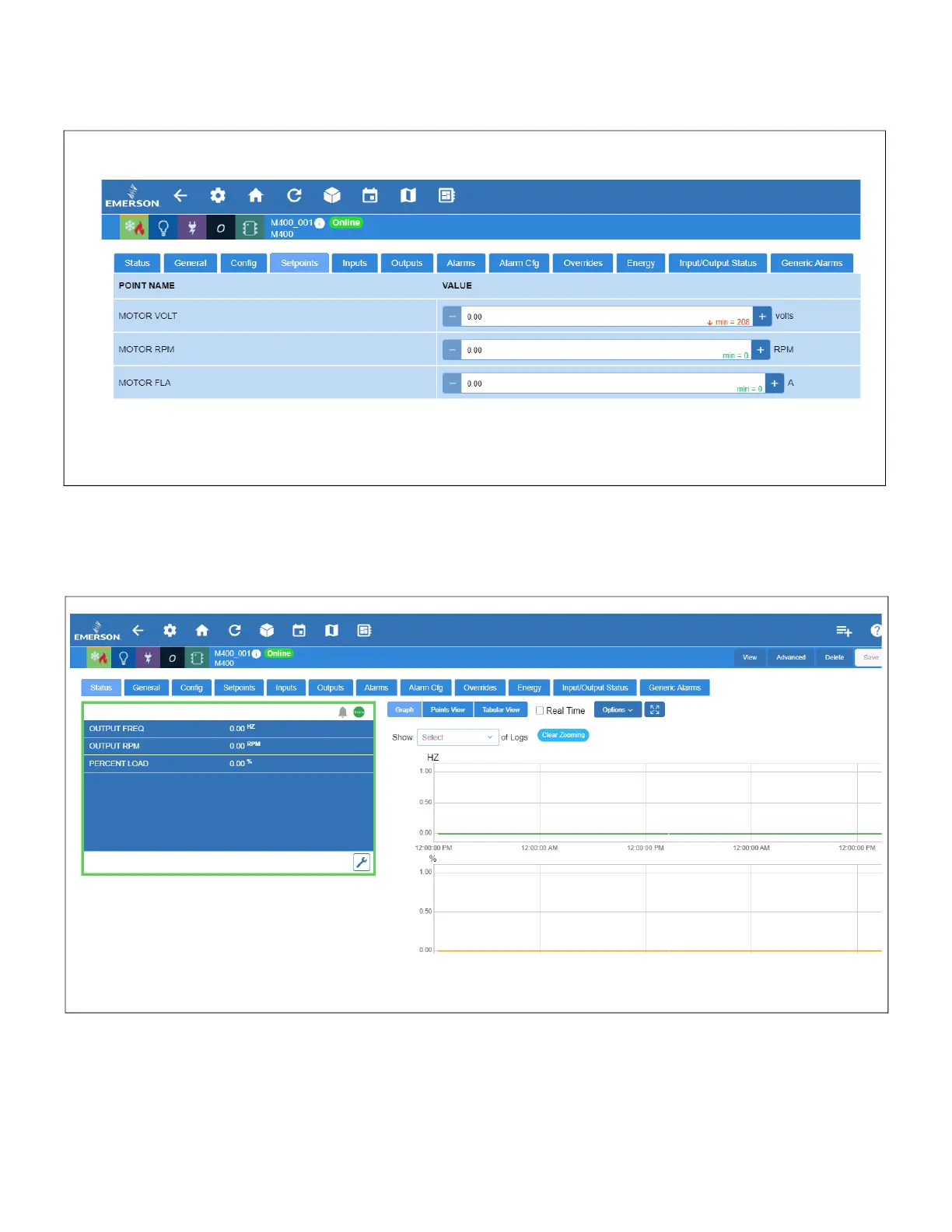
8. Go to the Setpoints tab to set the values for MOTOR VOLT, MOTOR RPM, and MOTOR FLA from the
motor plate of the device.
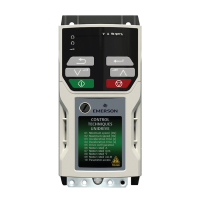
9. Go to the Status screen and the device will appear online:
Figure 14 - Setpoints Parameters
Figure 15 - M400 VFD Device Status






 To Next Page