ROC364 Instruction Manual
B-7 Local Display Panel Rev Jun/05
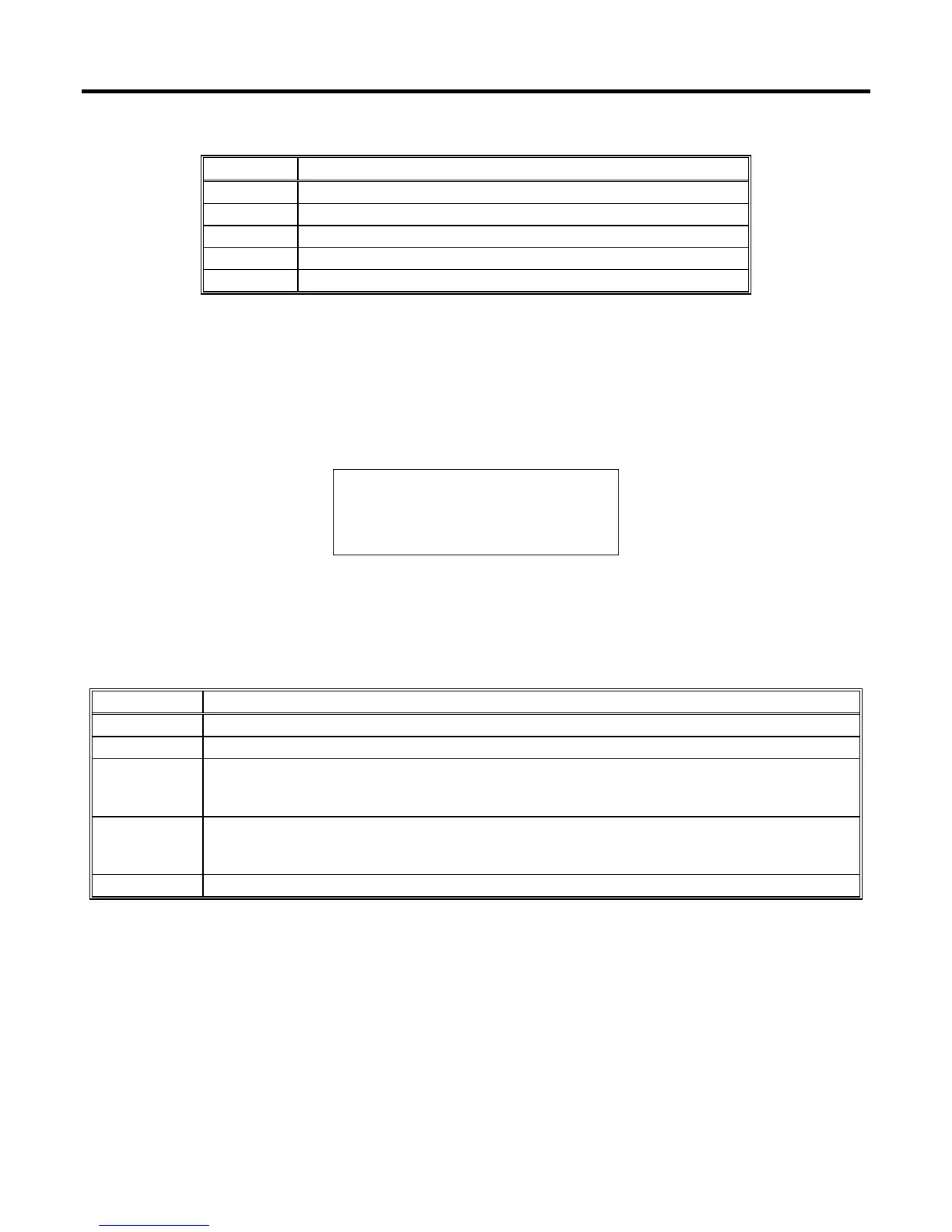
Table B-3. I/O Menu Point Types
Parameter Description
DI Provides a point display for each configured Discrete Input.
DO Provides a point display for each configured Discrete Output.
AI Provides a point display for each configured Analog Input.
AO Provides a point display for each configured Analog Output.
PI Provides a point display for each configured Pulse Input.
B.3.4.1 Discrete Input Point Display
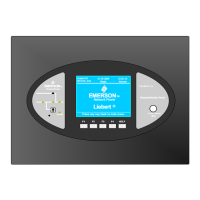
The display shown in Figure B-8 is a typical display for each Discrete Input point. Press HOLD to stop
the display from automatically scrolling between points. Press SCAN to begin automatically scanning.
To return to the I/O menu display, press MENU. The Discrete Input point display shows the parameters
listed in Table B-4.
DI Tag PT# A13
OFF EU 0.00
ACC 160461
HOLD
MENU
Figure B-8. Discrete Input Point Display
Table B-4. Discrete Input Point Display Parameters
Parameter Description
DI Tag 10-character identifier Tag for the Discrete Input.
PT# Module rack letter and Point Number of the Discrete Input as installed in the ROC.
OFF or ON
Status (state) of the Discrete Input. “OFF” indicates the input is off or that a switch is open.
“ON” indicates the input is on or that a switch is closed. The Status value can be changed in
the manual mode (Scanning Disabled) to lock an input to either the “OFF” or “ON” state.
EU
Used only when the Discrete Input is configured as a Timed Duration Input (TDI). EU Value
is calculated at Scan Period intervals using the 0% Pulse Width, 100% Pulse Width, Zero
EU, Span EU, and TDI count parameters.
ACC Accumulated Value is the number of positive (“0” to “1”) transitions of the Discrete Input.



 To Next Page