ROC364 Instruction Manual
B-10 Local Display Panel Rev Jun/05
B.3.4.4 Analog Output Point Display
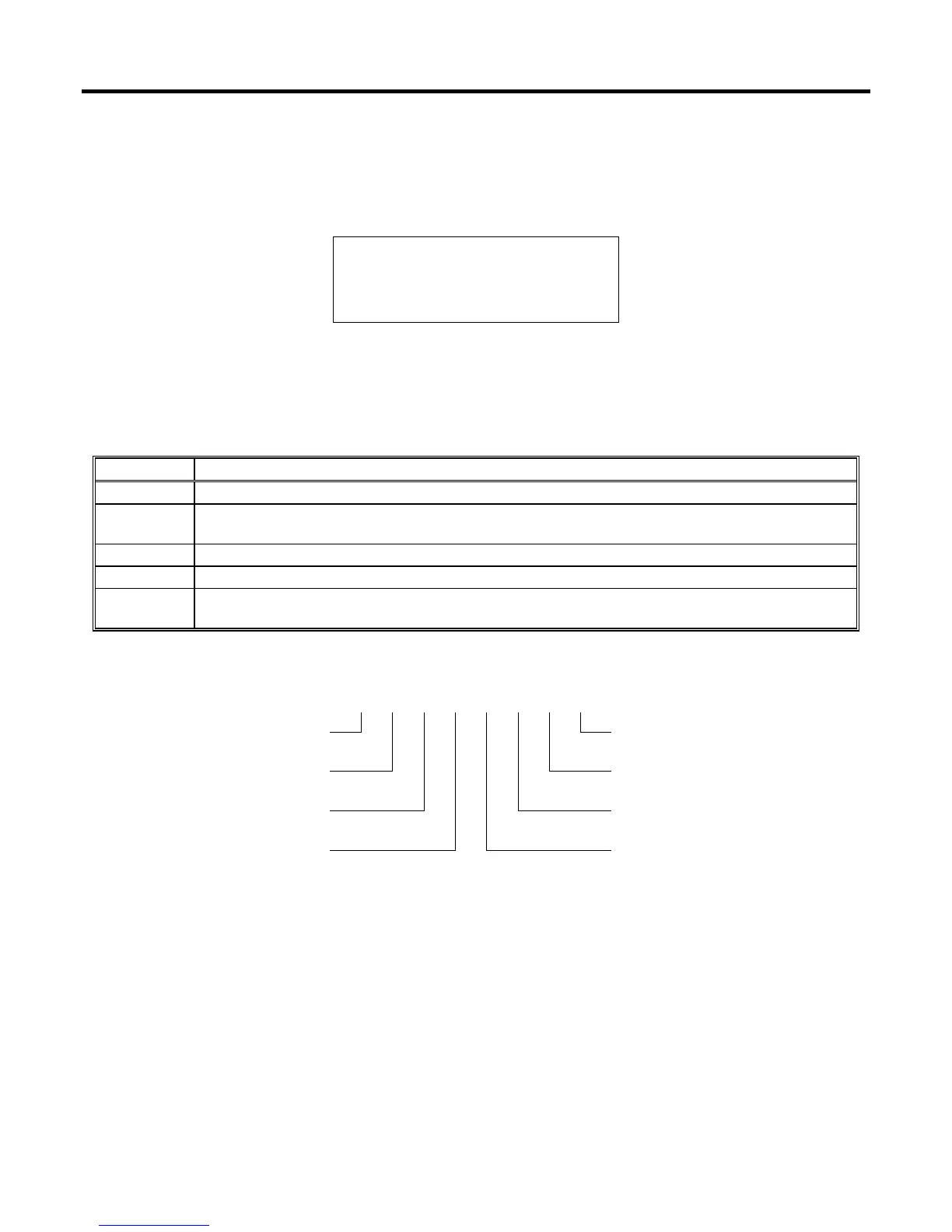
Each selected Analog Output returns a display similar to the one in Figure B-12. Press HOLD to stop the
display from automatically scrolling between points. Press SCAN to begin automatically scanning. To
return to the I/O menu display, press MENU. The Analog Output point display shows the parameters
listed in Table B-7.
AO Tag Units
EU 0.00
ALM 00000011 PT# A8
SCAN NEXT PREV MENU
Figure B-12. Analog Output Point Display
Table B-7. Analog Output Point Display Parameters
Parameter Description
AO Tag 10-character identifier Tag for the Analog Output.
Units
10-character unit of measurement identifier for the engineering units assigned to the Analog
Output.
EU Output EU Value in engineering units.
PT# Module rack letter and Point Number of the Analog Output as installed in the ROC.
ALM
Alarm Code is an 8-bit field. If a bit is set to “1”, the alarm is active. If a bit is set to “0,” the
alarm is cleared.
Figure B-13 shows the alarm code bits and the alarms they represent for an Analog Output point.
Alarm Code 0 0 0 0 0 0 0 0
Manual Flag
Not Used
D-A Failure
Not Used
Not Used
Not Used
Not Used
Not Used
Figure B-13. Analog Output Alarm Code Bits



 To Next Page