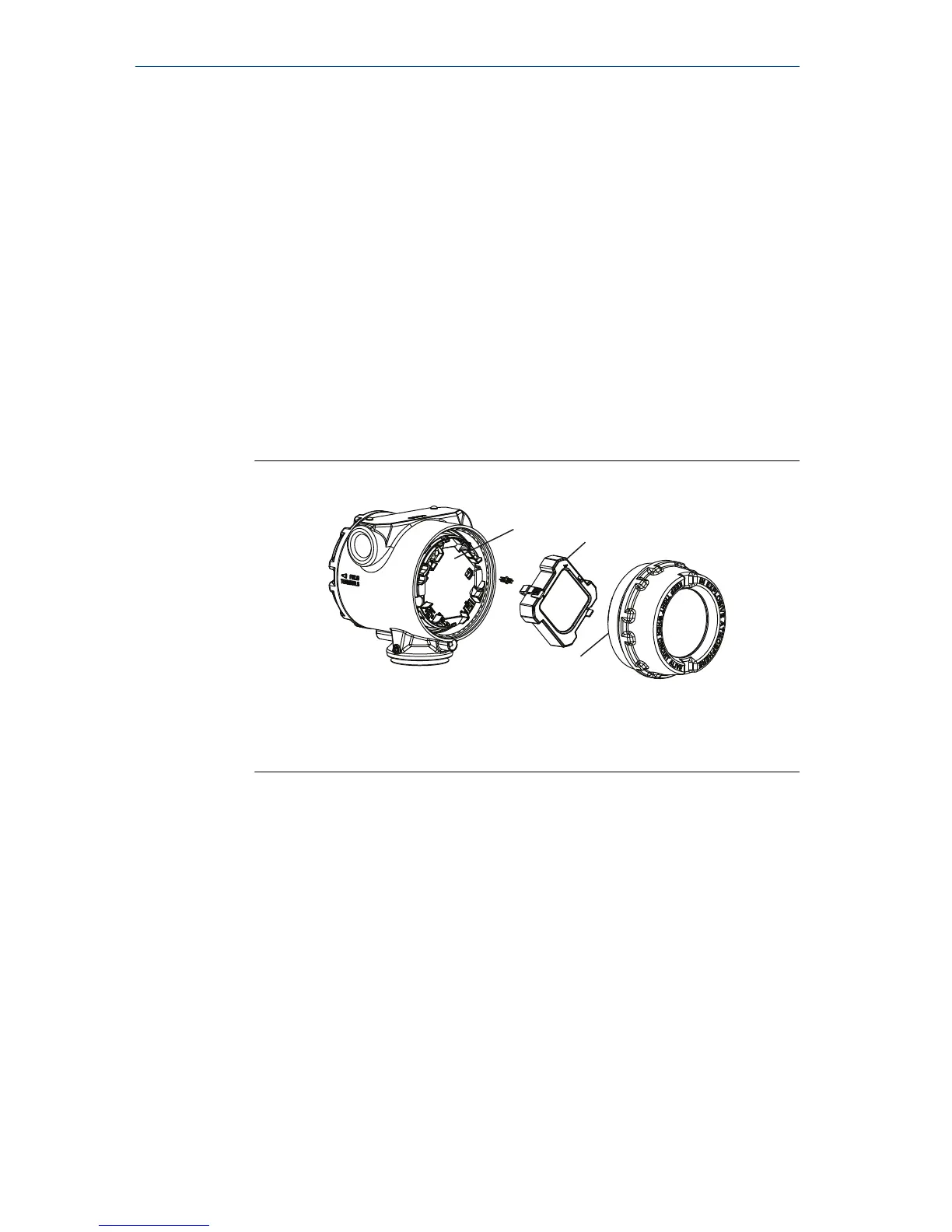
Use the following procedure and Figure 3-2 to install the LCD display:
Procedure
1. If the transmitter is installed in a loop, then secure the loop and
disconnect power.
2. Required: Remove the transmitter cover on the electronics board side
(opposite the field terminals side). Do not remove instrument covers
in explosive environments when circuit is live.
3. Engage the four-pin connector into the electronics board and snap
LCD display into place.
4. Required: In order to meet explosion-proof requirements, reinstall the
housing cover and tighten so the cover is fully seated with metal to
metal contact between the housing and cover. After the cover is
seated properly, replace the flathead screw located on the bottom of
the housing cover.
Figure 3-2: Optional LCD Display











 To Next Page