EasyManua.ls Logo

Emerson Rosemount 3051 - User Manual

Emerson Rosemount 3051
122 pages
Print Icon
To Next Page IconTo Next Page
Loading...
Manual
00809-0100-4007, Rev BD
March2023
Rosemount
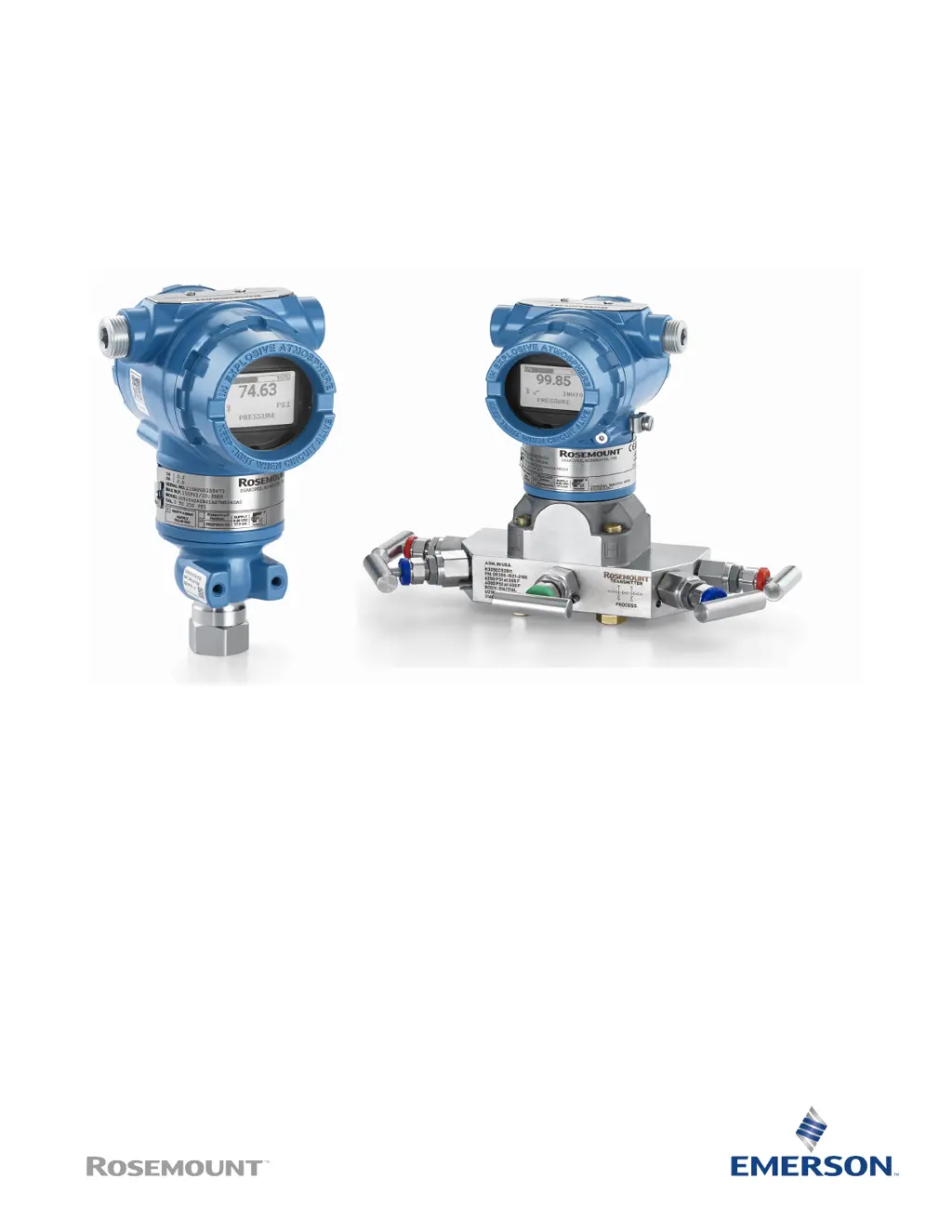
3051 Pressure Transmitter
with 4-20 mA HART
®
Protocol

Table of Contents

Other manuals for Emerson Rosemount 3051

Questions and Answers

  • P
    parkerbradleyAug 2, 2025
    What to do if Emerson Transmitter doesn't join the network after power up?
    • R
      Ryan HartmanAug 2, 2025
      If your Emerson Transmitter hasn't joined the network, there are several things you can check: * Verify the correct configuration of the network ID and join key. * Make sure that active advertising has been enabled on the Emerson Wireless Gateway. * Ensure that the network ID and join key in the device match the network ID and join key of the Gateway. * Obtain the network ID and join key from the Gateway on the Setup > Network > Settings page on the web interface. * Change the network ID and join key in the wireless device using the Fast Key sequence.
  • R
    Roger MartinAug 12, 2025
    Why won't my Emerson Transmitter leave OOS mode?
    • L
      Lisa CrossAug 13, 2025
      The Emerson Transmitter may not leave OOS mode because the target mode is not set. To resolve this, set the target mode to something other than OOS. Another potential cause is that the actual mode of the Resource block is OOS, so you should check Resource Block Diagnostics for corrective action.
  • K
    Kara SnyderAug 21, 2025
    What to do if Emerson Measuring Instruments device has not joined to the network after power up?
    • L
      Lance HumphreyAug 22, 2025
      If your Emerson Measuring Instruments device hasn't joined the network after powering it up, make sure the network ID and join key in the device match those of the Gateway. Also, verify that active advertising has been enabled on the Emerson Wireless Gateway and that the network ID and join key are configured correctly.

Summary

Introduction

Models Covered

Lists the Rosemount 3051 transmitter models covered in this manual.

Configuration

Overview

Introduces commissioning and tasks for the transmitter, including configuration devices.

Configuration Tools

Details the various tools available for configuring the transmitter before or after installation.

How to Configure

Provides an overview of procedures for common configuration tasks on the transmitter.

Application Specific Configuration

Covers configuration for specific applications like flow rate, totalized flow, level, and volume.

Detailed Transmitter Setup

Explains how to configure alarm and saturation values, process alerts, and re-map variables.

Configuring Transmitter Diagnostics

Details how to configure loop integrity and plugged impulse line diagnostics for transmitter monitoring.

Performing Transmitter Tests

Outlines procedures for verifying alarm levels and performing analog loop tests.

Establishing Multidrop Communication

Covers connecting multiple transmitters to a single communication line for multidrop operation.

Hardware Installation

Overview

Provides information on installation considerations for the Rosemount 3051 with HART protocol.

Considerations

Discusses installation, environmental, mechanical, and draft range considerations for mounting.

Installation Procedures

Details procedures for mounting the transmitter, impulse piping, process connections, and inline connections.

Electrical Installation

Overview

Covers installation considerations for the Rosemount 3051 Transmitter, including wiring and configuration.

Install LCD Display

Describes how to install or rotate the LCD display on the transmitter.

Configuring Transmitter Security

Explains methods for managing transmitter security via switch, software, or LOI password.

Electrical Considerations

Covers conduit installation, power supply requirements, wiring, and grounding for the transmitter.

Operation and Maintenance

Overview

Introduces operation and maintenance, including calibration procedures and configuration functions.

Recommended Calibration Tasks

Lists recommended tasks for calibrating the transmitter in the field or on a bench.

Calibration Overview

Explains the process of sensor and analog output calibration, including determining necessary trims.

Trimming the Pressure Signal

Details sensor trim overview and how to recall factory trim settings for pressure calibration.

Trimming the Analog Output

Covers performing digital-to-analog trim and recalling factory trim for the analog output.

Troubleshooting

Overview

Provides summarized troubleshooting suggestions for common operating problems.

Troubleshooting for 4-20 mA Output

Offers solutions for issues like zero reading, communication failure, and erratic milliamp readings.

Diagnostic Messages

Explains various diagnostic messages such as Failure, Function Check, Out of Specification, and Maintenance Required.

Disassembling the Transmitter

Provides step-by-step instructions for safely removing the transmitter from service and its components.

Reassemble the Transmitter

Details the procedures for reattaching the electronics board, terminal block, and process flange.

Service Support

Information on contacting Emerson's response center for technical assistance and returns.

Safety Instrumented Systems (SIS) Requirements

Identify Rosemount 3051 Safety Certification

Explains how to identify Rosemount 3051 transmitters as safety-certified for SIS applications.

Installation in Safety Instrumented Systems (SIS) Applications

States that only qualified personnel should install the transmitter in SIS applications.

Configuring in Safety Instrumented Systems (SIS) Applications

Covers configuration aspects like damping and alarm levels for SIS applications.

Safety Instrumented Systems (SIS) Operation and Maintenance

Details proof-tests, including guided, partial, and comprehensive test procedures.

Inspection

Discusses product repair, SIS reference, failure rate data, and failure values.

Reference Data

Ordering Information, Specifications, and Drawings

Guides users on how to find ordering info, specs, and drawings on Emerson's website.

Local Operator Interface (LOI)

Enter Numbers in the Local Operator Interface (LOI)

Provides a step-by-step example of entering floating-point numbers using the LOI.

Enter Text in the Local Operator Interface (LOI)

Explains how to enter text characters into the LOI, including available characters.

Emerson Rosemount 3051 Specifications

General IconGeneral
BrandEmerson
ModelRosemount 3051
CategoryTransmitter
LanguageEnglish

Related product manuals