To Next Page
F
Francisco PearsonSep 10, 2025
What to do if Analog Out is set in Alarm in Emerson Measuring Instruments?
- Mmichael94Sep 10, 2025
If the Analog Output is set in Alarm, use the command “Read Gauge Status” to check for active errors.

What to do if Analog Out is set in Alarm in Emerson Measuring Instruments?
If the Analog Output is set in Alarm, use the command “Read Gauge Status” to check for active errors.
Why does the level accuracy seem off on my Emerson Rosemount 3300?
If the level accuracy of your Emerson Transmitter seems off, verify the Reference Gauge Height parameter and check the status and diagnostic information.
How to fix the issue when the reference pulse is not detected by Emerson Rosemount 3300 Transmitter?
If the reference pulse is not detected by your Emerson Transmitter, check the product level, ensure that the correct probe type is configured, and verify the Amplitude Threshold T1.
What to do if Analog Out is set in Alarm on my Emerson Rosemount 3300?
If the Analog Out is set in Alarm for your Emerson Transmitter, use the command “Read Gauge Status” to check for active errors. Also, use the command “Read Gauge Status” and check if the error “Probe Failure” is active. If the probe failure error is active, check the probe connection.
What to do if P2 is detected but Level is incorrectly reported as Full or Empty on Emerson Rosemount 3300 Transmitter?
If P2 is detected, but the Level is incorrectly reported as Full or Empty on your Emerson Transmitter, use the command “Read Gauge Status” and check if the warning “Probe Immersed” is active. If this is the case, check that the transmitter is configured with the correct probe type and that the reference pulse (P1) is below amplitude threshold T4. If not, adjust T4 to an appropriate value.
How to troubleshoot when P2 and P3 are detected but the interface level is equal to the product level on Emerson Transmitter?
If both P2 and P3 are detected, but the interface level is equal to the product level on your Emerson Transmitter, adjust thresholds T2 and T3.
How to troubleshoot an integral display that doesn't work on Emerson Measuring Instruments?
If the integral display on your Emerson Measuring Instruments isn't working: * Check the display configuration. * Check the loop power. * Check the display connection.
What to do if P2 is detected but Level is incorrectly reported as Full or Empty in Emerson Measuring Instruments?
Use the command “Read Gauge Status” and check if the warning “Probe Immersed” is active. If so, verify that the transmitter is configured with the correct probe type and that the reference pulse (P1) is below amplitude threshold T4. If not, adjust T4 to an appropriate value.
What to do if the reference pulse is not detected on Emerson Measuring Instruments?
If the reference pulse is not detected on your Emerson Measuring Instruments: * Check the product level in the tank. * Verify that the correct probe type is configured in the transmitter. * Check the Amplitude Threshold T1 setting.
How to fix no HART communication on Emerson Measuring Instruments?
If there's no HART communication with your Emerson Measuring Instruments, here are a few things to check: * Ensure the COM Port configuration matches the connected COM Port in the HART server. * Verify the cables are correctly connected according to the wiring diagram. * Confirm the correct HART short address is being used; try address=0. * Check the Analog Output current value to ensure the transmitter hardware is working.
Crucial safety warnings and precautions for personnel.
Describes the content and structure of the manual.
Provides contact information and procedures for technical support.
Explains the Time Domain Reflectometry (TDR) measurement principle.
Details various uses of the Rosemount 3300 Series transmitter.
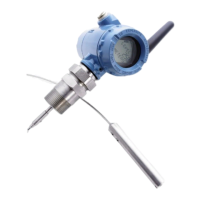
Identifies the physical parts and probe types of the transmitter.
Illustrates how the transmitter connects within a system.
Guidelines for choosing the appropriate probe for specific applications.
Explains upper and lower dead zones affecting the measurement range.
Discusses how coating, bridging, foam, and vapor affect measurements.
Details how probe type and application affect the measuring range.
Information on measuring liquid-to-liquid interfaces.
Covers mounting considerations related to tank features like agitators and shape.
Critical safety warnings and precautions for installation procedures.
Step-by-step guide for installing the transmitter correctly.
Pre-installation checks, including alarm and write protection switches.
Factors to consider for proper mounting, including connections and nozzles.
Procedures for physically mounting the transmitter head and probe.
Guidance on wiring, grounding, and cable selection for the transmitter.
 General
| Model | Rosemount 3300 Series |
|---|---|
| Category | Transmitter |
| Technology | Guided Wave Radar (GWR) |
| Housing Material | Aluminum, Stainless Steel |
| Measurement Type | Level |
| Process Pressure | Up to 40 bar (580 psi) |
| Output Signal | 4-20 mA HART |
| Communication Protocol | HART, FOUNDATION Fieldbus |
| Enclosure Rating | IP66 |
| Process Connection | Threaded, Flanged |