53
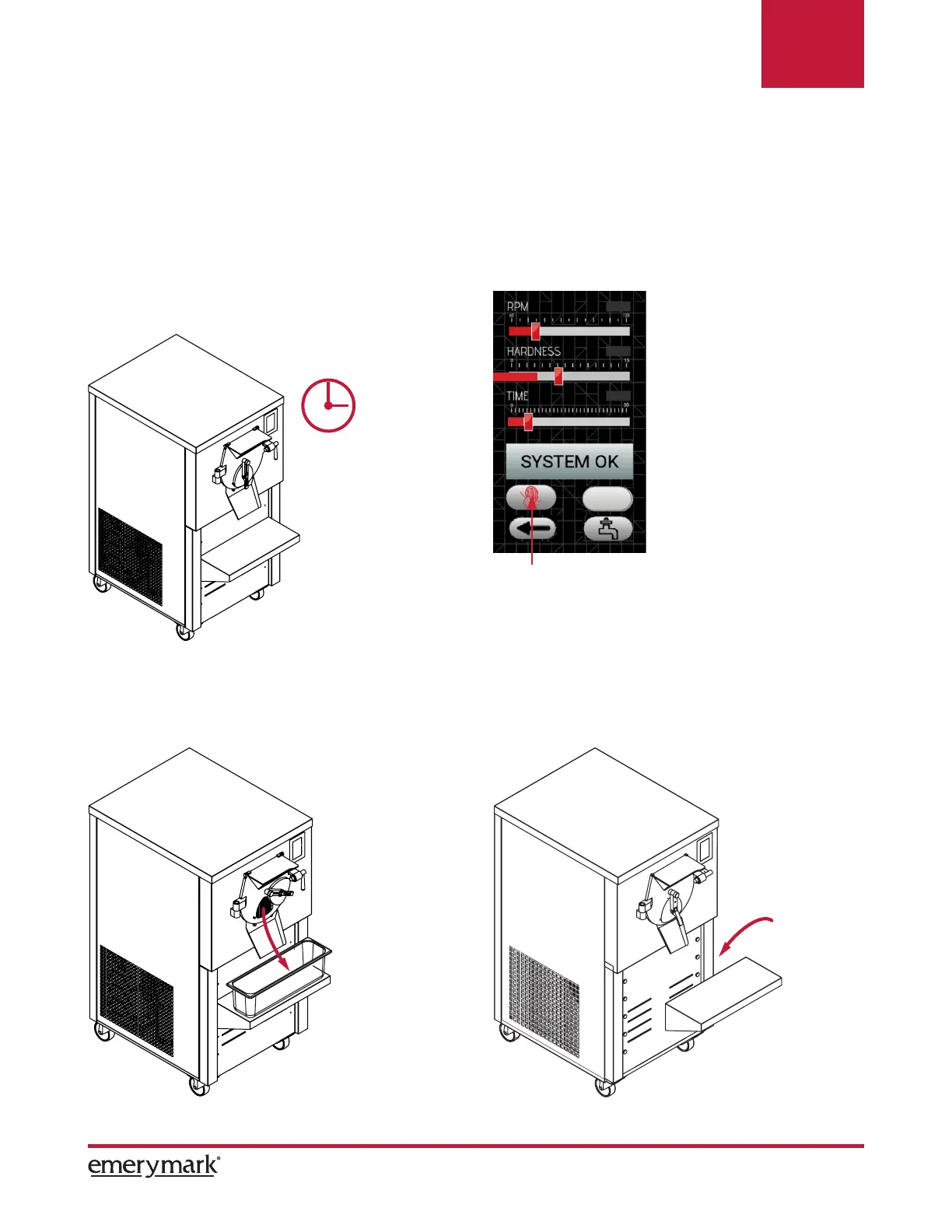
5. Once the temperature, hardness or set time
have arrived (whichever comes rst) the equip-
ment stops and will begin to emit an alarm.
7. Open the extraction lid and wait for the
product to automatically come out.
NOTE: The product tray support can be
adjusted in 5 different levels.
6. Press the extraction button.
NOTE: The HARDNESS and TIME bar will turn red as the ice cream shake progresses.
The selected parameters of RPM, HARDNESS and TIME are automatically saved, in case you
want to modify them, perform the actions described in point 4.
ON
Operation


 To Next Page
 Loading...