2 Different functions
2.1 Single channel mode
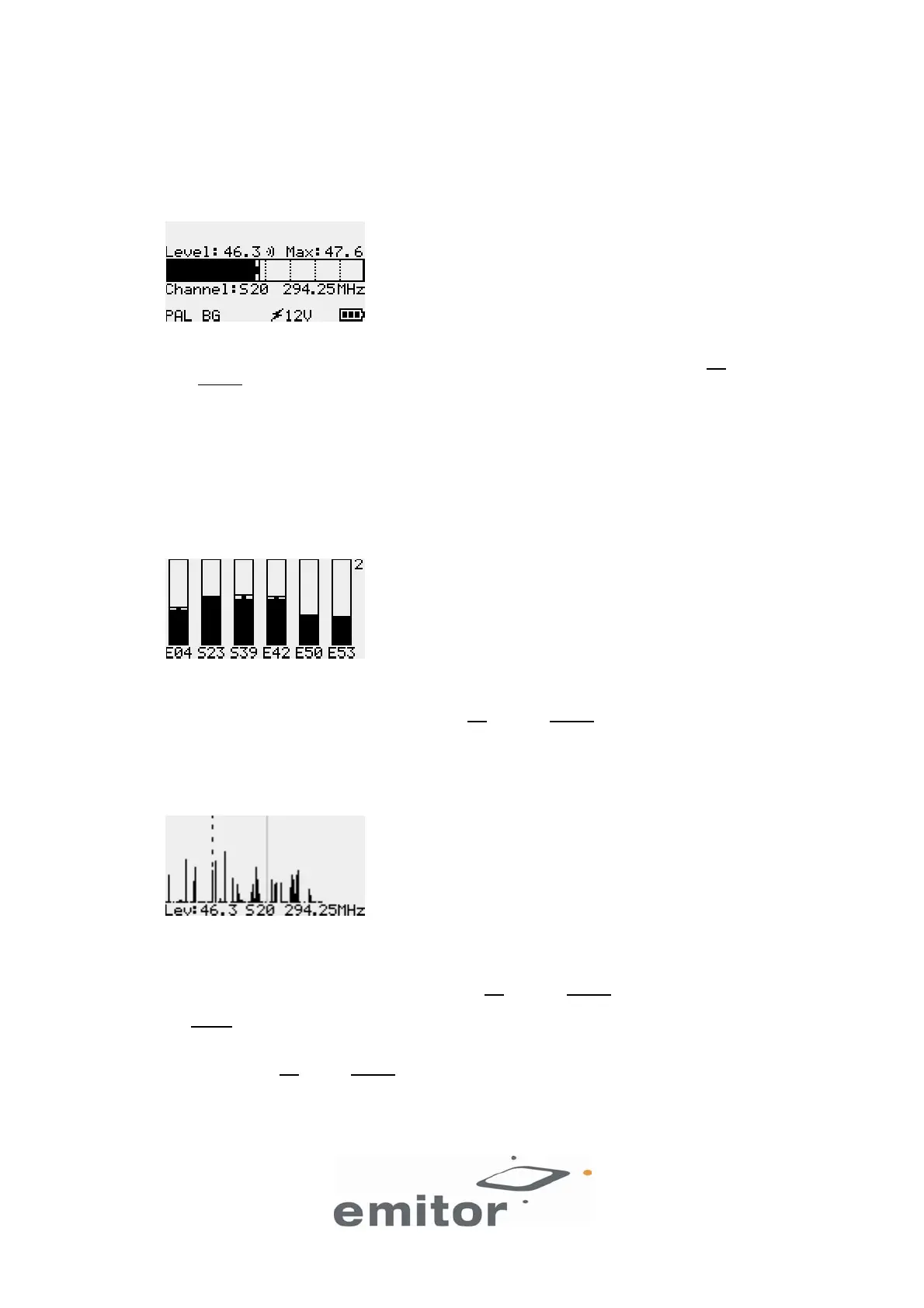
In this mode the meter measure signal strength on the selected channel. The higher value, the better
signal. The maximum signal received is also indicated. To change the channel, use the UP and
OFF/DOWN
buttons. The CCIR System that is set is shown on the bottom row, in this case PAL BG
(see picture). In some of the DIGIAIR models the CCIR System can be changed by selecting Setup in
the menu and then CCIR System.
If the unit is feeding power to an antenna it is indicated with the 5V or 12V symbol. This function can be
selected in the Power to antenna menu. The battery indicator is not shown when the unit is fed by an
external power-supply
2.2 Selected ch’s mode
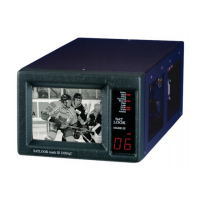
In this mode the meter measure the signal strength of six individually selected channels. DIGIAIR can be
set up with three such pages of six channels (3x6 channels). The page number is indicated in the top-
right corner. To scroll through the pages use the UP
and OFF/DOWN buttons. The max values are reset
when changing page.
2.3 Spectrum mode
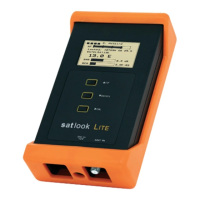
In this mode the meter shows all the channels of the selected CCIR System. One pixel-line represents
one channel.
Move the cursor (the animated dotted line) with the UP
and OFF/DOWN buttons and place it over a
“peak” (channel). You can view the selected channel in the Single channel mode by pushing the red
ON/MENU button twice.
The Spectrum info bar can be made Always visible or Hide after 2, 4 or 8 seconds. It will be visible
when pushing the UP
or OFF/DOWN buttons. When it is visible, it covers a part of the visualized
spectrum signals. However, at fabrication the DIGIAIR unit is calibrated so that its reference point is at
approximately level 12.5. Thus, what the Spectrum info bar covers over are mostly irrelevant graphics,
because the reference point is normally just above the info text on the bottom row.
4(7)


 To Next Page