Pedal Assist Mode Control
Please read the following steps and images to help
you understand how to read and operate all the
functions.
8
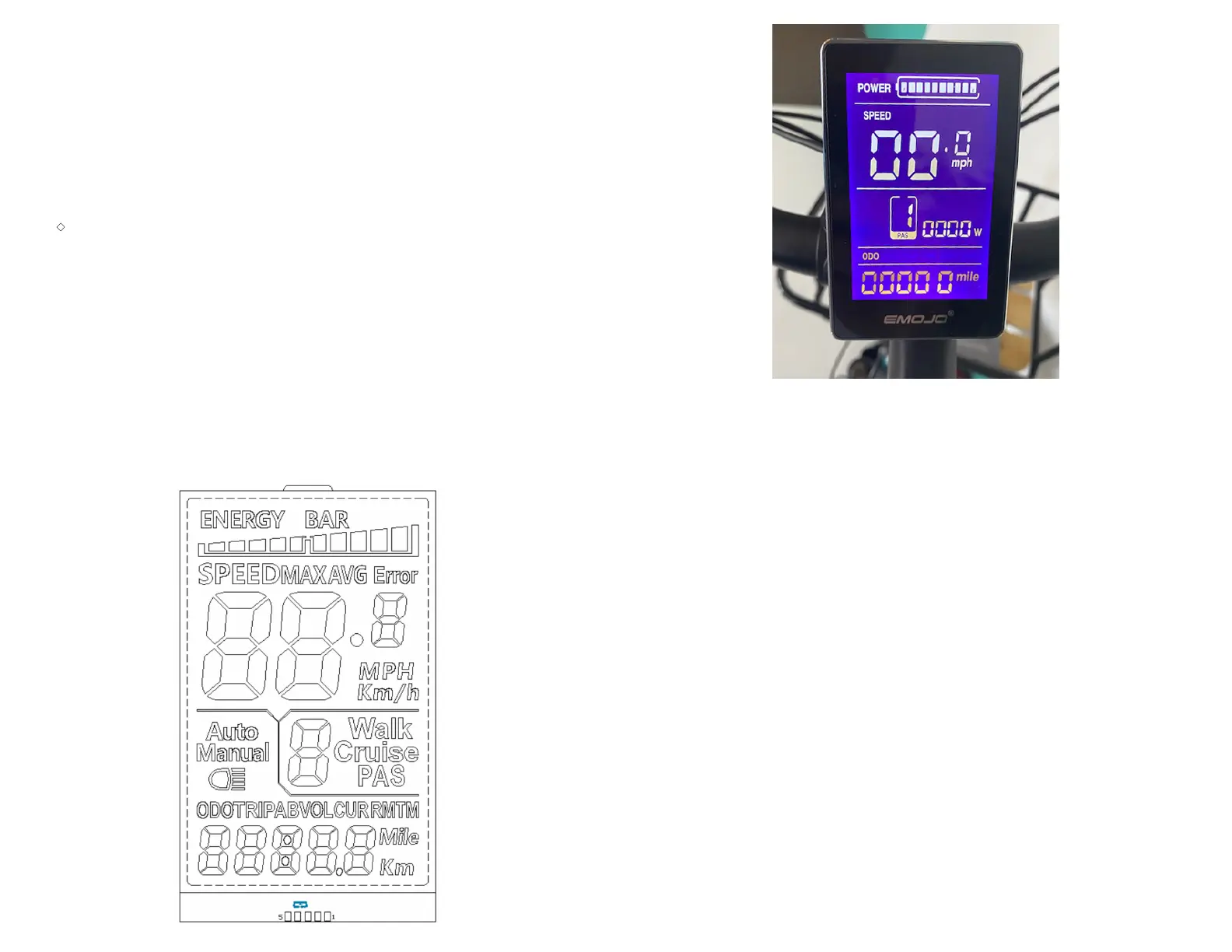
◆ Display Interface
After switching on the ebike system, the display shows current speed and total
distance except, battery indicator and assistance level
◆ To change the indicated information, press the MODE button to show in turn as
follows: Current Speed (Km/h) → Trip Distance (Km) Trip Time (Hour) → Max.
Speed (Km/h) → Avg. Speed (Km/h) → Motor-output (W) →Current Speed
(Km/h).
◆ Switching PAS Off: There is a preset setting which allows your bike to cruise at
a steady speed of 3.7 MPH (6Km/h), the letter "P" is shown at the screen. To
engage this cruise control feature press and hold the "-" button for a few
seconds until the letter "P" shows on the screen. To disengage this function
press the brakes.
Press the power button (M button) on the handlebar controls
located near the left grip to tum it on.
You can adjust the pedal assist power level to have more power
by hitting the [ +] button (right button) and can move to a lower
level power by hitting the [-] button (left button).
When not riding your bike, you can tum off the meter by holding
down the power button (M button) for several seconds.
◆Manual Clearance Function
Among of all functions, Trip Distance, Trip Time, Max.
Speed and Avg. Speed, can only be cleared manually.
If the above functions need to be cleared, After switching
on the E-bike system and parking the E-bike, please to hold
the
MODE
button and the DOWN button for 2 s, the above
functions can be cleared at the same time.


 To Next Page