17
MOON PHASE
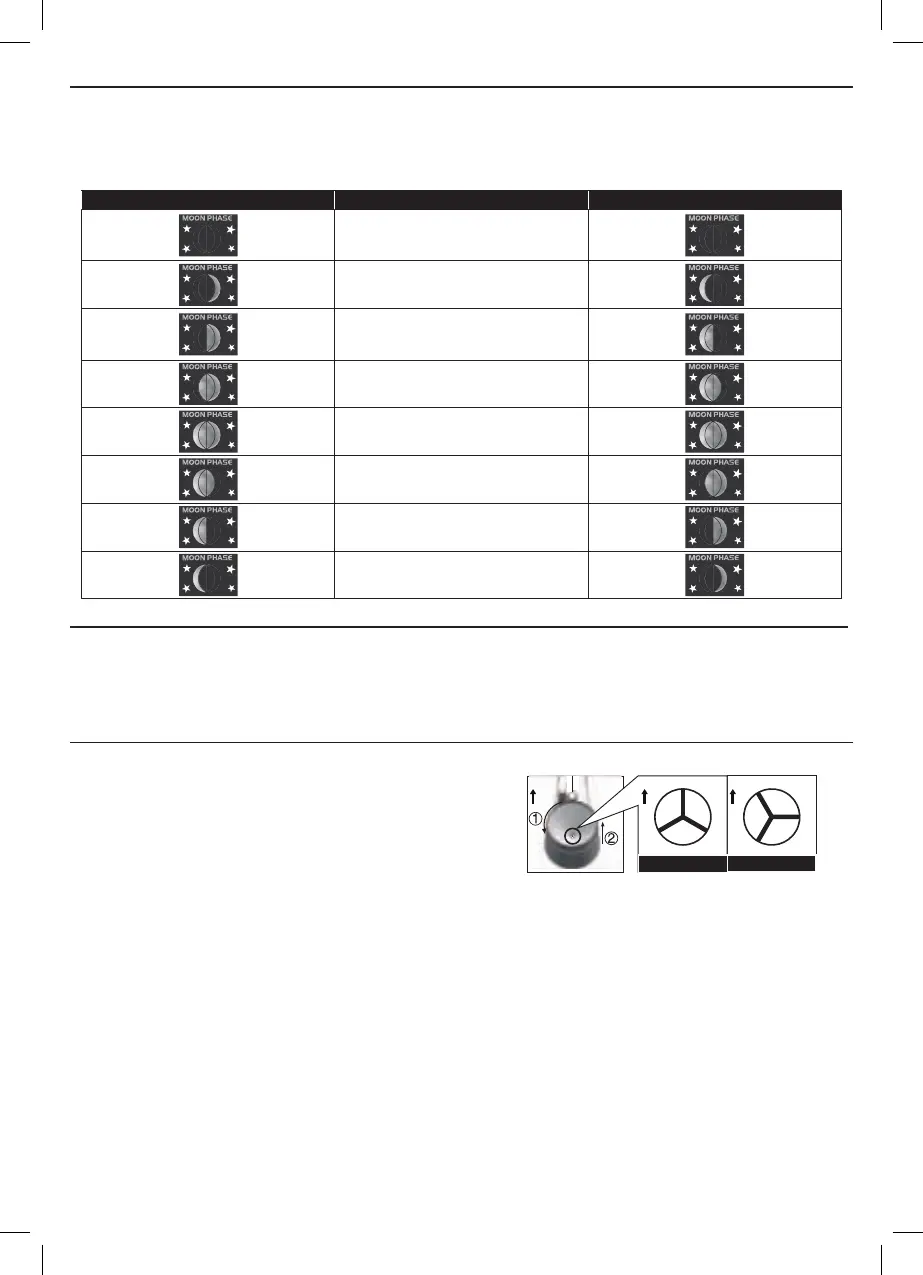
In the Northern hemisphere, the moon waxes (the part of the moon we see that glows after the New Moon)
from the right. Hence the sun-lit area of the moon moves from right to left in the Northern Hemisphere, while
in the Southern Hemisphere, it moves from left to right. Below is the table which illustrate how the moon will
appear on the main unit.
Northern hemisphere Moon Phase Southern hemisphere
New Moon
Waxing Crescent
First quarter
Waxing Gibbous
Full Moon
Waning Gibbous
Third quarter
Waning Crescent
AUTO DIMMER
- Slide to the
[ AUTO ] position, and the brightness of backlight will automatically adjust based on the ambient
room lighting (dims in low light).
- Slide to the
[ LO ] position for the dimmer backlight.
- Slide to the
[ HI ] position for the brighter backlight.
MAINTENANCE
TO CLEAN THE RAIN COLLECTOR
1. Rotate the rain collector by 30° anticlockwise.
2. Gently remove the rain collector.
3. Clean and remove any debris or insects.
4. Install all the parts when they are fully clean and dried.
N
N
“Unlock” Position
“Lock” Position
N
N
TO CLEAN THE THERMO/HYGRO SENSOR
1. Unscrew the 2 screws at the bottom of the radiation shield.
2. Gently pull out the shield.
3. Remove carefully any dirt or insects inside the sensor casing (Do not let the sensors inside get wet).
4. Clean the shield with water and remove any dirt or insects.
5. Install all the parts back when they are fully clean and dried.


 To Next Page