EasyManua.ls Logo

Emos ESW5003 - User Manual

Emos ESW5003
110 pages
Print Icon
To Next Page IconTo Next Page
Loading...
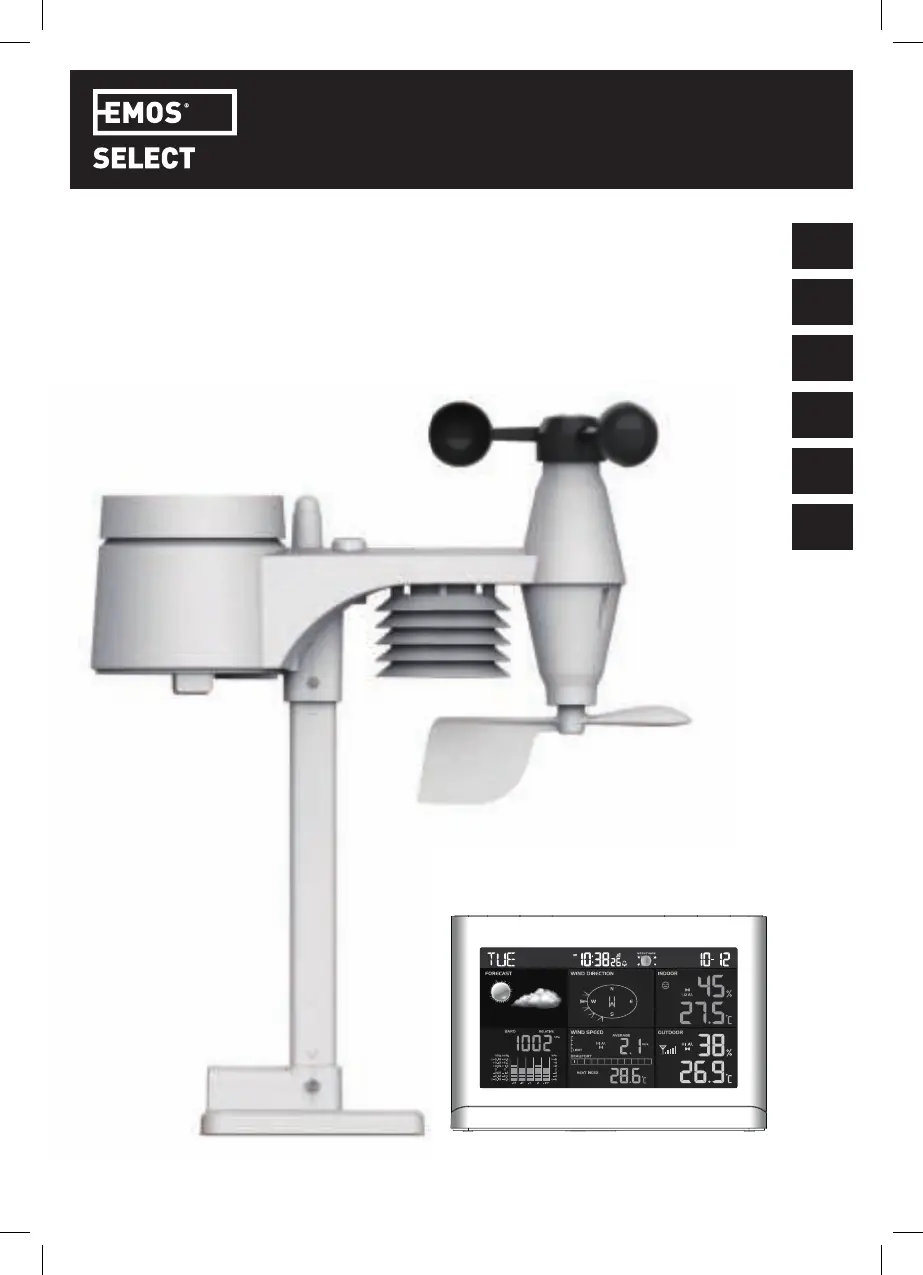
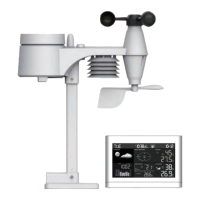
PROFESSIONAL COLOUR WEATHER STATION WITH 5-IN-1 SENSOR
USER MANUAL
Model: ESW5003
EN
DE
NL
IT
FR
ES

Table of Contents

Questions and Answers

  • J
    Joshua RoyAug 6, 2025
    What to do if Emos Weather Station signal is lost for 15 minutes?
    • A
      adrianparkerAug 6, 2025
      If your Emos Weather Station loses signal for 15 minutes, try these steps: 1. Move the main unit and the 5-in-1 sensor closer together. 2. Ensure the main unit is away from devices like TVs, computers, and microwaves that could interfere with wireless communication. 3. If the issue persists, reset both the main unit and the 5-in-1 sensor.
  • S
    Sean DuncanAug 14, 2025
    How to troubleshoot strange rain sensor measurements on Emos ESW5003?
    • A
      Amanda FloresAug 14, 2025
      If you're experiencing strange or no measurements from the rain sensor of your Emos Weather Station, here's what you can do: * Check the drain hole in the rain collector. * Check the balance indicator.
  • B
    Brittany ChavezAug 21, 2025
    Why is my Emos ESW5003 Weather Station Thermo/Hygro Sensor not working correctly?
    • Z
      zhangashleyAug 21, 2025
      If the Thermo/Hygro sensor on your Emos Weather Station is showing strange or no measurements, take these steps: * Check the radiation shield. * Inspect the sensor casing.
  • L
    laura58Aug 29, 2025
    What to do if Emos ESW5003 wind measurements are incorrect?
    • J
      Judith BoothAug 29, 2025
      If you notice unusual or absent readings for wind speed and direction on your Emos Weather Station, consider the following: 1. Check the wind cups (Anemometer). 2. Inspect the wind vane.

Summary

Introduction

Safety Precautions

Device Overview

Console Layout and Controls

Identifies buttons and display sections of the main unit.

Wireless 5-in-1 Sensor Components

Details the parts of the outdoor sensor unit.

Component Breakdowns

Rain Gauge Parts

Lists parts of the rain measurement system.

Temperature and Humidity Sensor

Describes the temp/humidity sensing components.

Wind Sensor Parts

Details the wind speed and direction sensors.

LCD Display Sections

Breaks down the main display areas and their indicators.

Wireless Sensor Installation

Battery Installation and Water Resistance

Covers initial sensor setup, battery installation, and water resistance.

Assembling the Mounting Stand and Pole

Step-by-step guide for assembling the sensor's stand and pole.

Sensor Mounting and Orientation

Optimal Sensor Mounting Placement

Instructions for optimal placement and securing the sensor unit.

Orienting the Wind Direction Vane

Guide on facing the sensor North for accurate wind readings.

Console Setup and Operations

Backup Batteries and Sensor Pairing

Installing backup batteries and pairing the sensor with the main unit.

Radio Controlled Clock and Signal Strength

Enabling/disabling atomic clock sync and signal strength indicators.

Clock and Alarm Settings

Manual Clock and Time Zone Configuration

Manual clock setting, time zone selection.

Alarm Clock and Ice Alert Functions

Setting alarms, snooze, and temperature-adjusted pre-alarms.

Weather Forecast and Pressure

Weather Forecast Interpretation

Describes the device's weather prediction capabilities and icons.

Barometric Pressure Settings and Units

How to view, set, and change units for atmospheric pressure.

Rainfall and Wind Data

Rainfall Measurement Modes and Units

How to select display modes and units for rainfall data.

Wind Speed and Direction Readings

Reading and selecting display modes for wind data.

Beaufort Wind Speed Scale

International scale for wind velocity and its descriptions.

Weather Indexes and History

Understanding Weather Indexes

Explains Feels Like, Heat Index, Wind Chill, and Dew Point.

Viewing Historical Records

How to view past 24-hour weather data.

Max;Min Memory Function

How to check and reset maximum/minimum records.

Alerts and Signal Reception

Hi;Lo Alert Configuration

Setting up high/low threshold alarms for various parameters.

Wireless Signal Strength Indicator

Understanding signal strength and troubleshooting reception issues.

Comfort, Backlight, and Sensor Settings

Comfort Level Indication

Pictorial representation of comfort level based on temp/humidity.

Data Clearing Procedure

How to clear erroneous sensor data after installation.

Backlight Brightness Adjustment

Options for adjusting the display backlight brightness.

Hemisphere Setting for Sensor

Adjusting the sensor for Northern or Southern hemisphere.

Moon Phase and Maintenance

Moon Phase Display Guide

Illustrates moon phases for both hemispheres.

Auto Dimmer Function

How the backlight automatically adjusts.

Cleaning the Rain Collector

Instructions for cleaning the rain gauge.

Cleaning the Thermo;Hygro Sensor

Instructions for cleaning the temp/humidity sensors.

Troubleshooting and Specifications

Common Problem Solutions

Solutions for measurement or signal problems.

Console Specifications

Technical details of the main display unit.

Wireless Sensor Specifications

Wireless 5-in-1 Sensor Details

Technical details of the 5-in-1 sensor.

Emos ESW5003 Specifications

General IconGeneral
BrandEmos
ModelESW5003
CategoryWeather Station
Display TypeLCD
Indoor TemperatureYes
Outdoor TemperatureYes
Indoor HumidityYes
Outdoor HumidityYes
Humidity Range20% to 95%
Wireless TransmissionYes
Power SourceBattery
Barometric pressureNo
Date and TimeYes

Related product manuals