20
Heating Programme Setting Mode
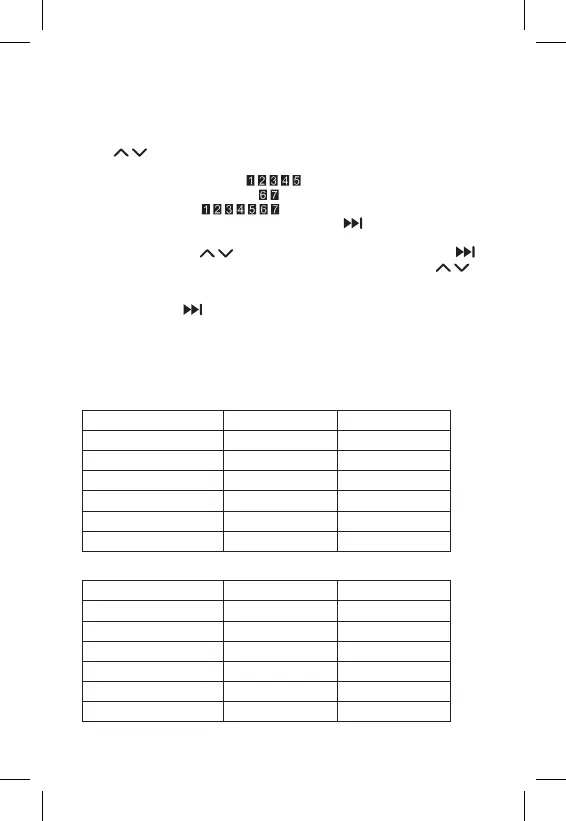
Sets temperature over the course of the whole day (6 temperature changes
in the day).
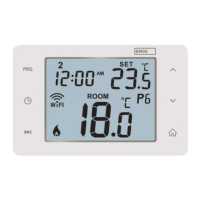
Press the PRG button. The day number will start ashing (1–7 = Monday to
Sunday).
Press
repeatedly to select the days of choice.
Dierent each day programme – the number of the selected day ashes
Monday to Friday programme – ashes
Saturday to Sunday programme – ashes
All week programme – ashes
Select your programme of choice and conrm with .
The time of the rst temperature change will be ashing; you can set the time
by repeatedly pressing (10 minute increments), then conrm with .
The temperature value will begin ashing; set by repeatedly pressing .
P1 will appear below the set temperature, indicating the 1st temperature
change in the day.
Conrm by pressing . Continue by setting the start of the second temperature
change (P2 will appear under the temperature).
Set the time and temperature by following the same steps as when setting the
1st temperature change.
Continue the process until all 6 temperature changes (P1 to P6) are set.
Factory pre-set times and temperatures are as follows:
Monday to Friday
Temperature change Time Temperature
P1 6:30 20 °C
P2 8:30 16 °C
P3 12:00 16 °C
P4 14:00 16 °C
P5 16:30 21 °C
P6 22:30 7 °C
Saturday to Sunday
Temperature change Time Temperature
P1 7:30 20 °C
P2 9:30 20 °C
P3 11:30 20 °C
P4 13:30 20 °C
P5 16:30 20 °C
P6 22:30 15 °C


 To Next Page