7
WWW.EMPIREPAINTBALL.COM
BATTERY LIFE INDICATOR
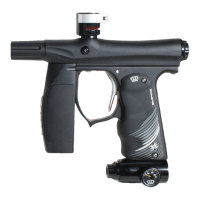
The MINI also has a Battery Life Indicator, the LED located on the back of
the fore-grip. If in standard operation and the LED flashes with a GREEN
color, then the battery is Good. If the LED flashes YELLOW/AMBER, then
the battery is fairly depleted and should be replaced soon. If the LED flashes
RED, the there is less than 20% of the full battery strength remaining and
should be replaced immediately. Battery Level is indicated by the color of the
LED (see table below for explanation)
NOTE: During rapid firing, the battery can be depleted quickly and the LED may change color
and give an incorrect reading. Allow time for the battery to recover before determining if the
battery life is good or truly depleted.
LED Color Battery Level
GREEN Battery Good
YELLOW/AMBER Low Battery, should replace
RED Battery depleted replace immediately
SWITCHING ON YOUR MINI
To switch the MINI On, locate the button on the back side of the front foregrip,
in front of the trigger guard and directly under the LED. Push and hold the
button for 2 seconds. The LED will glow solid RED as soon as the button
is pressed. Continue to hold the button until the LED glows solid GREEN.
Release button and the LED will intermittently flash indicating that the marker
is now ON and LIVE in FIRE Mode. Color will be determined by the battery
level, as listed in the chart above.
NOTE: Be sure not to have the trigger pressed when turning the board on, this will enter the
board into Settings Mode.
SWITCHING OFF YOUR MINI
Push and hold the button on the front foregrip. After the button is held for 2
seconds, the LED will turn to a solid RED color. Release button and the MINI
will switch Off.
AUTOMATIC OFF FEATURE
The MINI also has an “Automatic OFF” feature. If you leave your MINI
powered up, it will shut itself off after approximately 60 minutes of inactivity.
This time cannot be adjusted.
EYE FUNCTION
The MINI board is pre-programmed to activate the eye system each time the marker
is powered up. See Section 7 (Break beam Eyes Operation) for more details.
INSTALLING A LOADER AND PAINTBALLS
The MINI comes equipped to accept 1.03" (outer dimension) standard-gravity
feed loaders as well as most agitating and force-feed loaders. Fit the loader
directly into the feedneck. It might be necessary to adjust the clamp to your
loader using the 3/32" Allen wrench. Always twist the loader in a Clockwise
direction to prevent feedneck thread damage.
The MINI uses .68 caliber, water-soluble paintballs, readily available at
paintball pro-shops, commercial playing fields, and many sporting goods
stores. The paintballs are fed from the loader through the direct vertical feed
port and into the breech of the marker.
6. FIRING THE MINI
Keep your finger out of the trigger guard and away from the trigger, point
the muzzle of your marker in a safe direction at all times during this
process. Be sure your goggles are securely in place and make sure the
MINI marker is off.
Warning- Everyone within firing range should always use paintball approved
eye and face protection in the presence of live paintball markers.
- Place the empty loader onto the marker.
- Be sure that it is securely mounted in place.
- Apply the compressed gas, pressurizing the marker.
- Put the paintballs into the loader.
- Remove the barrel plug, sock or barrel-blocking device.
- Aim the MINI in a safe direction.
- Turn the MINI ON: Push the button for 2 seconds until the LED light changes
to solid GREEN, then release button and LED should display a flashing LED
according to Eye Status.- Aim the MINI at the target.
- Pull the trigger with a smooth squeezing motion.


 To Next Page