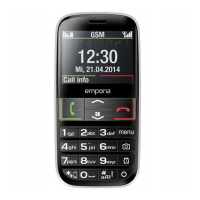
2
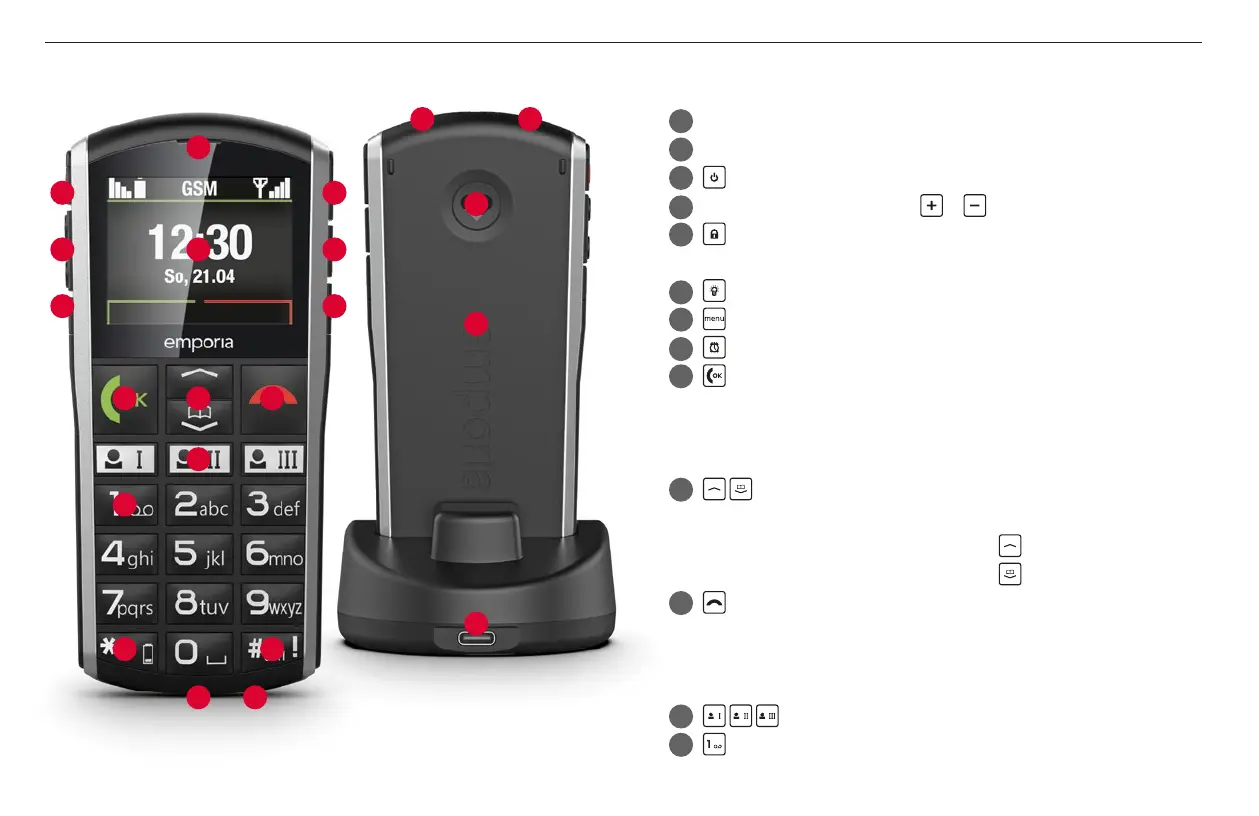
1
9
14
13
4 7
5 8
3 6
10
12
11
15
16 17
16
20
18 19
21
1
Speaker
2
Display (screen)
3
On/O key
4
Handset volume controls &
5
Keypad lock
Press this button for two seconds to lock or unlock the keypad.
6
Torch button
7
Menu key
8
Alarm key
9
Green key
• Start or accept a call
• In the menu: Conrm selection
• On standby: Access Call history
10
Arrow keys
• Use these to ick through your Contacts and the Menu.
• When the phone is on standby, press
to access Favourites.
• When the phone is on standby, press
to access Contacts.
11
Red key
• When in a call: End
• When in the menu: One step back
• When entering digits or letters: Delete
12
Speed-dial-keys
13
key (voicemail)
› YOUR MOBILE PHONE AT A GLANCE



 To Next Page