14
key: Indicates the charge
status of the battery by
ashing:
• Flashing red light: Battery is
out of charge
• Flashing green light: Battery
is being charged
• On constantly: Battery is fully
charged
15
key
• Flashes when there is a
missed call
• Stops ashing as soon as
your Call history has been
viewed
16
Port for USB charging cable
17
Headset port (Attention:
This is not a charger port!)
18
Opening for removing the
battery cover
19
Torch (LED)
20
Emergency button
(optional)
21
Battery cover
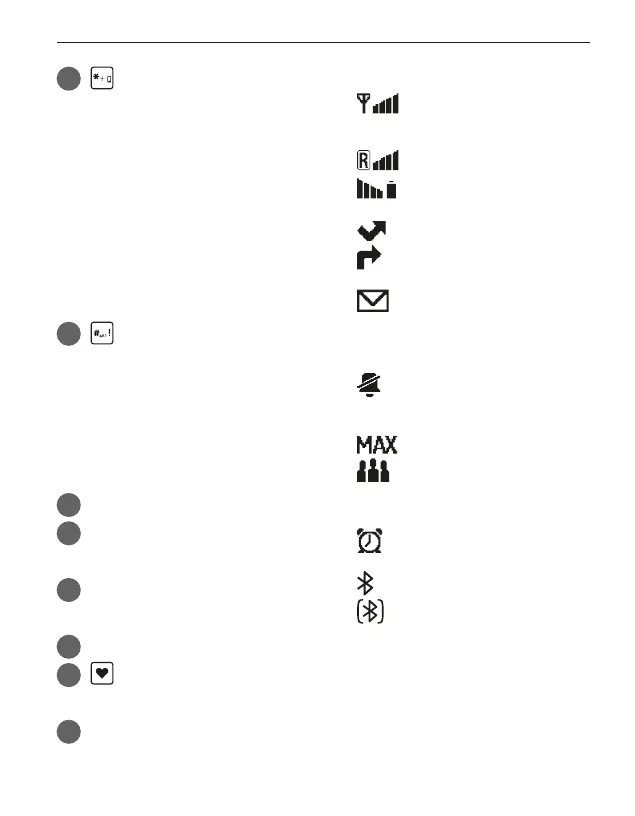
› Symbols on the screen
Network signal
strength
Roaming (abroad)
Battery scale
Missed call
Call forwarding
New text message
(SMS)
Prole: Silent/Sleep
mode
Prole: Maximum
Prole: Meeting/
Theatre mode
Alarm on
Bluetooth activated
Bluetooth connected



 To Next Page