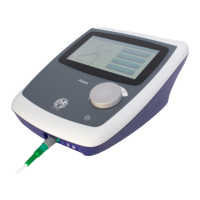
The first time the stimulator mode is selected from the list after turning on the
unit, or if Interferential 4-pole was previously in use, the selected mode from
the list will be applied to both channels A and B. The stimulator set-up screen
will be displayed, and for any mode other than Interferential 4-pole the
parameters for Channel A will be visible (Ch A is selected at the bottom left
of the screen). To observe and separately edit the parameters (or mode) for
Channel B, touch the ‘B’ button at the bottom left.
The following pages describe the set-up pages for each stimulation
type when accessed by touching the relevant button in one of the above
stimulation screens:-
The following common adjustments are present on the set-up screen
for all stimulation types:
Treatment time: Is selected either by touching the digits of the time display
or by touching the clock symbol and entering the desired treatment time.
The time can be set in 30s intervals.
User Programs: The ‘User programs’ button allows the current stimulator
setup to be stored in the user library – touching it will take you to the User
programs screen where touching ‘Save’ will record the present settings.
Constant Current/Constant Voltage: The output from the unit may be set
to be constant current or constant voltage in nature by touching the button
on the middle right of each screen.
Stimulation User Programs
Touching the User programs button in any of the stimulation set-up screens
will open the stimulation user program screen.
These can be saved, loaded, annotated or erased in much the same way as
the ultrasound user programs.
The settings of both stimulation channels A and B are saved in each user
program.


 To Next Page