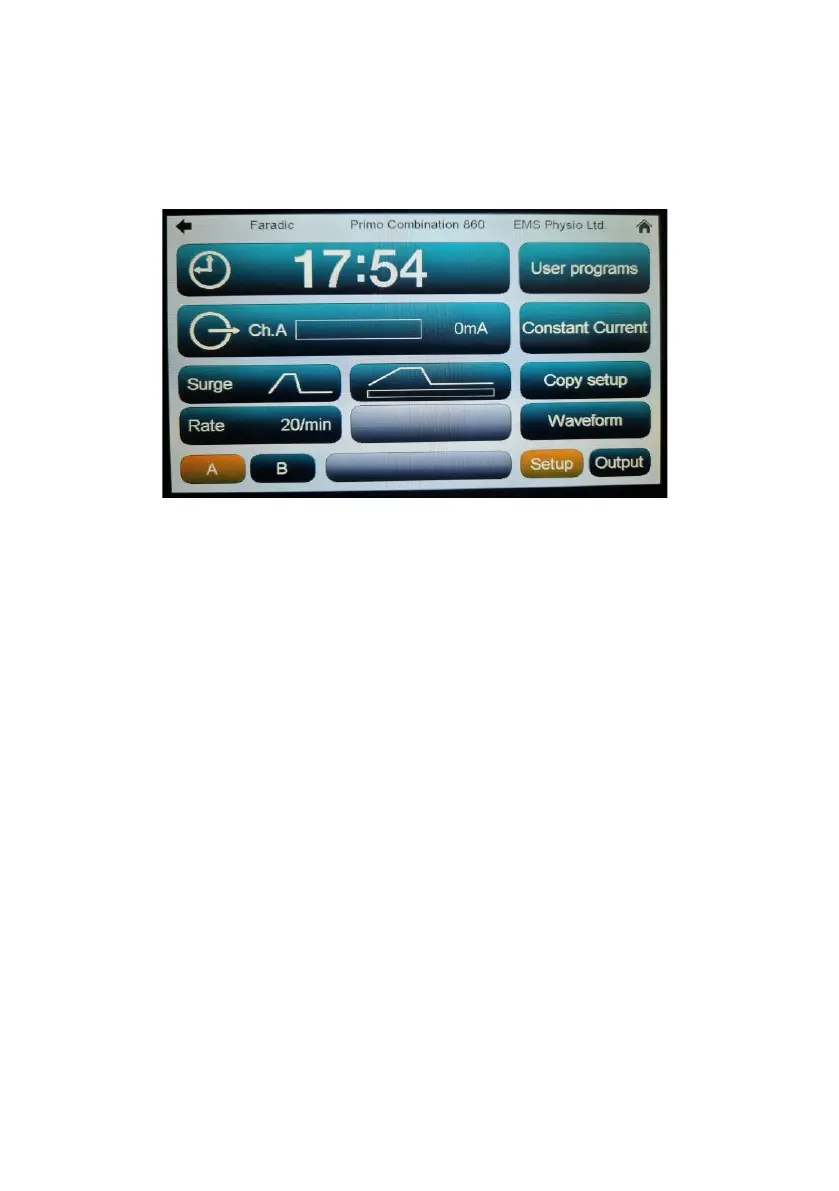
Faradic Set-up
‘Surge’: Three surge patterns (envelopes) are available: rectangular,
triangular and trapezoidal – a graphic showing the shape of the selected one
is shown on the surge button. A full description of these surge patterns is
available in the technical specification section of this manual. The surge
pattern may be changed by touching the ‘Surge’ button.
‘Rate’: Surge rates of 2, 5, 10, 20 and 30 per minute are available. The surge
rate may be changed by touching the ‘Rate’ button.
When running, the surge status is shown in the lower middle window button
of the ‘Setup’ screen and to the right of the channel strip when the ‘Output’
screen is selected.


 To Next Page