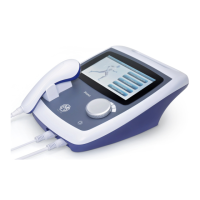
The following pages describe the set-up pages for each stimulation
type when accessed by touching the relevant button in one of the
above stimulation screens:-
The following common adjustments are present on the set-up screen
for all stimulation types:
Treatment time: Is selected either by touching the digits of the time display
or by touching the clock symbol and entering the desired treatment time.
The time can be set in 30s intervals.
User Programs: The ‘User programs’ button allows the current stimulator
setup to be stored in the user library – touching it will take you to the User
programs screen where touching ‘Save’ will record the present settings
(also see above – page 21).
Constant Current/Constant Voltage: The output from the unit may be set
to be constant current or constant voltage in nature by touching the button
on the middle right of each screen.
Independent Channel Operation
For all stimulation types except IFT4, two independent channels are
available that may be set to the same or different waveforms. The required
waveform for each channel is chosen by first selecting Channel A or B at
the bottom left of the Setup screen and then touching the ‘Waveform‘
button to select a new waveform from the stimulation type list which
appears (only IFT4, IFT2 and Medi-Wave are available in the Interferential
960). The ‘Copy setup’ button can be used to quickly transfer any edited
settings from Ch.A to Ch.B (or Ch.B to Ch.A). When ‘Copy setup’ is
pressed, an interim screen will first appear to Confirm or Cancel the copy
process (to prevent accidental over-writing).
Treatment for the selected channel can be initiated from the Setup
screen by turning up the encoder – this might be useful for ‘auditioning’ the
treatment settings to check that they are comfortable for the patient, for
instance. Alternatively, a treatment proper could be initiated by first turning
up the output of Channel A and then selecting the ‘B’ button at the bottom
to move to Channel B, which can then be turned up (the buttons on the
bottom row of the display are still active when a treatment is running but all
other parameter buttons will be locked out and will have no effect when
touched).


 To Next Page